

Hyper-V vs Nutanix AHV: Sizing Compute for Your First Customer PoC (A Decision Framework)
The Hyper-V vs Nutanix AHV sizing decision is where marketing slides crash into operational reality. For a Solution Engineer or Infrastructure Architect, the first customer Proof of Concept is the moment that distinction becomes expensive.
The most common reason for early PoC performance failures is not bad software — it is bad math. When evaluating Hyper-V against Nutanix AHV, you are not just comparing hypervisors. You are comparing two fundamentally different laws of physics: traditional 3-tier architecture versus Hyperconverged Infrastructure. If you size an HCI cluster using legacy 3-tier mathematics, your PoC will fail. This guide provides the exact architectural framework required to correctly size compute resources for both platforms.
For the broader platform context, the Virtualization Architecture pillar covers the full platform landscape. For the real-world I/O numbers that underpin the sizing decisions here, see the Nutanix AHV vs vSAN 8 I/O Benchmark.
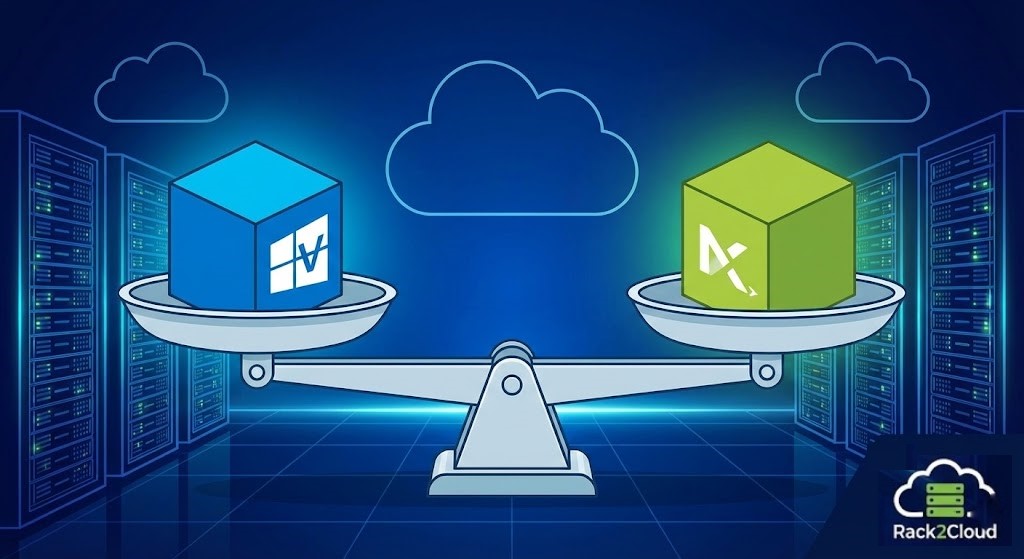
The Architectural Context: Who Processes the I/O?
Before you open a sizing calculator, you must understand the architecture. The way these platforms consume CPU and RAM to manage storage I/O is the only differentiator that matters.
Microsoft Hyper-V: The Layered Approach
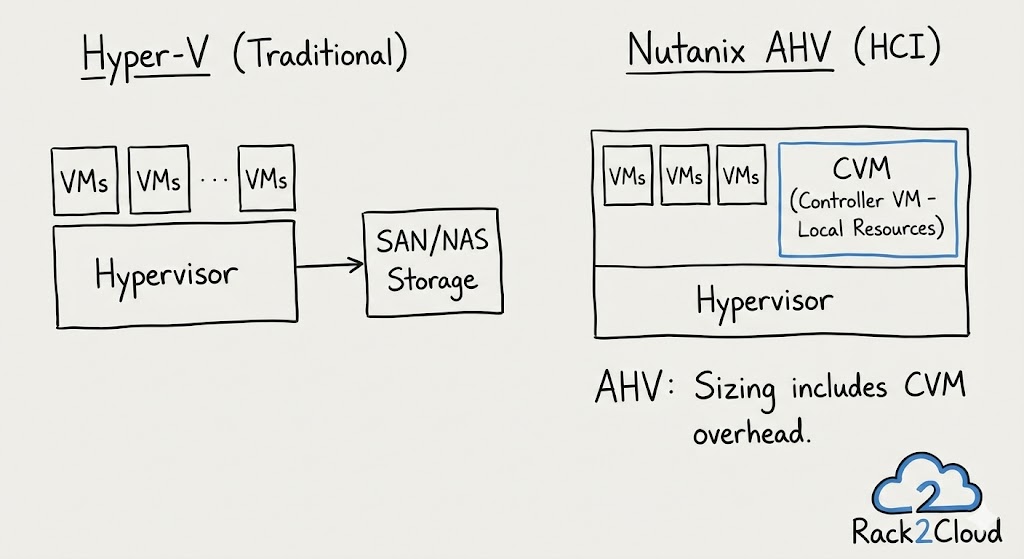
Hyper-V is a Type-1 hypervisor that runs directly on the hardware, but relies on a parent Windows Server partition for management. Crucially, in a traditional non-S2D setup, it relies entirely on an external Storage Area Network (SAN) to process data.
- The Sizing Reality: The physical compute node is primarily responsible for running guest VMs. The heavy lifting of storage I/O processing (RAID calculations, deduplication, caching) is completely offloaded to the external storage array controllers.
Nutanix AHV: The Distributed HCI Approach
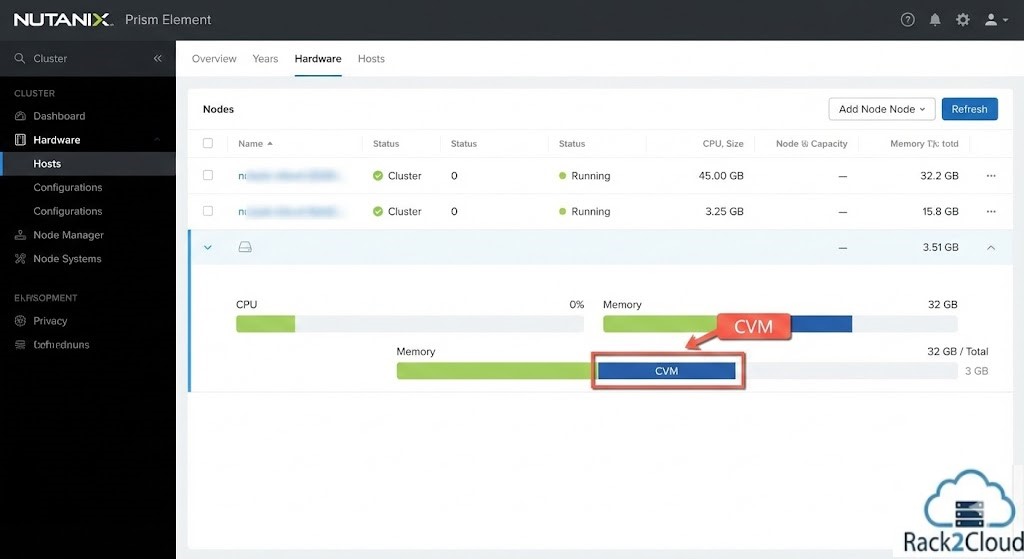
Nutanix AHV is a lean, KVM-based hypervisor built explicitly for HCI. The defining characteristic of the Nutanix architecture is the Controller VM (CVM). Every single node in the cluster runs a CVM that consumes local CPU and RAM to manage storage I/O, data reduction, and cluster logic.
- The Sizing Reality: The compute node runs VM workloads and a heavy-lifting storage controller. You must “pay the tax” for storage processing on the local hardware before you can power on a single customer VM. (To see how this local I/O processing impacts raw performance, review our Nutanix AHV vs vSAN 8 I/O Benchmark).
Sizing Framework: Microsoft Hyper-V
When approaching the Hyper-V vs Nutanix AHV sizing comparison, Hyper-V follows the legacy virtualization rulebook. You maximize VM density on the compute nodes and let the SAN handle the storage I/O.
Sizing for traditional Hyper-V follows the legacy virtualization rulebook. You maximize VM density on the compute nodes and let the SAN handle the disks.
The Sizing Math:
- Host OS Overhead: Reserve resources for the Windows parent partition. A safe PoC rule of thumb is 4 GB of RAM and 2 vCPUs per host.
- vCPU to pCPU Ratio: For a general-purpose PoC, a conservative ratio of 3:1 or 4:1 is safe. Do not push higher densities in a first-impression scenario unless you have exact performance baselines.
- N+1 Redundancy: Ensure the cluster has enough spare compute capacity to absorb a host failure without crossing NUMA boundaries.
⚠️ The SE Pitfall: You can size the compute perfectly, but if the customer connects those hosts to an overloaded 1Gbps iSCSI SAN, the PoC will fail due to disk latency. Hyper-V compute sizing assumes infinite storage performance.
Sizing Framework: Nutanix AHV
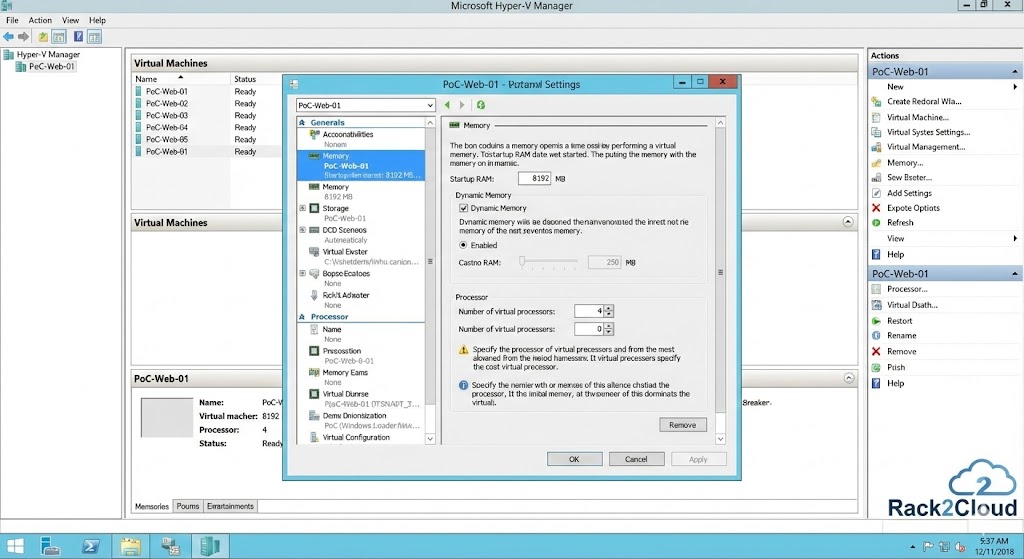
The Hyper-V vs Nutanix AHV distinction becomes most concrete in the AHV sizing model. HCI requires a fundamentally different mental model — the CVM tax is not optional overhead, it is the architectural cost of eliminating the external SAN. For a deep look at how CVM resource consumption compounds under real workload conditions, see the Controller Tax analysis.
Sizing for AHV requires an HCI mindset. If you ignore the CVM overhead, you will instantly create CPU Ready (%RDY) contention the moment you power on your workloads.
The Sizing Math:
- The CVM Reservation (The “Tax”): This is non-negotiable. A standard Nutanix CVM requires a massive reservation of memory to handle localized deduplication and compression. For a typical PoC, plan for an absolute minimum of 24GB to 32GB of RAM and 8 vCPUs per node just for the CVM.
- Usable Host Capacity: Subtract the CVM reservation from the physical host hardware. This is your actual pool for customer VMs.
- vCPU to pCPU Ratio: Because the CVM handles storage I/O locally, the physical CPUs are inherently busier than in a 3-tier design. A highly conservative vCPU ratio (e.g., 3:1 max) is required for an initial PoC to guarantee storage performance isn’t bottlenecked by CPU scheduler contention.
⚠️ The SE Pitfall: Undersizing the physical hardware. If you deploy nodes with only 128GB of RAM, a 32GB CVM reservation instantly consumes 25% of your total capacity right off the top.
The PoC Decision Matrix: Choosing Your Path
Which platform should you lead with for the PoC? Use this framework based on the customer environment and sizing realities.
| Feature | Lead with Hyper-V if… | Lead with Nutanix AHV if… |
| Customer Environment | Deeply invested in Microsoft (Windows Server, System Center, Azure). | Looking for infrastructure modernization, simplification, and a “cloud-like” experience. |
| Storage Strategy | Has high-performance external SAN/NAS available and wants to leverage it. | Wants to eliminate external SAN storage silos and gain linear scalability. |
| Sizing Mentality | “I want every GB of RAM on the host available for my VMs.” | “I’m willing to dedicate host resources to gain storage performance and simplicity.” |
| PoC Goal | Test maximum VM density on specific compute hardware. | Test operational simplicity, upgrades, and integrated storage performance. |
| Licensing | Already owns extensive Windows Server Datacenter licenses. | Willing to move away from hypervisor licensing costs (AHV is included with AOS). |
The full platform comparison across AHV, vSphere, Proxmox, and Hyper-V — including migration decision frameworks, I/O benchmarks, and Post-Broadcom exit path analysis.
Explore Virtualization Architecture →The Architect’s Verdict
Your goal in a first PoC isn’t just to prove the software works; it’s to prove that the architecture is mathematically sound.
If you size an AHV cluster without accounting for the CVM tax, you will fail. If you size a Hyper-V cluster without auditing the external SAN, you will fail. Stop guessing at your capacity limits. To model these environments accurately before you rack the hardware, use the mathematical sizing frameworks available in our Custom Apps & Deterministic Tools hub.
Additional Resources
Editorial Integrity & Security Protocol
This technical deep-dive adheres to the Rack2Cloud Deterministic Integrity Standard. All benchmarks and security audits are derived from zero-trust validation protocols within our isolated lab environments. No vendor influence.

R.M.
Senior Solutions Architect with 25+ years of experience in HCI, cloud strategy, and data resilience. As the lead behind Rack2Cloud, I focus on lab-verified guidance for complex enterprise transitions. View Credentials →
Get the Playbooks Vendors Won’t Publish
Field-tested blueprints for migration, HCI, sovereign infrastructure, and AI architecture. Real failure-mode analysis. No marketing filler. Delivered weekly.
Select your infrastructure paths. Receive field-tested blueprints direct to your inbox.
- > Virtualization & Migration Physics
- > Cloud Strategy & Egress Math
- > Data Protection & RTO Reality
- > AI Infrastructure & GPU Fabric
Zero spam. Includes The Dispatch weekly drop.
Need Architectural Guidance?
Unbiased infrastructure audit for your migration, cloud strategy, or HCI transition.
>_ Request Triage Session