Building a Practical Disaster Recovery Plan for Your First Cloud Project
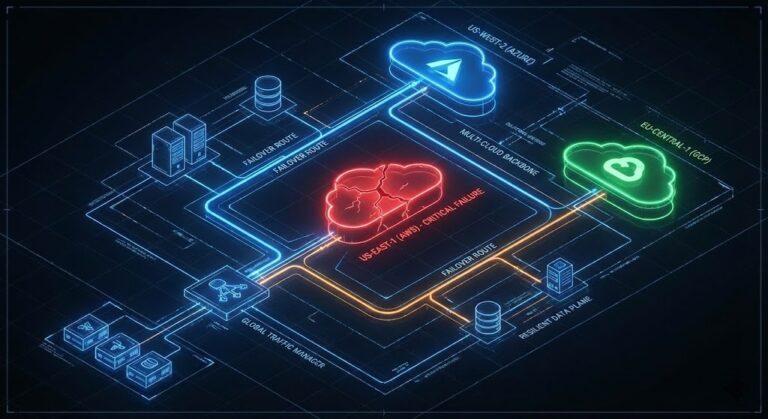
A cloud disaster recovery plan isn’t a backup strategy — it’s an architectural commitment that determines whether your business survives a region failure or spends 14 hours rebuilding databases by hand. I still remember the first “cloud” Disaster Recovery (DR) plan I reviewed back in 2012. The team assumed that because their app was running on AWS, it was magically invincible. “It’s in the cloud,” they said. “Amazon handles that.”
Six months later, us-east-1 had a wobble, and that team spent 14 hours manually rebuilding databases because their “DR plan” was just a loose collection of snapshots with no restoration script.
When you are architecting your first major cloud project, the temptation is to either ignore DR (because the cloud is resilient) or over-engineer it (building active-active multi-region architectures for a simple internal tool). Both are career-limiting moves.
This guide isn’t about theoretical availability. It’s about the hard choices you need to make to ensure that when the region goes dark, your phone doesn’t melt.
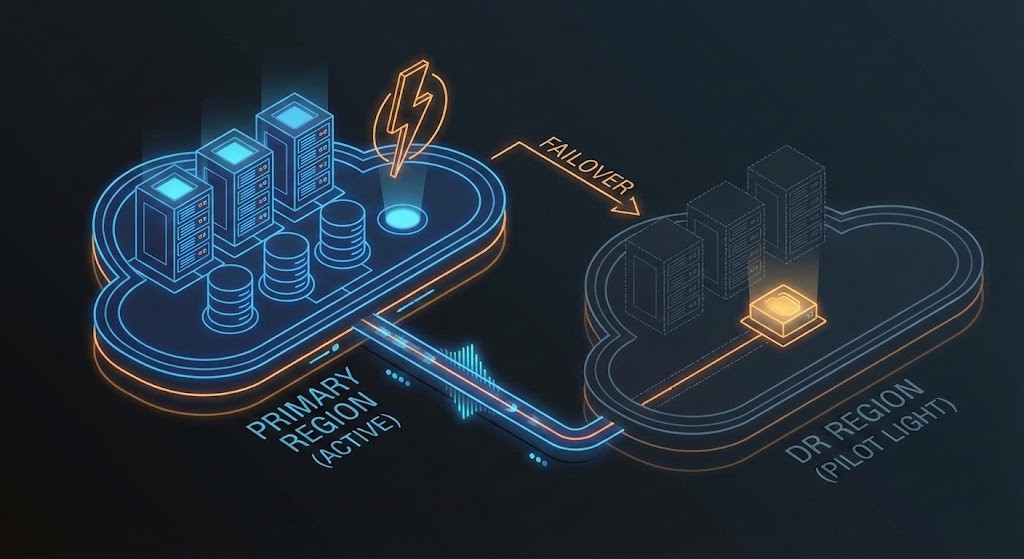
The Decision Framework: RTO vs. RPO vs. Your Budget
Stop asking “What is the best DR strategy?” That’s the wrong question. As an architect, you need to ask: “How much data is the business willing to lose (RPO), and how long can they survive being offline (RTO)?”
For your first project, you typically have four architectural tiers to choose from. Here is how I break them down for stakeholders:
| Strategy | Architecture Description | Typical RTO (Recovery Time) | Typical RPO (Data Loss) | Cost Impact | Best For |
| Backup & Restore | Snapshots stored in S3/Blob. Infrastructure is provisioned only upon disaster. | Hours to Days | Hours (Last Snapshot) | $ (Lowest) | Dev/Test, Non-critical internal apps. |
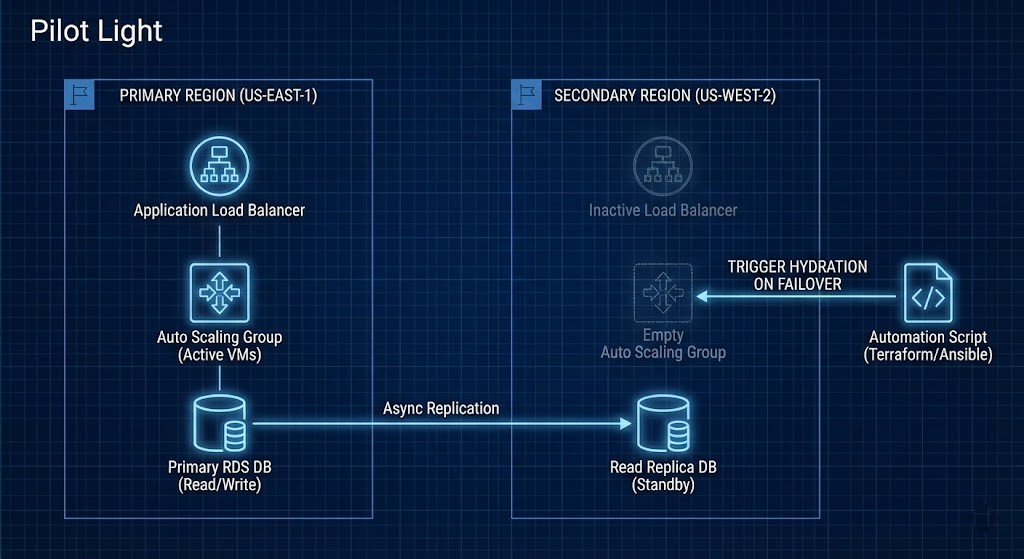
| Pilot Light | Database data replicates continuously. App servers are “off” or minimal size. Scale up on disaster. | 10-60 Minutes | Minutes | $$ | Most Tier-2 production workloads. |
| Warm Standby | Scaled-down version of full env running in secondary region. Always on, just smaller. | Minutes | Seconds/Minutes | $$$ | Business-critical apps requiring near-immediate recovery. |
| Multi-Site Active/Active | Traffic load-balanced across two regions. Zero downtime failover. | Real-time | Near Zero | $$$$$ | Mission-critical global apps (e.g., Banking core). |
If you need to pressure-test your RTO and RPO targets before committing to a tier, RTO, RPO, and RTA covers the full measurement framework — including RTA, the recovery metric most DR plans skip entirely.
Architect’s Note: For your first cloud project, I almost always recommend Pilot Light. It forces you to automate your infrastructure (IaC) to spin up the app servers, but it doesn’t burn cash running idle compute like Warm Standby.
The Tooling Reality: Implementing “Pilot Light” on AWS vs. Azure
Theory is great, but eventually, you have to configure the replication. In the Pilot Light model—where data is live but compute is dormant—your choice of tooling dictates your RPO and your “Sleepless Night” factor.
When designing for the two major clouds, here is how the native tools stack up for this specific strategy.
1. AWS Elastic Disaster Recovery (AWS DRS)
Previously known as CloudEndure, AWS DRS is my go-to for “Pilot Light” because it uses continuous block-level replication.
- How it works: You install an agent on your source servers. It replicates data to a low-cost “Staging Area” in your target region (using cheap EBS volumes and a tiny replication server).
- The Architect’s Edge: It doesn’t convert the machines to AMIs until you actually trigger a failover or a drill. This keeps the storage footprint cheap.
- The “Gotcha”: Watch out for high-churn databases. Since it replicates at the block level, a very busy SQL server will generate significant cross-region data transfer costs, which can surprise you on the monthly bill.
2. Azure Site Recovery (ASR)
ASR is more of an orchestration engine than just a replication tool. It shines in Azure-to-Azure DR because it deeply integrates with the fabric of the VNet.
- How it works: It replicates VM changes to a cache storage account in the target region. During a failover, it creates the disk and attaches it to a newly spun-up VM.
- The Architect’s Edge: Recovery Plans. ASR allows you to script the order of recovery (e.g., “Bring up the SQL tier first, wait for the service to start, then bring up the Web tier”). This automation is critical for reducing RTO.
- The “Gotcha”: ASR has specific churn limits (data change rates). If your VM writes data faster than ASR can replicate it (over 50-100 MB/s depending on configuration), you will fall out of sync and violate your RPO.
Feature Comparison: AWS DRS vs. Azure ASR
As an engineer, you need to know the limitations. Here is the side-by-side spec sheet for your architectural decision record:
| Feature | AWS Elastic Disaster Recovery (DRS) | Azure Site Recovery (ASR) |
| Replication Method | Continuous Block-Level (Agent-based) | Hyper-V Replica / Azure Extension (Agentless options available) |
| Target Infrastructure | Lightweight Staging Area (low cost) | Target Region Cache Storage (low cost) |
| Failover Process | Converts Staging disks to EC2 instances | Creates VMs from Replicated Disks |
| Orchestration | Basic Launch settings | Advanced “Recovery Plans” (Sequencing, Pre/Post Scripts) |
| Testing (Drills) | Non-disruptive (launches isolated instances) | Non-disruptive (Test Failover into isolated VNet) |
| Cost Model | Per source server/hour + Storage | Per protected instance/month + Storage |
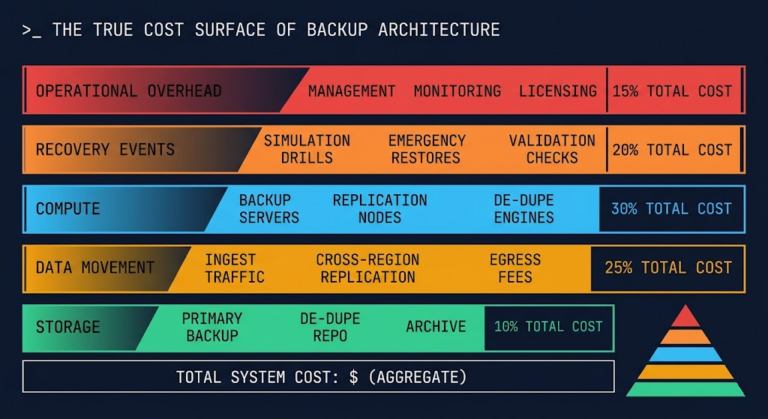
Cost Analysis: The “Insurance Premium”
This is the section where most engineers glaze over, and most architects earn their paycheck. DR is an insurance premium. You have to explain to your CFO exactly what they are buying.
- Data Transfer Costs (The Silent Killer): If you choose a Cross-Region strategy, remember that cloud providers charge for data egress between regions. Replicating a 10TB database from Virginia to Oregon isn’t free. Cross-region replication costs compound faster than most architects model. Physics of Data Egress covers the egress pricing mechanics across AWS, GCP, and Azure in detail.
- Compute Idle Tax: In a “Warm Standby” scenario, you are paying for EC2/VMs to sit there doing nothing 99.9% of the time. Are you using Reserved Instances (RIs) for the DR site? If not, that insurance policy just got 40% more expensive.
- The “Storage Tax” Trap: Both AWS DRS and Azure ASR are marketed as cost-savers, but here is where they get you. You aren’t paying for expensive compute (VMs), but you are paying for snapshot storage. If you keep 30 days of retention for a 2TB database, you are paying for 2TB of snapshot storage plus the change rate.
My Rule of Thumb: A “Pilot Light” strategy typically adds 15-20% to your total monthly cloud bill. Active-Active can increase it by 250% (due to complexity and data sync overhead). For your first project, set snapshot retention aggressively short (e.g., 1-3 days) to keep costs low.
Before you commit to a DR tier, model the actual cost. The Cloud Restore Calculator estimates your Pilot Light, Warm Standby, and Active-Active monthly overhead across AWS and Azure — including snapshot storage, replication transfer, and idle compute costs.
→ Calculate My DR CostOperational Reality: The “Game Day”
A DR plan that lives in a PDF is worthless. I adhere to the “Game Day” philosophy. Once a quarter, we simulate a failure. We don’t just “talk through it.” We actually cut the connection to the database or simulate a zone failure.
- The Drift Problem: In the cloud, infrastructure changes fast. Did someone add a new security group rule in Production last Tuesday? If Terraform/Ansible didn’t push that to the DR region, your failover will hang.
- The DNS Trap: The number one reason failovers fail? DNS propagation (TTL) is set too high, or the CNAME swap script requires permissions the automation user doesn’t have.
Next Steps for You:
- Define the RPO/RTO for this specific workload (get it in writing from the business owner).
- Choose “Backup & Restore” or “Pilot Light” for your MVP.
- Write the Terraform script to hydrate the environment in a new region.
Conclusion: The Architect’s Burden
Disaster Recovery is the only part of cloud architecture where you hope your work is never actually used. But when the dashboard turns red, hope is not a strategy.
By choosing a Pilot Light approach and leveraging native tools like AWS DRS or Azure ASR, you are building a safety net that is financially viable for a “Day 1” project. You are avoiding the trap of over-engineering a solution you can’t maintain, while avoiding the negligence of having no plan at all. For the broader architectural context — provider selection, cost governance, and multi-cloud design patterns — the Cloud Architecture Learning Path maps the full decision framework.
Your next move? Don’t just save the Terraform file. Schedule a “Game Day” for next Friday. Fail the region. Watch the logs. See if the Pilot Light actually ignites, or if it just flickers.
That is the difference between a diagram and a deliverable.
Additional Resources
Editorial Integrity & Security Protocol
This technical deep-dive adheres to the Rack2Cloud Deterministic Integrity Standard. All benchmarks and security audits are derived from zero-trust validation protocols within our isolated lab environments. No vendor influence.

R.M.
Senior Solutions Architect with 25+ years of experience in HCI, cloud strategy, and data resilience. As the lead behind Rack2Cloud, I focus on lab-verified guidance for complex enterprise transitions. View Credentials →
Get the Playbooks Vendors Won’t Publish
Field-tested blueprints for migration, HCI, sovereign infrastructure, and AI architecture. Real failure-mode analysis. No marketing filler. Delivered weekly.
Select your infrastructure paths. Receive field-tested blueprints direct to your inbox.
- > Virtualization & Migration Physics
- > Cloud Strategy & Egress Math
- > Data Protection & RTO Reality
- > AI Infrastructure & GPU Fabric
Zero spam. Includes The Dispatch weekly drop.
Need Architectural Guidance?
Unbiased infrastructure audit for your migration, cloud strategy, or HCI transition.
>_ Request Triage Session