

Bridge the Gap: AI-Driven Pure Storage Observability for Nutanix Environments
Pure Storage observability gaps have quietly killed more SLAs than capacity alerts ever will. For over 15 years, infrastructure teams have battled the “whack-a-mole” cycle — an application leaks data, the array hits 90%, and by the time a manual snapshot is triggered, the filesystem is already read-only. Reactive infrastructure creates unnecessary risk — and it’s a pattern well-documented in backup architecture failure modes. Aura-Ops was engineered to break this cycle by fusing AI intelligence with automated remediation.
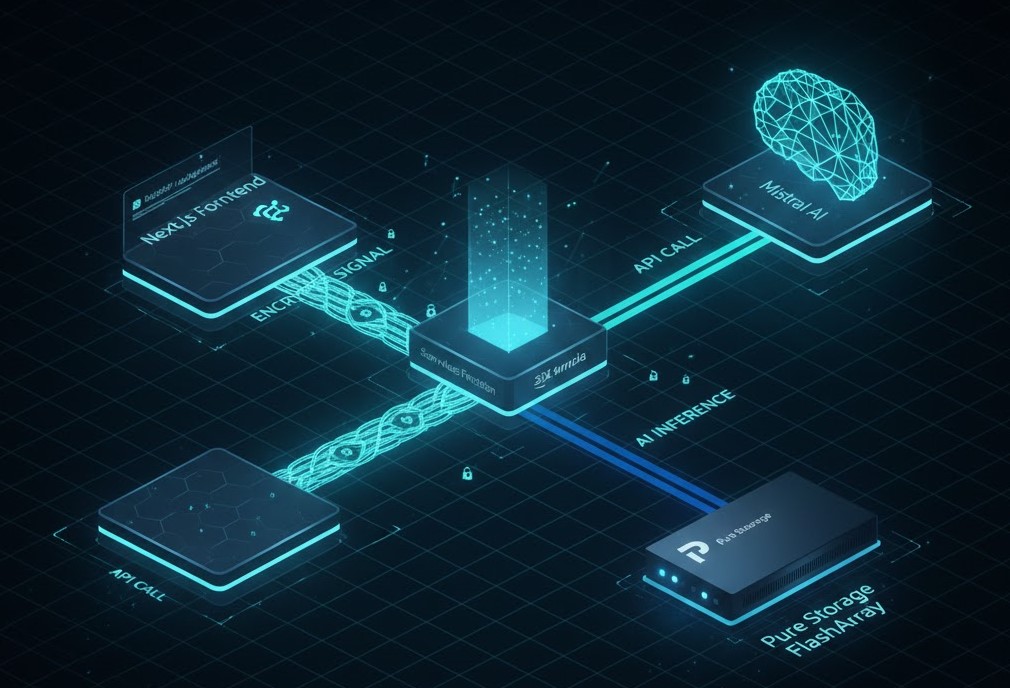
This isn’t just another dashboard. It’s a “Fusion Layer” that correlates Pure Storage telemetry with Nutanix snapshot capabilities using LLM-driven predictive logic. We are moving from “monitoring” to “predictive remediation.”
Pure Storage Observability and the Storage Drift Problem
Storage drift is the silent killer of SLAs. In a typical Nutanix AHV environment backed by Pure Storage, the “drift” often happens at the application layer but manifests at the block layer.
Pure Storage observability requires more than threshold monitoring — it requires context. I’ve seen architects try to solve this with generic scripts, but they lack context. Aura-Ops solves this by feeding 30 days of telemetry into an AI engine that understands that a 23% increase in 30 days isn’t just a trend — it’s a critical threat to the Nutanix cluster’s metadata health.
I’ve seen architects try to solve this with generic scripts, but they lack context — and without context, enterprise storage logic can’t distinguish a trend from a threat. Aura-Ops solves this by feeding 30 days of telemetry into an AI engine that understands that a 23% increase in 30 days isn’t just a trend—it’s a critical threat to the Nutanix cluster’s metadata health.
Visual Engineering: Feature Matrix
If you’re deciding between standard monitoring and an AI Fusion layer, here is how the metrics stack up:
| Feature | Standard Monitoring (Prism/Pure1) | Aura-Ops AI Utility |
| Analysis Focus | Real-time Thresholds | Predictive Drift Trends |
| Action Trigger | Manual or Basic Policy | AI-Driven “Self-Healing” |
| Cross-Vendor Fusion | Sited (Separate Consoles) | Unified Nutanix + Pure Logic |
| Credential Safety | Saved in App/DB | LocalStorage (BYOI Mode) |
CapEx vs. OpEx: The Financial Reality
Let’s talk money. Buying more disks is a CapEx hit that most CFOs want to defer. Aura-Ops allows you to optimize your existing “all-flash” investment by managing thin provisioning more aggressively.
- CapEx Implications: By utilizing predictive snapshots, you can safely run arrays at higher utilization rates — the same principle behind data hardening and immutability at the block layer.
- OpEx Impact: Automating “resilience validation” reduces the labor hours required for storage auditing, which frees your SEs for higher-value architectural work.
- Licensing: Aura-Ops leverages open-weight models (Mistral) and standard REST APIs, avoiding the “vendor tax” often found in premium AIOps plugins.
Technical Schematic: The “Self-Healing” Workflow
When you click “Execute Healing,” you aren’t just running a script. You are engaging a specific state machine:
- Context Injection: The app pulls your Lab IP and Token from
localStorage. - POST Trigger: A secure request hits the
/api/healroute handler. - API Handshake: The backend performs a REST call to the Pure Storage Purity OS.
- Verification: The AI validates the snapshotID against the Nutanix protection domain requirements.
This isn’t just automation — it’s configuration drift enforcement applied at the storage layer before the drift becomes a production event.
If you’re currently dealing with complex hypervisor migrations while trying to keep storage stable, check out our NSX-T to Nutanix Flow Migration Guide to see how we handle networking with the same level of architectural rigor.
Bring Your Own Infrastructure: The BYOI Test Drive
The “Test Drive” mode is my favorite feature. I’ve seen too many tools demand a full database connection just for a demo. With the Configure Environment module, you provide:
- FlashArray IP: Point the app to your lab.
- API Token: Authorize the snapshot command.
The data stays in your browser. If you refresh, it’s there. If you clear cache, it’s gone. Total privacy for Solution Engineers who need to prove the tech without the paperwork.
Solution Engineers who need to prove the tech without the paperwork — and without compromising on AI inference observability standards in the process.
Architect’s Verdict
Pure Storage observability isn’t a dashboard problem — it’s an architecture problem. If your telemetry surface stops at Prism or Pure1 and your snapshot policy is still manual, you’re operating with a detection gap. Aura-Ops closes that gap without adding vendor licensing overhead.
- → You’re running Nutanix AHV with Pure Storage FlashArrays and managing snapshot policy manually
- → Your team is responding to 90% capacity alerts instead of preventing them
- → You want predictive remediation without adding a vendor-licensed AIOps layer
- → You need a BYOI demo environment that doesn’t touch production credentials
- → Your storage stack is homogeneous — Pure1 or Prism alone covers your telemetry surface
- → You don’t have API access to your FlashArray — BYOI requires a live token
- → Your org has a hard policy against localStorage credential handling in web tools
Additional Resources
To validate the “Production Roadmap” we’ve built into the app, I recommend reviewing these primary sources:
View 1 more resource
Editorial Integrity & Security Protocol
This technical deep-dive adheres to the Rack2Cloud Deterministic Integrity Standard. All benchmarks and security audits are derived from zero-trust validation protocols within our isolated lab environments. No vendor influence.

R.M.
Senior Solutions Architect with 25+ years of experience in HCI, cloud strategy, and data resilience. As the lead behind Rack2Cloud, I focus on lab-verified guidance for complex enterprise transitions. View Credentials →
Get the Playbooks Vendors Won’t Publish
Choose the architecture problems you care about. Get field-tested playbooks and frameworks delivered to your inbox.
- > AI Infrastructure & Inference Economics
- > Cloud Strategy & Hidden Cost Models
- > Virtualization & Deterministic Migration
- > Kubernetes, IaC & Modern Infrastructure
- > Data Protection & Recovery Engineering
Zero spam. Includes The Dispatch weekly drop.
Need Architectural Guidance?
Independent review before major infrastructure decisions.
- > Validate assumptions
- > Identify hidden dependencies
- > Quantify migration risk
- > Challenge vendor narratives
Triage · Advisory · Fractional · Direct Hire