

Closing the Console Gap: Detecting Manual Cloud Console Changes Before They Break Your Terraform State
Key Takeaways
- Drift is three-way, not two-way. Comparing Terraform code to state is not enough; you must continuously reconcile Git (intent), state (memory), and the live cloud API (reality).
-refresh-onlyis your early-warning radar. Aterraform plan -refresh-only -detailed-exitcodestep in CI/CD tells you when ClickOps or hotfixes have changed managed resources before you apply new code.- Exit codes are a governance signal. Exit code
2is not just “there is drift”; it is “pipeline must halt or escalate,” especially in regulated or sovereign environments. - Regulated environments need semantic drift analysis. Knowing “something changed” is not enough; you must know whether a manual change breached a sovereignty, encryption, or exposure boundary.
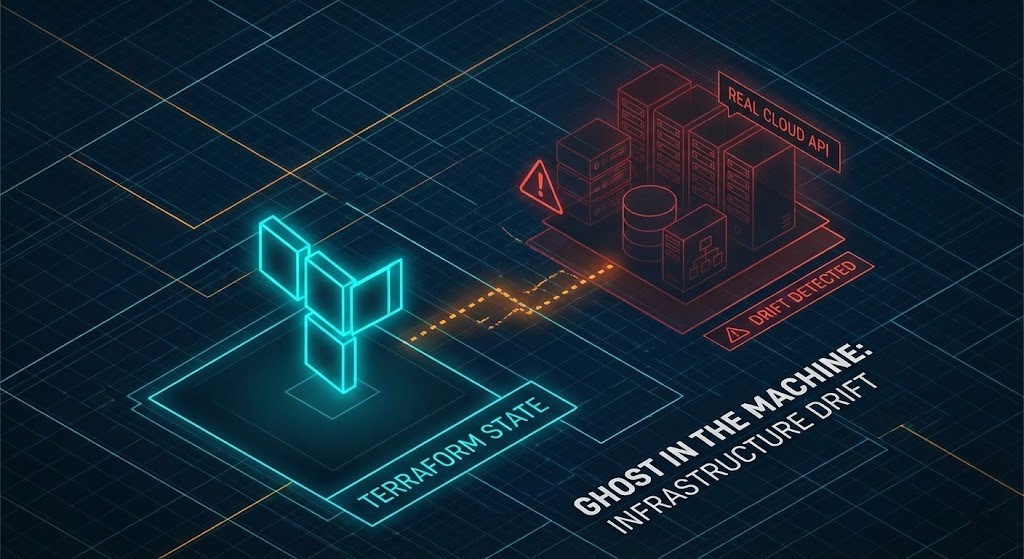
Why 2-Way Terraform Isn’t Enough
Most teams talk about “Terraform drift” as if it is a simple mismatch between .tf files and the state file. In practice, that is only two-thirds of the story. Real outages—and compliance failures—happen when there is a gap between the infrastructure everyone thinks they’ve codified and the infrastructure that actually exists in production.
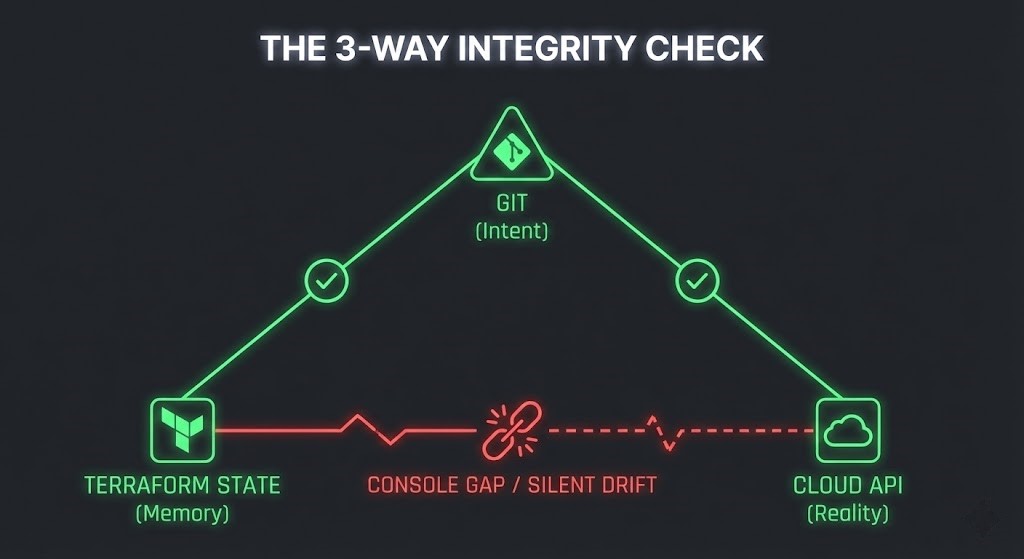
There are three distinct views of your environment:
- Git (Intent): The HCL that expresses what you want to exist and how it should be configured.
- Terraform State (Memory): The last serialized snapshot Terraform believes is true.
- Cloud API (Reality): The live environment, including console “quick fixes,” emergency changes, and scripts that bypass Terraform entirely.
When everything is healthy, these three converge. After enough ClickOps, on-call hotfixes, and urgent vendor workarounds, they diverge.
The War Story: I once watched a critical payment gateway go dark at 10:00 AM on a Tuesday. The cause? A junior engineer ran a routine Terraform apply to update a tag. Terraform saw that the Security Group in its state file didn’t match the code (Intent) and “helpfully” reverted it.
What Terraform didn’t know—and what the engineer didn’t check—was that a Senior SysAdmin had manually opened a port in the AWS Console at 2:00 AM on Saturday to fix a timeout issue. That manual fix was live (Reality) but never codified (Intent) or imported (Memory). Terraform simply wiped it out to enforce “purity.”
The purpose of a “console gap” strategy is to make Terraform aware of live reality before it touches anything.
The 3-Way Integrity Model
A robust integrity model treats Git, state, and the cloud API as separate trust anchors.
- Git → State: Is every resource in state represented in code? Are there leftover resources in state that no longer exist in HCL?
- State → Cloud API: Does the state accurately reflect what is currently running? Has a console change altered a critical property (e.g., bucket policy, encryption, subnet)?
- Git → Cloud API: Even if state is outdated, what is the delta between desired architecture and live architecture? Are there live resources that code would never create (e.g., public endpoints, shadow buckets)?
Terraform’s normal workflow mostly focuses on Git ↔ State, with a light touch on State ↔ Cloud. Closing the console gap means making the State ↔ Cloud reconciliation explicit and non-negotiable in your pipelines.
The Deep Refresh: Forcing Terraform to Look at Reality
The first technical building block is a refresh-only plan step, run in automation before any real plan or apply. The goal is simple: force Terraform to re-poll the provider APIs and compare current state with the live environment, without attempting to change anything.
The Command:
Bash
# Force Terraform to poll the cloud API for every managed resource
terraform plan -refresh-only -detailed-exitcode
This does three important things:
- Forces a full read of each managed resource from the provider (the cloud API).
- Compares that live configuration to what is stored in state.
- Emits a precise exit code that you can wire into CI/CD logic.
In other words, this is Terraform asking: “Has anything changed in the real world since the last time I looked, even if no code has changed?”
Reading Exit Codes Like a Senior Engineer
-detailed-exitcode turns Terraform from a simple “0/1 success/failure” tool into a three-state signal.
- 0: Succeeded, empty diff.
- Meaning: No drift detected; state matches live resources.
- Operational Implication: Safe to proceed to a normal
plan/applystep (subject to your normal reviews).
- 1: Error.
- Meaning: Terraform could not complete the refresh or compare operations.
- Operational Implication: Pipeline must fail; this is not drift but a connectivity, permissions, or provider problem.
- 2: Succeeded with non-empty diff.
- Meaning: Drift detected. There is a difference between state and the live environment.
- Operational Implication: Do not continue as if nothing happened. Someone must inspect what changed and why.
This exit code 2 is your early-warning radar for ClickOps. A manual security group tweak, a “temporary” public S3 bucket, or a console-changed KMS key—anything that changes a Terraform-managed resource—will show up here.
The key is to treat 2 as a governance event, not just a log line.
From Logging to Policy: What Happens When Drift = 2
Simply printing “drift detected” into a pipeline log is not enough. To actually close the console gap, you need an opinionated policy for what happens when Terraform returns 2 from a refresh-only plan.
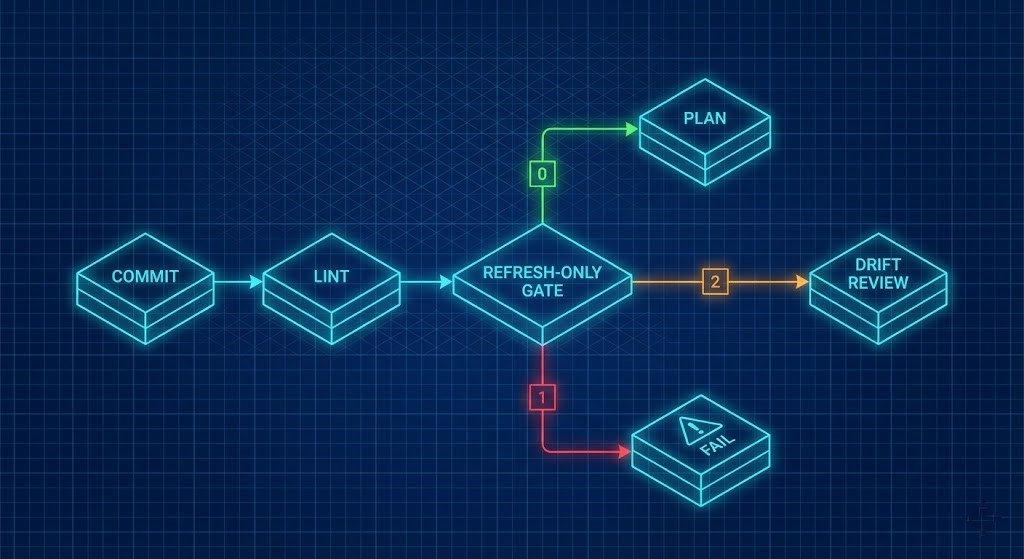
A Pragmatic Pipeline Flow:
Refresh-only stage (blocking):
- Run
terraform plan -refresh-only -detailed-exitcode. - If
0: proceed to next stage. - If
1: fail pipeline and alert the platform team. - If
2: route to a drift review workflow (e.g., create a ticket, attach plan output, and require human approval).
- Drift review workflow:
- Identify which resources drifted.
- Determine whether the drift is:
- Legitimate emergency fix: e.g., hotfix applied during an incident that needs to be codified in Git.
- Unauthorized ClickOps: e.g., someone exposing a resource or modifying security posture without review.
- Decide whether to:
- Update Terraform code to match live reality.
- Roll back manual change by re-applying the desired configuration from Git.
- Codify outcome:
- No change is “done” until Terraform code, state, and live environment are back in alignment.
Over time, this pattern trains teams to avoid ad-hoc console changes because they know those will be surfaced and scrutinized.
Why This Matters in Sovereign / Regulated Environments
In standard environments, drift might “just” cause outages or cost overruns. In sovereign and highly regulated environments, drift can quietly put you out of compliance.
Examples:
- A storage bucket that was supposed to remain in a specific region gains a cross-region replication rule via console.
- A key that was required to use a specific KMS configuration is manually re-pointed to a default or multi-region key.
- A resource tagged as “EU-only” gets a new endpoint or policy that allows global access.
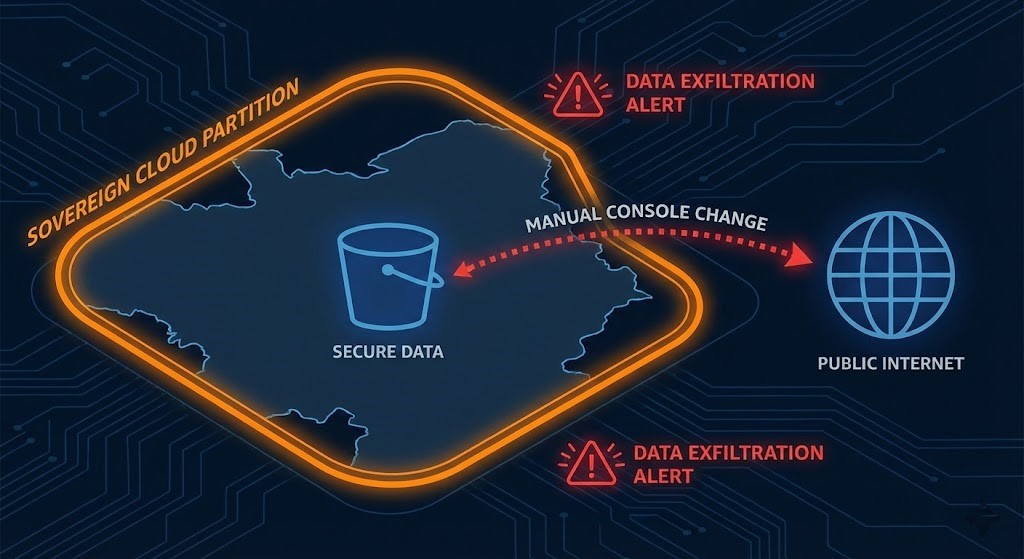
From a pure Terraform perspective, this is drift. From a regulator’s perspective, it might be a violation of contractual or legal commitments. A simple “drift exists” flag is not enough; you must understand whether the drift crosses a sovereign or regulatory boundary.
Beyond ‘Drift Exists’: Semantic Drift & Sovereign Boundaries
Standard CLI tools can tell you that something changed. They cannot tell you why the change matters or whether it violates a specific policy.
That’s where specialized drift analysis comes in. Instead of just comparing raw JSON before and after, you interpret the changes through a policy lens:
- Did a resource move out of an approved region set?
- Did an encryption configuration change from customer-managed to provider-managed?
- Did an endpoint or firewall policy move from “internal” to “internet-exposed”?
You classify each detected drift into:
- Cosmetic/benign (e.g., a tag reorder).
- Operational but safe (e.g., scaling a capacity number within allowed bounds).
- Policy breach (e.g., a sovereign resource becoming globally accessible).
This is where your Sovereign Drift Auditor narrative fits naturally. While standard CLI tools can tell you that drift exists, identifying which changes breach your regulatory posture requires a deeper lens. A dedicated drift auditor can specifically flag manual changes that move a resource out of its “sovereign boundary”—for example, an EU-restricted bucket suddenly gaining a global public endpoint due to a console click. This positions your tool as the “semantic layer” on top of Terraform’s raw diff.
Practical Pipeline Blueprint
A minimal but effective pipeline to close the console gap might look like this:
- Lint & Format Stage: Validate HCL syntax, formatting, and basic static checks.
- Plan (Refresh-Only) Stage:
terraform plan -refresh-only -detailed-exitcode- Exit 0 → continue.
- Exit 1 → fail and alert.
- Exit 2 → trigger drift analysis and human review.
- Semantic Drift Analysis Stage (Sovereign Drift Auditor):
- Feed the refresh plan output into your drift auditor.
- Classify any changes:
- Within policy → optionally auto-sync code.
- Policy violations → block and escalate.
- Standard Plan Stage:
- Once drift is resolved or codified, run
terraform planagainst the updated code/state.
- Once drift is resolved or codified, run
- Apply Stage (Guarded):
- Apply only after human approval of the plan in regulated environments.
This structure makes drift handling explicit and makes it very hard for console changes to slip into production unnoticed.
Architecture & Team Implications
Closing the console gap is not just a Terraform trick; it changes how teams work.
- Platform teams become the stewards of all three realities (Git, state, API), not just “the Terraform code owners.”
- Security and compliance teams get a concrete control: “No changes are applied if drift exists, unless a human has reviewed and documented why.”
- Application teams learn that hotfixes must be codified quickly or they will be overwritten.
The net effect is a more deterministic, auditable environment where “what’s running” and “what’s in Git” are never allowed to diverge for long.
Conclusion
A lot of teams think they use infrastructure-as-code, but in reality they run infrastructure-as-a-suggestion: Terraform on good days, console changes on bad days, and state drift in between.
The three-way integrity model is how you move from suggestion to determinism. By forcing Terraform to reconcile with the live API before every change, treating exit code 2 as a governance event, and layering in semantic drift analysis for sovereign boundaries, you close the console gap before it closes on you.
Next Steps
- Audit Today: Run a one-off
-refresh-onlyplan on your most critical production workspace. You might be surprised by what you find. - Update CI: Add the refresh-only gate to your pipeline logic.
- Analyze Semantics: Start evaluating semantic drift tools like the Sovereign Drift Auditor to catch regulatory breaches that raw Terraform diffs miss.
Additional Resources
- Terraform CLI: Refresh-only Mode (Source: HashiCorp)
- NIST 800-53: Configuration Management & Drift (Source: NIST)
- The Open Policy Agent (OPA) Documentation (Source: OPA)

R.M.
Senior Solutions Architect with 25+ years of experience in HCI, cloud strategy, and data resilience. As the lead behind Rack2Cloud, I focus on lab-verified guidance for complex enterprise transitions. View Credentials →
This architectural deep-dive contains affiliate links to hardware and software tools validated in our lab. If you make a purchase through these links, we may earn a commission at no additional cost to you. This support allows us to maintain our independent testing environment and continue producing ad-free strategic research. See our Full Policy.