Terraform Error: “Tagging Not Allowed” (The Fix)
The Terraform Azure tagging error has ended more than a few Fridays early. There is nothing quite like the adrenaline spike of a failed terraform apply five minutes before your weekend begins. You’ve implemented a robust “Global Tagging Strategy” (perhaps using default_tags in your provider block), and suddenly, your pipeline slams into a wall.
The error usually screams about a 403 Forbidden (Policy Deny) or a 400 BadRequest claiming that a specific resource “does not support tags.” Here is why your perfect governance strategy just broke your build — and how to fix it without rolling back.
This pattern comes up frequently in environments running the governance model from Azure Management Groups vs. Subscriptions: Where Policy Lives — the policy is doing exactly what it was told, which is exactly why Terraform is failing.
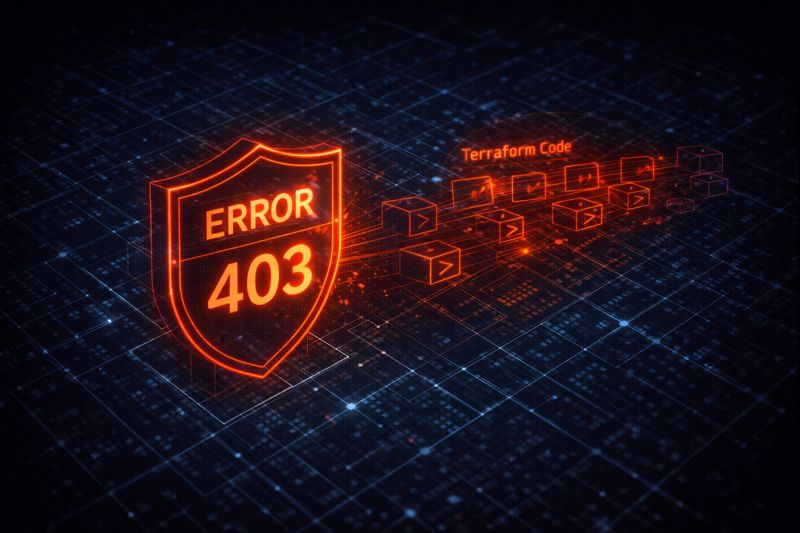
The Terraform Azure Tagging Error: Two Failure Modes
You will see one of these two variations in your stderr:
Scenario A: The Policy Block (Resource Group)
Plaintext
Error: creating Resource Group "rg-production-001": resourcegroups.ResourceGroupsClient#CreateOrUpdate: Failure responding to request: StatusCode=403 -- Original Error: autorest/azure: Service returned an error. Status=403 Code="RequestDisallowedByPolicy" Message="Resource 'rg-production-001' was disallowed by policy. Policy: 'Enforce-CostCenter'."
Scenario B: The Unsupported Resource
Plaintext
Error: creating Private Endpoint: Network.PrivateEndpointsClient#CreateOrUpdate: Failure sending request: StatusCode=400 -- Original Error: Code="NoTagsAllowed" Message="The resource type 'Microsoft.Network/privateEndpoints' does not support tagging."
Both errors stem from the same root problem — Terraform is attempting to apply tags at a point in the request lifecycle where Azure either won’t accept them or actively rejects them via policy. Understanding which failure mode you’re in determines which fix applies.
The Cause: Timing & Scope
- For Scenario A (Policy Deny): If you are using an older version of the AzureRM provider, or if you rely on
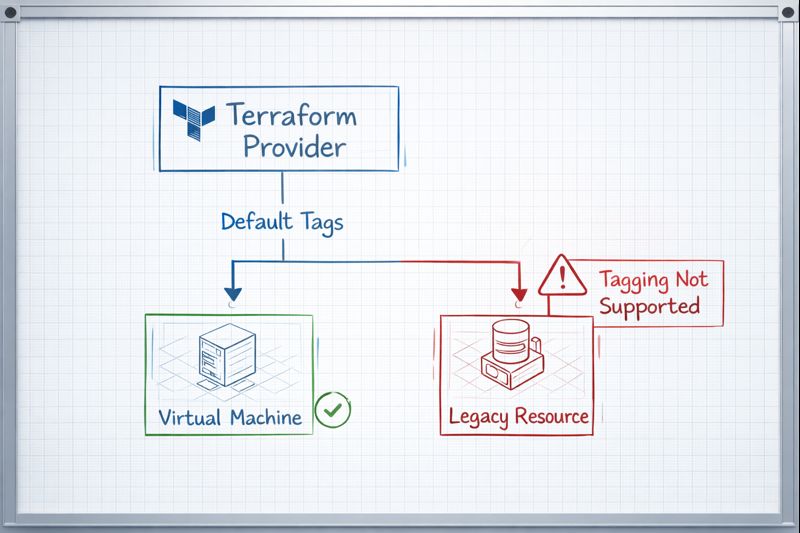
null_resourceto apply tags post-creation, the ARM API sees a creation request without tags. The Policy Gate slams the door shut immediately because the resource arrives untagged. - For Scenario B (Unsupported Resources): You likely defined
default_tagsin your mainprovider "azurerm"block. Terraform attempts to apply these tags to every resource it touches. When it tries to stamp aCostCentertag onto a resource that doesn’t have a tags schema (like certain sub-resources or private endpoints), Azure rejects the malformed request.
The timing issue is the same reason Terraform Is Not Infrastructure as Code — It’s Infrastructure as State matters: Terraform’s state model means it is making decisions about resource configuration at plan time, but the ARM API enforces policy at request time. When those two clocks disagree, you get a 403.
The Fix: The lifecycle Block
You don’t need to delete your global tags. We need to explicitly instruct the Terraform state engine to suppress drift detection for tags on these specific incompatible resources.
Fix for Scenario A (Policy Deny):
You must move the tags inside the resource block so they are sent in the initial PUT request.
Terraform
resource "azurerm_resource_group" "production" {
  name     = "rg-production-001"
  location = "eastus"

  # MANDATORY: Must be inline to pass Policy Gate
  tags = {
    CostCenter = "IT-Ops-101"
    Env        = "Production"
  }
}
Fix for Scenario B (Unsupported Resources):
Use the ignore_changes lifecycle argument. This tells Terraform: “I know the provider wants to tag this, but please don’t.”
Terraform
resource "azurerm_private_endpoint" "example" {
  name                = "pe-example"
  location            = azurerm_resource_group.example.location
  resource_group_name = azurerm_resource_group.example.name
  subnet_id           = azurerm_subnet.example.id

  # ... other config ...

  # THE FIX: Prevent default_tags from breaking this resource
  lifecycle {
    ignore_changes = [tags]
  }
}
The lifecycle block is also the correct tool when managing configuration drift more broadly — see Configuration Drift: Enforcing Infrastructure Immutability for the wider pattern.
Decision Framework: Policy vs. Code
| Strategy | Speed | Safety | Context |
Provider default_tags | Fastest. One line covers 90% of resources. | Medium. Will break on unsupported resources (requires the fix above). | Best for general OpEx tracking. |
| Explicit Resource Tags | Slow. Requires verbose code in every block. | High. Granular control; passes strict Policy gates easily. | Best for Critical Prod infra. |
| Azure Policy Remediation | Slowest. Fixes tags after deployment. | Low. Resources exist untagged for minutes/hours (Governance Gap). | Best for Brownfield cleanup. |
The remediation task approach has a hidden cost beyond just governance gaps — if you rely on fixing tags after creation, you are leaking attribution data. The billing meter starts the millisecond the resource is created. An hour without a tag is an hour of cost allocation lost forever. Cloud Cost Is Now an Architectural Constraint covers exactly this problem in the FinOps framing.
For teams running OpenTofu as a Terraform alternative, the lifecycle block behavior is identical — the Terraform vs. OpenTofu post covers what diverges and what doesn’t between the two providers.
Architect’s Verdict
The Terraform Azure tagging error is not a Terraform bug — it is a timing and scope problem. Terraform’s default_tags is the right tool for 90% of your estate, but it requires the lifecycle { ignore_changes = [tags] } escape hatch for resources that don’t support tagging, and inline tag blocks for resources that must pass a policy gate at creation time.
If you are using Azure Policy Remediation Tasks as your primary tagging strategy, stop. You are trading a one-time configuration fix for permanent attribution data loss on every resource that spins up untagged. Fix it in code — inline tags on critical resources, default_tags with lifecycle overrides everywhere else.
This is a Policy Gate problem at the smallest possible scale — the same enforcement gap Modern Infrastructure — Maturity Stage 1 — Declarative Infrastructure names at the stage level: syntax that looks declarative but hasn’t actually been governed end to end.
Additional Resources
Editorial Integrity & Security Protocol
This technical deep-dive adheres to the Rack2Cloud Deterministic Integrity Standard. All benchmarks and security audits are derived from zero-trust validation protocols within our isolated lab environments. No vendor influence.

R.M.
Senior Solutions Architect with 25+ years of experience in HCI, cloud strategy, and data resilience. As the lead behind Rack2Cloud, I focus on lab-verified guidance for complex enterprise transitions. View Credentials →
Get the Playbooks Vendors Won’t Publish
Field-tested blueprints for migration, HCI, sovereign infrastructure, and AI architecture. Real failure-mode analysis. No marketing filler. Delivered weekly.
Select your infrastructure paths. Receive field-tested blueprints direct to your inbox.
- > Virtualization & Migration Physics
- > Cloud Strategy & Egress Math
- > Data Protection & RTO Reality
- > AI Infrastructure & GPU Fabric
Zero spam. Includes The Dispatch weekly drop.
Architecture Audit Services
Fixed-scope audits for Zero-Trust Azure, VMware migration readiness, and recovery posture — no discovery call required to start.
>_ View Audit Services>_Related Posts
Your Kubernetes Cluster Isn’t Out of CPU — The Scheduler Is Stuck
Compute Tier 1 Authority Cascades to ➔ >_ Architect’s Brief 60-second read before you commit to the full post · Full post: 9 min Generating brief… [Storage] [Network] 🚨 Failure Signature Detected Grafana shows cluster CPU utilization is under 50%, but pods are stuck in Pending. Events show: 0/10 nodes are available: 10 Insufficient cpu….
Your Identity System Is Your Biggest Single Point of Failure
Part 2 of the Rack2Cloud’s Cloud Fragility Series >_ Cloud Fragility Series 01 Multi-Cloud Cascading Failure Risks 02 Your Identity System Is Your Biggest Single Point of Failure [CURRENT] 03 Vendor Lock-In Happens Through Networking — Not APIs 04 Your Cloud Bill Quietly Increased in 2026 — Here’s Where the Money Is Actually Going >_…
Your Cloud Provider Is Not Your HA Strategy
A Tactical Playbook for Architecting, Testing, and Automating Real Multi-Cloud & Multi-Region Resilience We’ve previously explored why cloud SLAs fail as guarantees in our deep dive, Cloud SLA Failure & Resilience Strategy. This article focuses on how to survive those failures in practice — architecturally, operationally, and financially. >_ Architect’s Brief 60-second read before you…
Your Cloud Provider Is a Single Point of Failure — Enterprise Resilience Beyond Provider SLAs
Cloud SLA limitations become real the moment IAM starts returning 503s. It’s always a small event at first — a blip in CloudWatch, a dashboard alert muted over lunch. Then every automation pipeline you thought would “save you” suddenly becomes inert code waiting on a dead API. I watched great engineers helplessly SSH into nothing…
Your Cloud Bill Quietly Increased 18% in 2026 — Here’s Where the Money Is Actually Going
Part 4 of the Rack2Cloud Cloud’2 Cloud Fragility Series >_ Cloud Fragility Series 01 Multi-Cloud Cascading Failure Risks 02 Your Identity System Is Your Biggest Single Point of Failure 03 Vendor Lock-In Happens Through Networking — Not APIs 04 Your Cloud Bill Quietly Increased in 2026 — Here’s Where the Money Is Actually Going [CURRENT]…
Your CI-CD Pipeline Is Your Real Infrastructure Control Plane
Terraform defines desired state. Kubernetes reconciles workload state. Cloud consoles expose state. None of those systems decides whether infrastructure state is allowed to change. The ci-cd control plane does — or more precisely, the CI-CD pipeline is the only system in most environments that can hold that authority. That distinction — between storing state and…