

The Storage Handshake is Dead: Why HCI Redefines the Rules
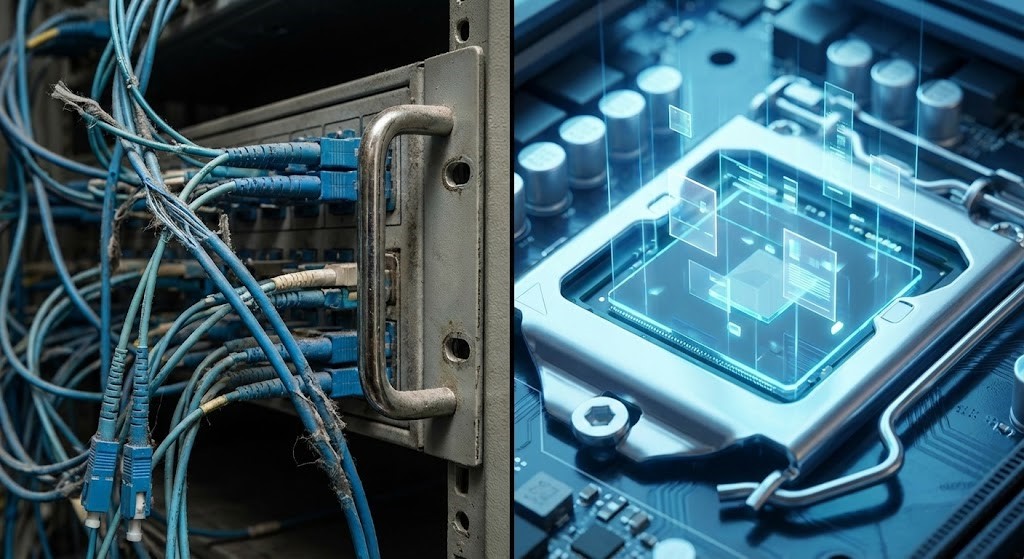
Figure 1: The evolution of I/O—from physical cabling constraints to logical proximity.
The Ticket-to-LUN Latency Loop
It always kicks off the same way. The SQL team gripes about write latency. The dashboard? Still green. You check the switch ports—zero errors. You poke around on the array—cache hits look fine. Yet the app crawls.
Classic 3-Tier setups turn every storage request into a bureaucratic circus. Need more IOPS? Open a ticket. The storage admin carves out a LUN, masks it to your WWN, you rescan the HBA, then format VMFS. Every step is another hoop to jump through.
But this isn’t just slow—it’s backwards. We built our data centers around the idea that storage lives in a separate, sacred box somewhere down the hall. Fast forward to 2026, and that’s just not true. Storage isn’t a place anymore. It’s a property of the workload itself, a core concept in our Modern Virtualization Learning Path. The real latency isn’t hiding in the wires—it’s baked right into the whole architecture. The HCI vs 3-Tier storage debate isn’t about features — it’s about where the physics breaks down.
HCI vs 3-Tier Storage: Why the Hairpin Kills SAN Performance
Here’s the fatal flaw in 3-Tier: the “hairpin.” Every write acknowledgement—the little “got it” that tells your database it’s safe to move on—has to leave the compute node, hop through a Top-of-Rack switch, bounce off the Core switch, land on a Storage Controller, hit NVRAM, then take the same long road back.
We like to pretend the network is free. It isn’t.
Scale this up, and suddenly you’re dealing with the “Noisy Neighbor” effect. I’ve watched entire production environments grind to a halt because one dev team runs a monster SQL query on LUN_01, saturating the Storage Controller’s CPU. Meanwhile, the VDI stack on LUN_02—same controller—slows to a crawl. This is the exact resource contention mechanism we break down in Resource Pooling Physics. LUNs might look independent on paper, but physically, they’re all choking on the same bottleneck.
SPC-1 benchmarks tell the same story: even all-flash arrays eventually slam into a wall [1]. The controller maxes out, latency spikes, and it doesn’t matter how many SSDs you throw behind it. You can’t “software” your way out when the traffic has to leave the chassis.
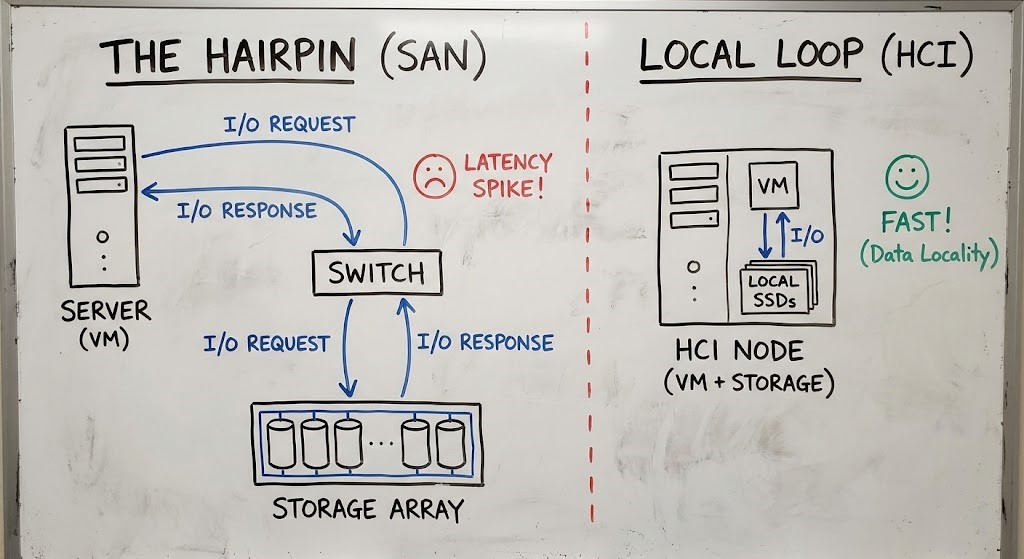
Figure 2: The fallacy of the 3-Tier architecture is assuming the network is free.
The Distributed Datapath: Locality is King
HCI isn’t just “Server SAN” with a new coat of paint. It’s a total rejection of the idea that a physical controller should bottleneck your storage.
In a real HCI setup—think Nutanix AOS Storage or VMware vSAN ESA—the controller isn’t a piece of hardware anymore. It’s software running on every node. The I/O path changes completely. When a VM writes data, it hits the local SSD or NVMe drive that’s right there, attached to the same socket. No network hop for that first write.
This is Data Locality.
Now, the “handshake” isn’t some long negotiation between two admins. It’s a policy you set—maybe using vSphere Storage Policy Based Management (SPBM). No more asking for LUNs. You just tell the VM it’s “Gold Tier,” so it gets RAID-1 mirroring and erasure coding. The system sorts out the rest.
The Evidence: Testing the Path
Forget the vendor slides. See it for yourself in the CLI. With traditional hosts, you stare at HBA stats. In HCI, you watch the Controller VM or kernel module.
Running vSphere? Fire up esxtop and check device latency. In 3-Tier, DAVG/cmd (Device Average Latency) rules your world. If it spikes, you’re stuck waiting on the fabric.
With HCI, you test the local path. Here’s how to check if Data Locality is actually working on Nutanix (just, please, not during peak hours):
Bash
# SSH into the CVM
# Check the I/O path and locality for a VM's vDisk
acli vm.get <VM_NAME> include_vmdisk_paths=true
Look for hosted_on_node and see if it matches the local IP.
- If it does: Your VM writes locally.
- If not: You’re remote—and that kills latency.
This is a core metric we monitor in the Day-2 Reality of Nutanix AHV, because if your high-performance SQL VM is pulling data from another node, your “software-defined” magic isn’t working. Move the VM to where the data lives, or let the system rebalance using our Nutanix Metro Latency Monitor to track the drift.
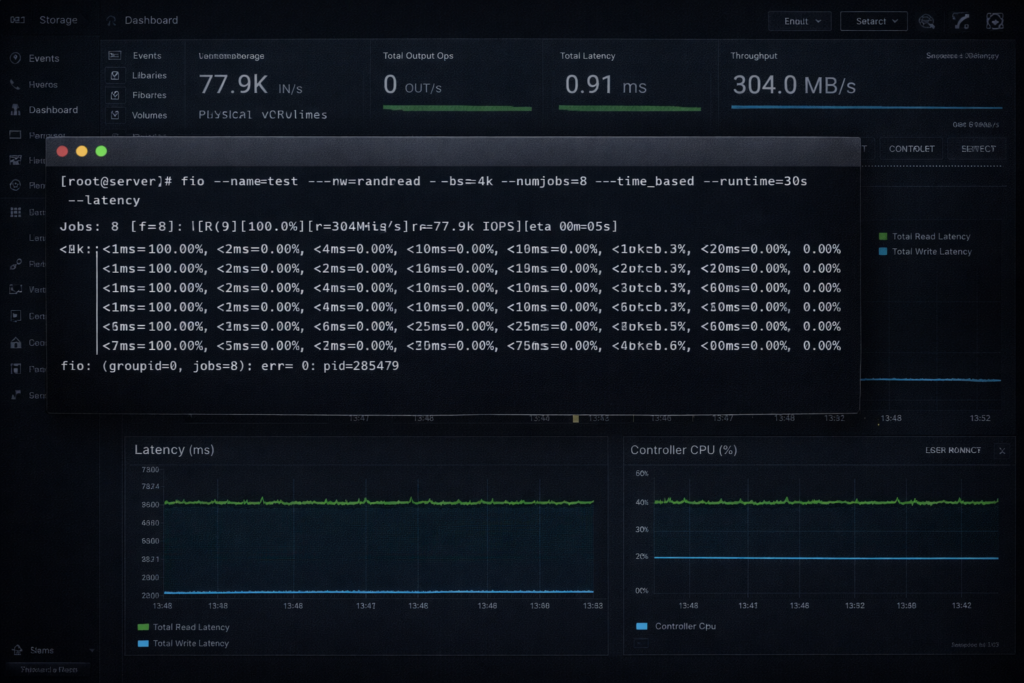
Figure 3: When the storage controller is just another VM, the bottleneck disappears.
That handshake stayed dead for general-purpose virtualization — this argument holds. But the same policy-driven handshake is reappearing at the storage-fabric layer as workloads that don’t fit the uniform node push storage back out of the CVM and onto an external array. The LUN is gone. NVMe-oF/TCP, array firmware compatibility, and a data-service authority decision are what came back in its place.
The Architect’s Verdict
I’m done fussing over LUN IDs. Manually mapping Disk -> LUN -> HBA -> VM? That’s ancient history. If you’re still zoning fabrics in 2026 for general virtualization, you’re just stacking up technical debt.
Time to rewrite the rules for the modern storage handshake:
- Storage isn’t a place. It’s a property. Define it in our Architectural Pillars.
- Respect the physics. Data Locality beats 100GbE networking every time.
- Check the price tag. Run the numbers on our 3-Tier to HCI Calculator. The math usually ends the argument before the architecture meeting even starts.
Next Step: Now that your Foundation (Pillar 1) is solid, it’s time to connect it to the world. Proceed to Pillar 2: Cloud Strategy and learn about The Physics of Data Egress.
Additional Resources
Editorial Integrity & Security Protocol
This technical deep-dive adheres to the Rack2Cloud Deterministic Integrity Standard. All benchmarks and security audits are derived from zero-trust validation protocols within our isolated lab environments. No vendor influence.

R.M.
Senior Solutions Architect with 25+ years of experience in HCI, cloud strategy, and data resilience. As the lead behind Rack2Cloud, I focus on lab-verified guidance for complex enterprise transitions. View Credentials →
Get the Playbooks Vendors Won’t Publish
Choose the architecture problems you care about. Get field-tested playbooks and frameworks delivered to your inbox.
- > AI Infrastructure & Inference Economics
- > Cloud Strategy & Hidden Cost Models
- > Virtualization & Deterministic Migration
- > Kubernetes, IaC & Modern Infrastructure
- > Data Protection & Recovery Engineering
Zero spam. Includes The Dispatch weekly drop.
Need Architectural Guidance?
Independent review before major infrastructure decisions.
- > Validate assumptions
- > Identify hidden dependencies
- > Quantify migration risk
- > Challenge vendor narratives
Triage · Advisory · Fractional · Direct Hire