

Nutanix AOS vs VMware vSphere: How to Demo Both Without Bias
The Broadcom Context You Cannot Ignore
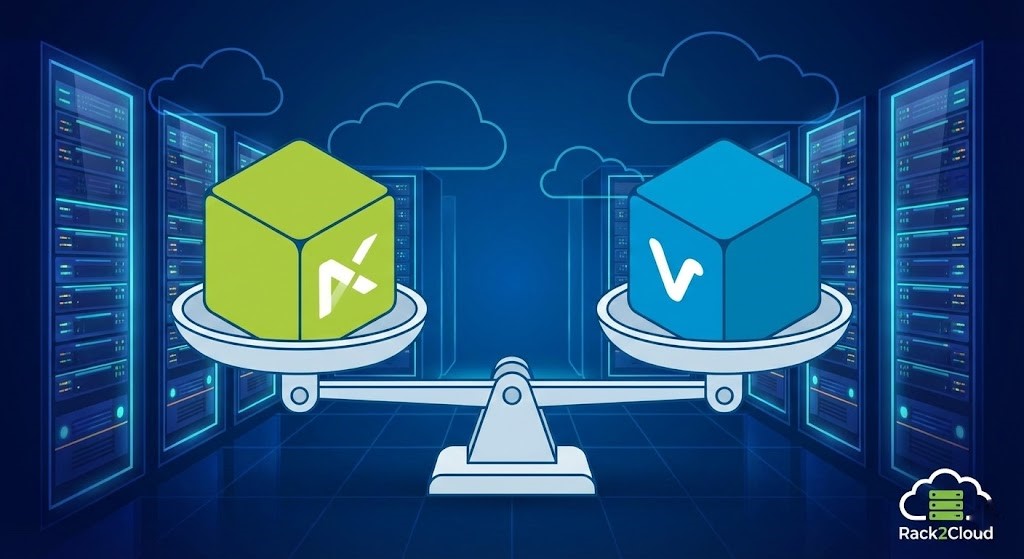
Demoing Nutanix AOS vs VMware vSphere in 2026 is not the same conversation it was in 2022. Broadcom’s acquisition of VMware — and the subsequent licensing restructuring, perpetual license elimination, and partner program consolidation — has changed the context of every bake-off. Engineers who were evaluating these platforms purely on technical merit are now evaluating them with one additional variable: what does continued VMware dependency cost, and what does reducing it require?
This does not mean the demo becomes a Broadcom criticism session. It means the SE needs to acknowledge the context explicitly rather than pretending it does not exist. Senior architects already know it. Ignoring it signals either vendor capture or unawareness — neither of which builds trust.
The correct framing: “We are going to evaluate both platforms on their architectural merits. The commercial context around VMware licensing is a separate conversation, but it is one your architecture decision will need to account for.” Acknowledge it once, frame it cleanly, and move on. That sentence alone distinguishes a trusted advisor from a vendor pitch.
For the full picture of what the Broadcom restructuring means architecturally, the Post-Broadcom Migration Architecture series covers the execution physics of each exit path in detail.
Core Philosophy: Distributed Fabric vs. Kernel Integration
To demo the Nutanix AOS vs VMware vSphere comparison without bias, you must first explain the fundamental architectural philosophy behind each platform’s physical design. These are not competing implementations of the same idea. They are different answers to the same question: where does the intelligence live?
Nutanix AOS: The Distributed User-Space Approach
Nutanix was built to replicate public cloud architecture inside the on-premises data center. Its core philosophy is the eradication of storage silos through software. Every node in a Nutanix cluster runs a Controller VM — the CVM — that handles all storage I/O for that node in user space, completely decoupled from the hypervisor kernel. By keeping the storage logic in user space, Nutanix can iterate storage features independently of the hypervisor, maintain hypervisor neutrality (AHV or ESXi), and eliminate the need for specialized SAN administration. The distributed nature of the CVM model means that storage scales linearly with compute — add a node, add capacity and performance simultaneously.
VMware vSphere: The Kernel-Centric Standard
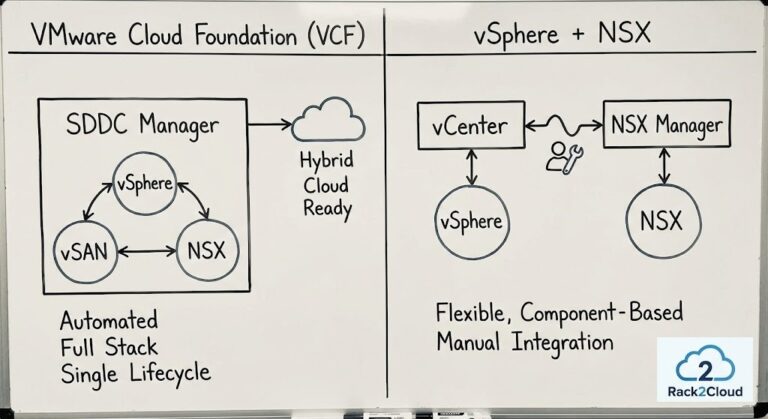
VMware created the x86 virtualization market. Its DNA is entirely hypervisor-first. The ESXi hypervisor is a monolithic kernel, and storage routing via vSAN and network routing via NSX are integrated directly into that kernel layer — no controller VM required. Kernel-level integration produces extremely short, efficient I/O paths. The storage lifecycle is tightly coupled to the hypervisor lifecycle, which is a strength in environments where the hypervisor is the long-term platform commitment and a constraint in environments where that commitment is being reconsidered.
Neither approach is inherently superior. One prioritizes architectural flexibility and operational abstraction. The other prioritizes kernel-level performance and policy depth. The demo’s job is to make that distinction concrete for the audience — not to pick a winner.
Deep Dive: Demoing Nutanix AOS
When demoing Nutanix in a Nutanix AOS vs VMware vSphere bake-off, the narrative must focus on Day-2 operational simplicity and the abstraction of legacy plumbing. The framing is not “this is better.” It is “this is engineered for teams that want to stop managing LUNs, firmware stacks, and separate storage administration disciplines.”
Prism Central — Start Here
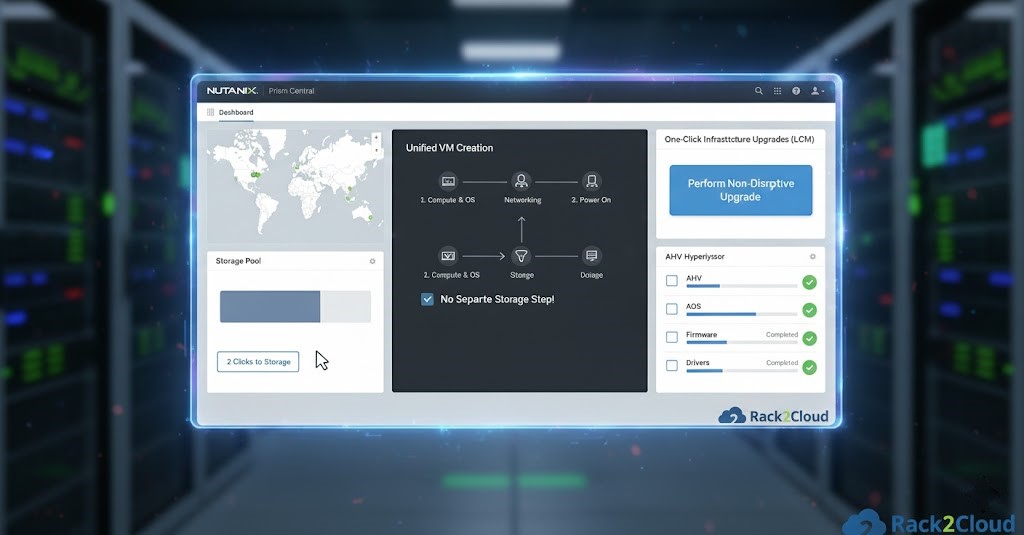
Open with Prism Central, not with a VM provisioning workflow. Prism Central is the single management plane for the entire Nutanix estate — compute, storage, networking, cluster health, capacity planning, and lifecycle management — from one interface, without a separate database server or additional management VM. For audiences coming from vCenter environments with separate vSAN Manager, NSX Manager, and vRealize layers, the consolidation is immediately visible. Do not narrate it. Let them see it.
Storage Abstraction — Prove the Architecture
Navigate to the storage pool. There are no LUNs. No RAID groups. No fabric zoning. There is a single distributed storage pool that expands when a node is added and contracts when a node is removed — without administrator intervention. Provision a storage container in two clicks. The point is not speed — it is the absence of the complexity the audience is currently managing. Engineers who have spent years managing SAN infrastructure understand this immediately.
One-Click Upgrades via LCM
Open the Life Cycle Manager. Show the single upgrade workflow that handles the AHV hypervisor, AOS, firmware, and NIC drivers as a coordinated, non-disruptive sequence. In a traditional vSphere environment, each of these has a separate maintenance window, a separate compatibility matrix, and a separate team responsible for it. LCM eliminates that operational surface. This is the operational payload of the Nutanix demo — not a feature, but a change in how the platform is maintained for its entire lifecycle.
Deep Dive: Demoing VMware vSphere
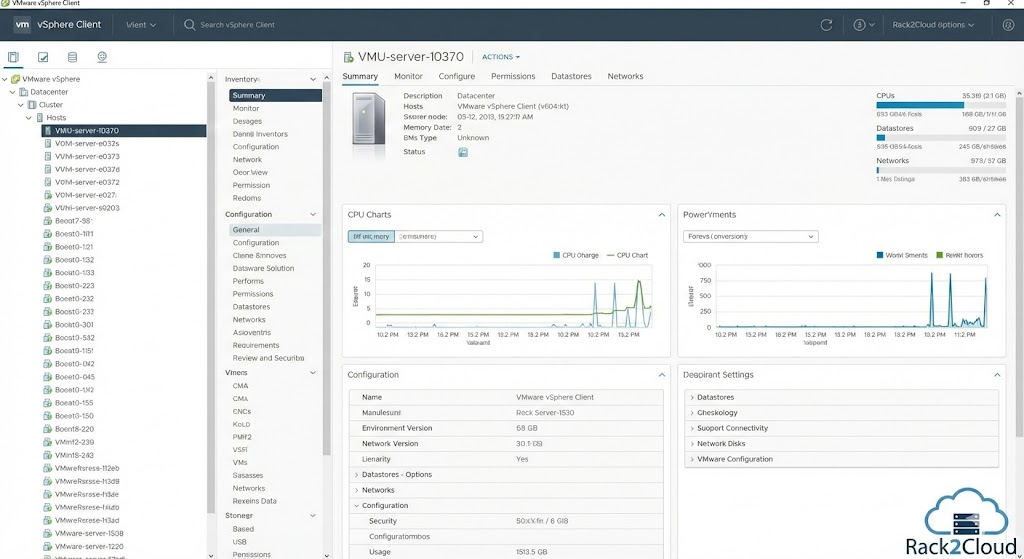
When demoing VMware in the Nutanix AOS vs VMware vSphere context, the narrative must focus on depth, determinism, and ecosystem maturity. The framing is not “this is more powerful.” It is “this is engineered for environments that demand deep kernel integration, per-VM policy enforcement, and a third-party ecosystem built over 25 years.”
vCenter — The Depth Is the Point
Navigate the vCenter inventory tree. Do not apologize for the depth — lean into it. Experienced VMware administrators want to see configuration available at the cluster, host, datastore, and VM levels simultaneously. The granularity that looks like complexity to a Nutanix-first audience looks like control to an engineer who has been managing enterprise vSphere for a decade. Read the room. For VMware-native audiences, the breadth of vCenter is a feature. For mixed audiences, frame it as the cost of depth.
Storage Policy Based Management — vSAN’s Differentiator
SPBM is the strongest technical differentiator in the VMware vSAN demo. Show how distinct, enforceable storage policies — defining Failures to Tolerate, performance tier, deduplication, compression, and encryption — can be applied at the per-VM or per-VMDK level. A database VM running on an FTT=2 NVMe-backed policy, a VDI pool on an FTT=1 capacity-tier policy, and a dev/test environment on an FTT=0 policy — all on the same cluster, all managed through the same policy framework. This is the operational model that regulated environments and performance-sensitive workloads have been built on. Nutanix has container-level QoS. vSAN has per-VMDK policy enforcement. That is a meaningful distinction for the right audience.
DRS — Automated Deterministic Placement
Demonstrate DRS advanced settings, not just the default configuration. Show how vSphere has automated workload placement with configurable aggressiveness, predictive DRS integration with vRealize, and affinity/anti-affinity rules for specific workload classes. For audiences running large, mixed-workload estates where VM placement directly affects application performance SLAs, DRS remains technically differentiated. The execution physics of migrating off ESXi covers what is actually preserved and what is lost in the translation to alternative hypervisors — relevant context for any audience evaluating the exit cost.
The Whiteboard Session: Drawing the I/O Path
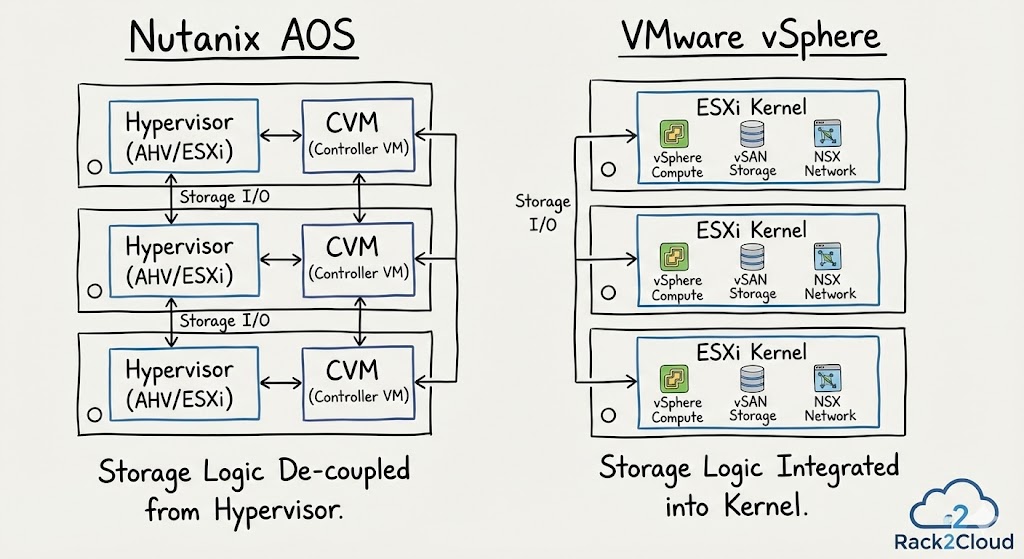
Sometimes the most effective part of a Nutanix AOS vs VMware vSphere demo is not a UI walkthrough — it is drawing the physics of the I/O path side by side on a whiteboard. This works because it moves the conversation from feature comparison to architectural consequence, which is where real platform decisions get made.
The Nutanix Side
Storage I/O originates in the guest VM, passes through the hypervisor, and is handled by the local CVM before hitting the disk or distributing across the cluster. Acknowledge the CVM overhead explicitly — do not wait for the audience to raise it. The CVM consumes CPU and memory on every node. That is a real cost. The architectural return on that cost is the localized controller that enables linear scalability, hypervisor neutrality, and the LCM upgrade model described above. Engineers who understand this trade-off trust you more for having made it explicit. Those who do not raise it were not going to ask the hard questions anyway.
The controller tax analysis documents exactly what CVM resource consumption looks like under load — useful reference material for audiences who want the numbers, not just the concept.
The VMware Side
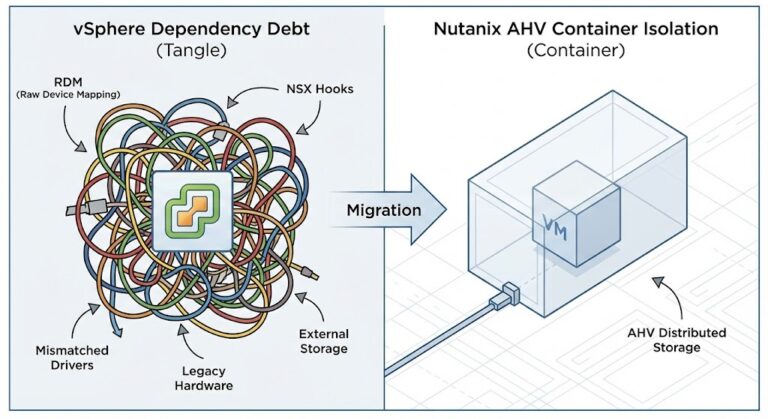
vSAN processes storage I/O directly inside the ESXi kernel. No CVM, no user-space round trip. The data path is shorter and more efficient at the individual I/O level. The architectural consequence of kernel integration is that the storage lifecycle is tightly coupled to the hypervisor lifecycle — vSAN versions track vSphere versions, and a vSAN upgrade requires a vSphere upgrade coordination. For environments where the hypervisor is the long-term platform, this coupling is acceptable. For environments reconsidering the hypervisor commitment, it is the constraint that makes the migration cost non-trivial.
The Unbiased Conclusion
“Neither approach is inherently better. Nutanix prioritizes architectural flexibility, operational abstraction, and rapid feature iteration. VMware prioritizes kernel-level performance depth, per-VM policy granularity, and a mature third-party ecosystem. Your environment will tell you which of those properties matters more.”
That sentence, delivered after the whiteboard session, is the moment where you stop being a vendor representative and become a trusted architect.
Architect’s Verdict
The goal of an unbiased Nutanix AOS vs VMware vSphere demo is not to confuse the customer — it is to help them see themselves in one of two operational models.
If the customer wants infrastructure that disappears — a cloud-like experience where storage, compute, and lifecycle management are unified under a single operational model — Nutanix AOS is the right story. The operational simplicity is real, the CVM trade-off is manageable, and the exit from legacy storage administration disciplines is immediate.
If the customer has deep virtualization expertise, requires per-VM policy enforcement at the granularity vSAN provides, and has built workflows around the VMware ecosystem over years — vSphere is the proven path. The Broadcom licensing restructuring is a commercial problem, not a technical one. The platform’s architectural depth has not changed.
The SE who can draw both of those conclusions honestly, without flinching, and then let the customer decide — that is the architect the customer calls next time. That is the only outcome worth optimizing for.
The full platform comparison — AHV, vSphere, Proxmox, Hyper-V — including migration decision frameworks, I/O benchmarks, and the Post-Broadcom exit path analysis.
Explore Virtualization Architecture →Additional Resources
Editorial Integrity & Security Protocol
This technical deep-dive adheres to the Rack2Cloud Deterministic Integrity Standard. All benchmarks and security audits are derived from zero-trust validation protocols within our isolated lab environments. No vendor influence.

R.M.
Senior Solutions Architect with 25+ years of experience in HCI, cloud strategy, and data resilience. As the lead behind Rack2Cloud, I focus on lab-verified guidance for complex enterprise transitions. View Credentials →
Get the Playbooks Vendors Won’t Publish
Field-tested blueprints for migration, HCI, sovereign infrastructure, and AI architecture. Real failure-mode analysis. No marketing filler. Delivered weekly.
Select your infrastructure paths. Receive field-tested blueprints direct to your inbox.
- > Virtualization & Migration Physics
- > Cloud Strategy & Egress Math
- > Data Protection & RTO Reality
- > AI Infrastructure & GPU Fabric
Zero spam. Includes The Dispatch weekly drop.
Need Architectural Guidance?
Unbiased infrastructure audit for your migration, cloud strategy, or HCI transition.
>_ Request Triage Session