

“Gap of Grief”: Why Your Terraform Code Fails on Day 1
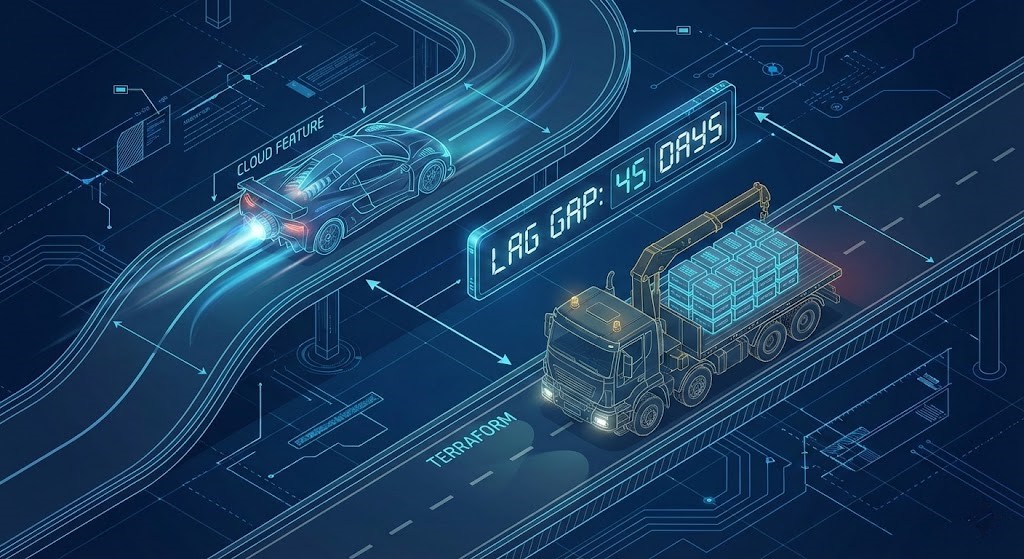
The “Gap of Grief”: While cloud providers speed ahead with new features, infrastructure-as-code tools often carry a heavy load of legacy support, creating a measurable lag.
I’ve been designing cloud infrastructures for over 15 years, and the story is always the same. You see a flashy announcement at re:Invent or Ignite—maybe it’s a new high-performance EBS volume type or a specialized AKS node pool. You rush to the whiteboard, draw up a resilient architecture, and then open your IDE to write the Terraform code.
Then you hit the wall: Error: resource not found.
We call this the “Gap of Grief.” It is the dead zone where the cloud provider is ready, but the Infrastructure-as-Code (IaC) tools are not. This isn’t just a minor inconvenience; it’s a strategic hurdle that can derail project timelines and introduce significant technical debt.
At Rack2Cloud, we got tired of guessing. We built our free Terraform Feature Lag Tracker to monitor this gap in real-time.
The Data: Velocity vs. Stability
Our live data reveals distinct personalities for each cloud provider regarding IaC parity.
- Azure’s Velocity Problem: Microsoft is incredibly aggressive with new feature releases. However, the
azurermTerraform provider frequently has the longest lag time for edge-case services. It’s common to see a 30-60 day gap between a feature hitting General Availability (GA) in the portal and having a native Terraform resource. - AWS’s Measured Approach: AWS tends to have a tighter coupling between their service teams and provider updates. While lags exist, they are often shorter and more predictable for core services like EC2 and S3.
- GCP’s “Day 0” Focus: Google Cloud has made significant strides in “Day 0” support, often releasing beta provider functionality alongside the feature itself, though breaking changes can be more frequent.
This data is crucial. It moves you from “I feel like Azure is slow” to “I know Azure has an average 45-day lag for networking features, so I will adjust my Q1 roadmap accordingly.” For a deeper dive into how we evaluate these architectural differences, read our comparison on Azure Landing Zone vs. AWS Control Tower: The Architect’s Deep Dive.
The Decision Framework: Wait, ClickOps, or API?
When you see a red “Not Supported” status on our lag tracker, you have three choices. As an architect, you must weigh the capital expense (CapEx) of waiting against the operational expense (OpEx) of future technical debt.
| Strategy | When to use it | The Cost & Risk |
| 1. The “Purist” Wait | The feature is a “nice to have” optimization, not a project blocker. | Low Risk. You maintain code purity but lose immediate feature benefits. Your project timeline slips. |
| 2. The “ClickOps” Bridge | The feature is critical for security, compliance, or performance and cannot wait. | High Debt. You must deploy via the console, tag it ManagedBy: Manual, and create a Jira ticket to import it later. This creates “configuration drift,” undermining the principles discussed in our Infrastructure Drift Detection Guide. |
| 3. The “API” Workaround | You are on Azure (using the AzAPI provider) or AWS (using Cloud Control API). | Medium Complexity. You use generic API providers to bridge the gap without leaving Terraform code. It’s uglier code, but it’s still code. |
Cost Analysis: The Price of the Lag
Many Solutions Engineers ignore the hidden cost of “ClickOps.” Let’s break down a real-world scenario.
Imagine you deploy a new, unsupported Azure Front Door configuration manually because Terraform support is 45 days late. You aren’t just saving time today; you are borrowing time from Future You.
- Day 0: 1 hour to deploy via the Azure Portal.
- Day 45: The Terraform provider update is released.
- Day 50: An engineer spends 4 hours writing the
importblock, validating the plan against live infrastructure, and refactoring the state file to bring the resource under management.
Total Cost: 5 hours for a task that should have taken one.
The Fix: Before you click “Create” in the console, check the Lag Tracker. If the historical lag for that service is under two weeks, it is almost always cheaper to wait than to pay the “refactoring tax” later.
Stop guessing which features are supported. The Terraform Feature Lag Tracker monitors real-time provider parity across AWS, Azure, and GCP — so you know whether to wait, use ClickOps, or reach for the AzAPI provider before you write a single line of code.
→ Check Provider Parity NowArchitect’s Verdict
In 2025, cloud architecture isn’t just about picking the right services; it’s about timing your adoption to match the maturity of the ecosystem. Don’t let cloud marketing dictate your engineering reality. Use data to make informed decisions, manage your technical debt actively, and keep your infrastructure scalable and maintainable. The Modern Infrastructure & IaC Learning Path covers the full engineering progression from native resource patterns through state management and drift remediation.
Additional Resources
View 1 more resource
Editorial Integrity & Security Protocol
This technical deep-dive adheres to the Rack2Cloud Deterministic Integrity Standard. All benchmarks and security audits are derived from zero-trust validation protocols within our isolated lab environments. No vendor influence.

R.M.
Senior Solutions Architect with 25+ years of experience in HCI, cloud strategy, and data resilience. As the lead behind Rack2Cloud, I focus on lab-verified guidance for complex enterprise transitions. View Credentials →
Get the Playbooks Vendors Won’t Publish
Choose the architecture problems you care about. Get field-tested playbooks and frameworks delivered to your inbox.
- > AI Infrastructure & Inference Economics
- > Cloud Strategy & Hidden Cost Models
- > Virtualization & Deterministic Migration
- > Kubernetes, IaC & Modern Infrastructure
- > Data Protection & Recovery Engineering
Zero spam. Includes The Dispatch weekly drop.
Need Architectural Guidance?
Independent review before major infrastructure decisions.
- > Validate assumptions
- > Identify hidden dependencies
- > Quantify migration risk
- > Challenge vendor narratives
Triage · Advisory · Fractional · Direct Hire