GPU Fabric Physics 2026: Why 800G Isn’t Enough for 100k-GPU Training
The NCCL Timeout Nightmare
You dropped $50 million on H200s. Wired them up with 800G OSFP optics. Fired up your 100,000-GPU cluster for the “Big Run.”
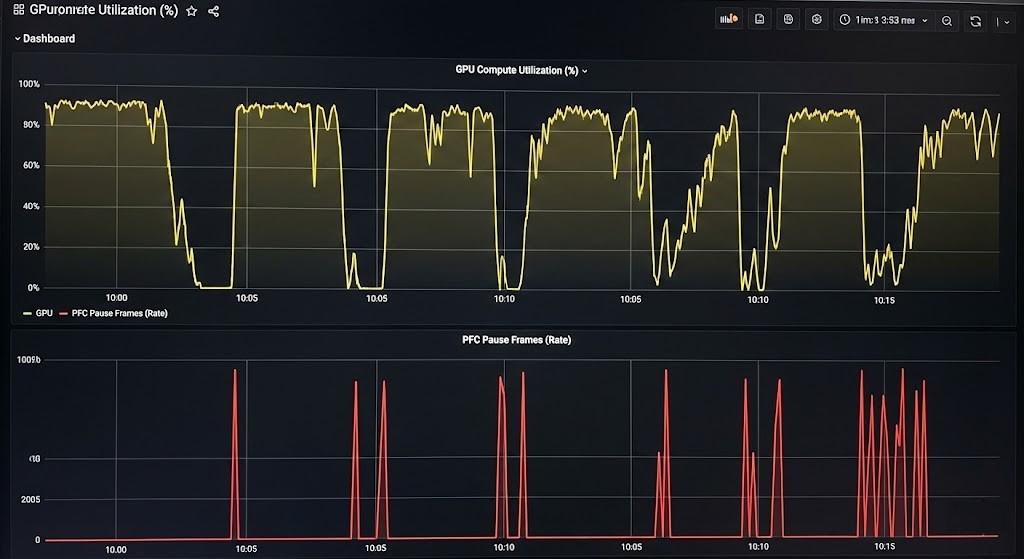
Six hours in, everything’s humming—until the loss curve just flatlines. Logs start screaming: NCCL_WATCHDOG_TIMEOUT.
It’s not a bad GPU. It’s not a driver crash. Honestly, it’s just physics.
Once you hit 100,000 GPUs, the odds of some “straggler” packet running into a micro-burst in the spine switch? Guaranteed. One delayed packet, and now every GPU is just sitting there, waiting. This is how synchronous SGD works. Your whole cluster crawls at the speed of the slowest link.
Right now, everyone’s obsessed with “throughput”—throwing in 800G just because the spec sheet says it’s fast. But the real bottlenecks? Serialization delay and switch radix. And nobody’s paying attention.
The Autopsy: The “Adam Tax” vs. The Speed of Light
So why does 800G let you down? Because bandwidth is just the width of the pipe—it doesn’t make the journey any shorter.
During a giant All-Reduce (your go-to for Distributed Data Parallel training), every GPU needs to talk to every other one.
The traffic isn’t just model weights. It’s optimizer states too. If you’re using Adam, like we said in the H100 Cluster Guide, your memory and network load triple. Good luck.
Connecting 100,000 GPUs means you’re running through a 3- or 4-tier Clos network. That’s 5 to 7 optical hops.
Physics doesn’t care about your ambitions. Light moves at about 5ns per meter in glass. Every switch hop slaps on another 400ns just for serialization.
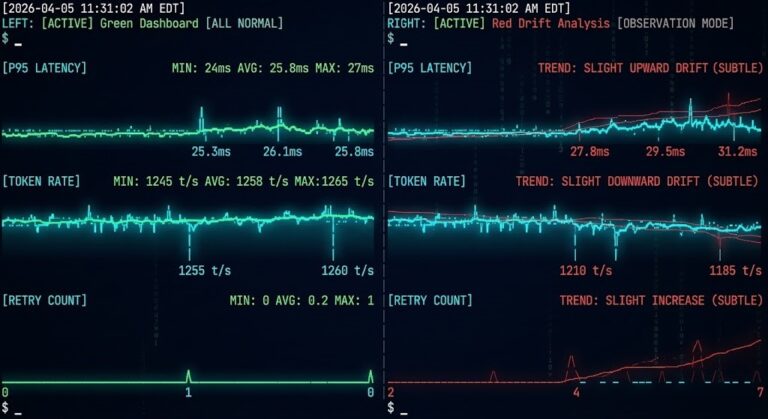
When you try to sync 100,000 GPUs, even a little jitter (latency variance) is lethal. If Switch #402 holds up a packet for 10 microseconds—maybe there’s a hash collision or ECMP acting up—the entire cluster just stalls for those 10 microseconds.
Your problem isn’t bandwidth. It’s the Long Tail of Latency.
Engineering: Rail Optimization & The Storage Wall
You don’t fix this with fancier optics. You fix it by rethinking your topology.
1. Rail-Optimized Design
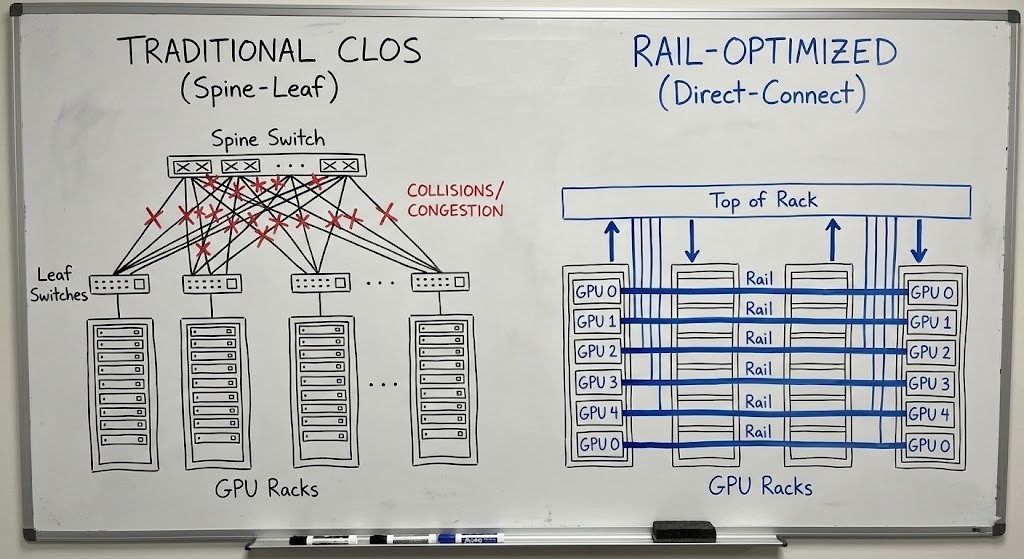
Stop sending local traffic up to the spine. In a Rail-Optimized setup, all the “GPU 0s” sit on their own sub-network, all the “GPU 1s” on another, and so on. Traffic stays isolated, collision domains shrink, and life gets easier [1].
2. Test the Fabric—Before the Model
Don’t wait for PyTorch to blow up. Stress test your fabric first. ib_write_bw for InfiniBand, basic RDMA tests—do these before you ever load a tensor.
Here’s a quick check for “Slow Receivers” (classic head-of-line blocking) on a rail:
Bash
# CHECK YOUR FABRIC HEALTH
# Don't do this during training—it'll flood your links.
# Watch for "remote_physical_error" or "excessive_buffer_overrun"

ibdiagnet -r --ber_thresh 1e-12 --all_ports

# If you see BER (Bit Error Rate) > 1e-15 on a rail:
# That’s your bottleneck. Swap the cable.
3. The Checkpoint Crash
Even if your compute fabric is spotless, your storage fabric can still ruin your day. When your model checkpoints, it dumps terabytes in a flash. If your storage and compute networks share uplinks, you’ll get instant congestion.
Choosing between ZFS, Ceph, or NVMe-oF actually matters. You need dedicated storage that can swallow those write bursts without choking your compute fabric.
The Architect’s Verdict
Stop designing for peak bandwidth. Start designing for tail latency.
- Topology beats bandwidth. A rail-optimized 400G network wins over a sloppy 800G setup every single time.
- Physics always wins. You can’t outrun the speed of light, so keep your hops to a minimum.
- Design the whole system. Compute and storage are tied together. If one fails, the other goes down with it. Check out our full Private LLM Cluster Architecture breakdown to see how all the pieces connect.
If you’re serious about building this, head over to our AI Infrastructure Pillar and the Distributed AI Fabrics pillar covers the full fabric decision framework including topology selection, failure modes, and Day 2 operations or jump into the AI Systems Architect Learning Path. Don’t buy another piece of gear until you really understand how all this flows.
Additional Resources
- Meta Engineering: Building the AI Research SuperCluster – Real-world lessons on fabric congestion at scale.
- NVIDIA Technical Blog: Scaling Deep Learning with Rail-Optimized Networking – The fundamental theory behind rail topology.
- IEEE Micro: Network-side congestion control in Datacenter Networks – Deep dive on DCQCN and PFC storms.
Editorial Integrity & Security Protocol
This technical deep-dive adheres to the Rack2Cloud Deterministic Integrity Standard. All benchmarks and security audits are derived from zero-trust validation protocols within our isolated lab environments. No vendor influence.

R.M.
Senior Solutions Architect with 25+ years of experience in HCI, cloud strategy, and data resilience. As the lead behind Rack2Cloud, I focus on lab-verified guidance for complex enterprise transitions. View Credentials →
Get the Playbooks Vendors Won’t Publish
Field-tested blueprints for migration, HCI, sovereign infrastructure, and AI architecture. Real failure-mode analysis. No marketing filler. Delivered weekly.
Select your infrastructure paths. Receive field-tested blueprints direct to your inbox.
- > Virtualization & Migration Physics
- > Cloud Strategy & Egress Math
- > Data Protection & RTO Reality
- > AI Infrastructure & GPU Fabric
Zero spam. Includes The Dispatch weekly drop.
Need Architectural Guidance?
Unbiased infrastructure audit for your migration, cloud strategy, or HCI transition.
>_ Request Triage Session