Translating the Stack: A Field Guide to Migrating NSX-T Security to Nutanix Flow
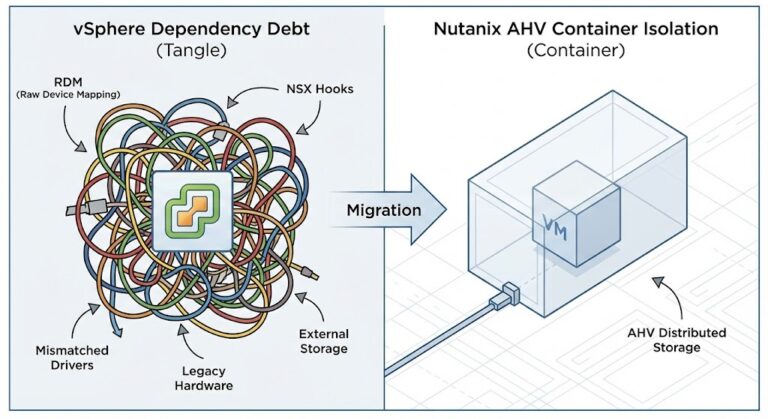
Migrating from NSX-T to Nutanix Flow isn’t a firewall rule export — it’s a philosophy shift from network-centric security to workload-centric identity, and getting that translation wrong creates security holes before Day 1 is over. The most dangerous part of a hypervisor migration isn’t moving the data—it’s moving the logic.
In the VMware ecosystem, NSX-T is often a sprawling, network-centric overlay. In the Nutanix ecosystem, Flow Microsegmentation is a workload-centric attribute. If you attempt a 1:1 “lift and shift” of your firewall rules without understanding the underlying philosophy shift, you will either create massive security holes or break application connectivity on Day 1.
This guide acts as the “Rosetta Stone” for Solution Engineers tasked with translating NSX-T Security Tags into Nutanix Flow Categories.
1. Philosophy Shift: From “The Pipe” to “The Identity”
In NSX-T, security is often tied to the Network Segment. Even with the Distributed Firewall (DFW), the logic frequently leans on IP Sets, Segments, and Tier-0/Tier-1 Gateway boundaries. It feels like securing a network.
In Nutanix Flow, the network is largely irrelevant. Flow is Workload-Centric. It treats the VM as an entity with attributes (Categories). It doesn’t matter if the VM moves from VLAN 10 to VLAN 20; if it carries the category AppType: SAP, the policy follows it.
Architect’s Insight: NSX-T secures the path the data takes. Nutanix Flow secures the identity of the data source.
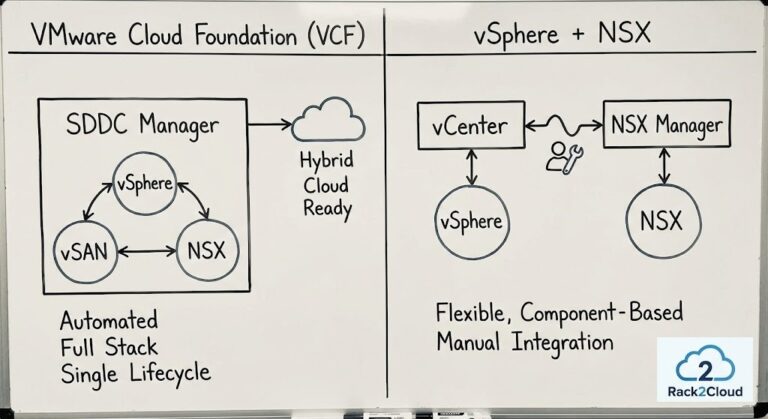
The identity model shift is one of several architectural reframes required when planning a post-Broadcom infrastructure. Broadcom Year Two Strategy covers the broader platform and financial decision framework.
2. Mapping the Objects (The Rosetta Stone)
To migrate successfully, you must map your VMware objects to their Nutanix counterparts. Use the table below as your baseline for the Security Policy Translator.
| VMware NSX-T Object | Nutanix Flow Equivalent | Operational Logic |
| Security Tag | Category (Key:Value) | Metadata-based grouping (e.g., Env: Production). |
| NSGroup | Category / Address Group | Logical grouping of multiple VMs or IP ranges. |
| Segment (VLAN/Overlay) | Subnet / Category | Flow ignores segments; use Categories for policy. |
| IP Sets | Address Groups | Used for North-South traffic (Physical to Virtual). |
| DFW Rule | Security Policy | The stateful “Inbound/Outbound” rule logic. |
3. Failure Domain Analysis: Management Plane vs. Data Plane
One of the biggest advantages of migrating to Flow is the reduction of Management Complexity.
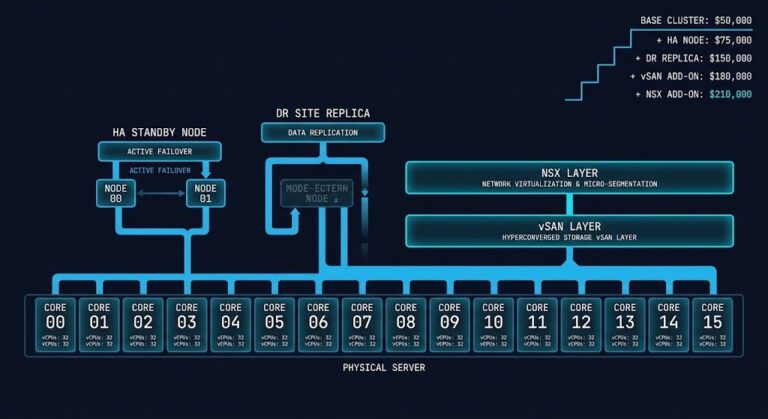
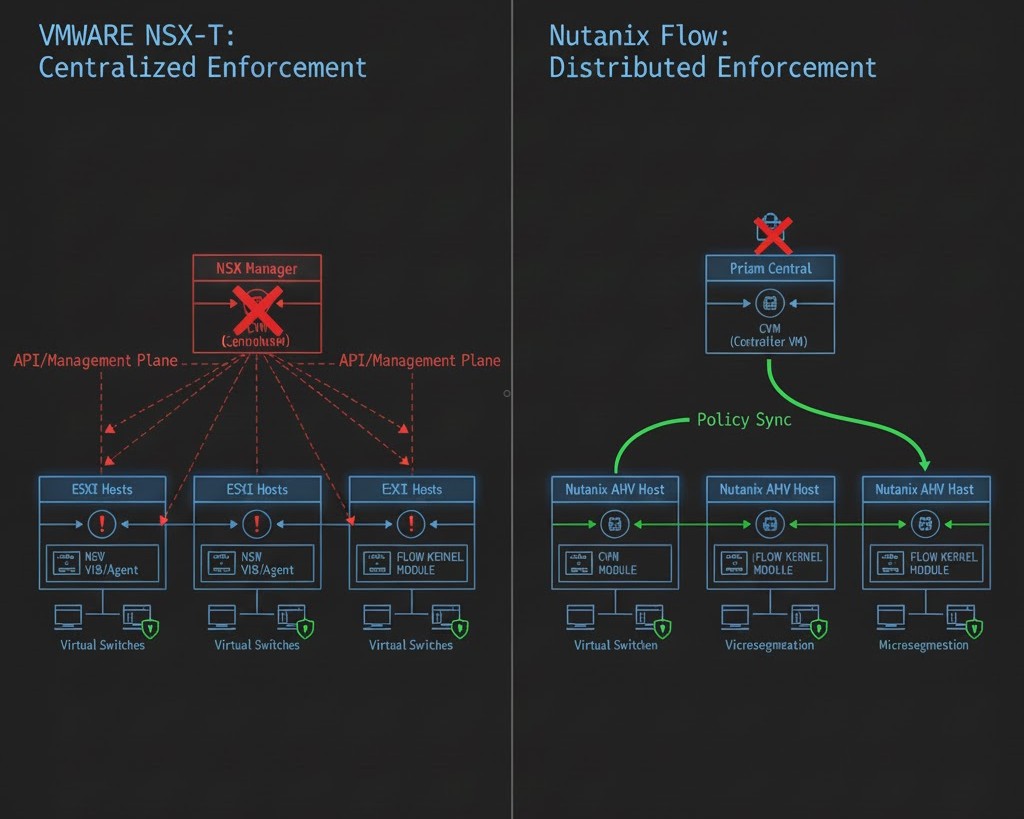
- In NSX-T: The Distributed Firewall is managed by the NSX Manager. If the manager is unreachable, pushing new rules is impossible, and complex “Manager-to-Transport Node” synchronization must be maintained via VIBs.
- In Nutanix Flow: The security engine is baked directly into the AHV OVS (Open vSwitch) kernel. While Prism Central is used to configure policies, the enforcement is decentralized and local to every node.
The decentralised enforcement model has direct implications for storage I/O path — covered with real benchmark data in Nutanix AHV vs vSAN 8 Benchmark.
4. The Tactical Migration Workflow
Don’t re-key your rules manually. Follow this 3-step engineering workflow:
Step A: Metadata Audit
Export your NSX-T Security Tags. Most enterprise environments use a Web | App | DB or Prod | Dev structure. These become your Category Keys and Values.
Step B: The “Isolation Policy” First Move
Before migrating complex micro-rules, establish your Isolation Policies in Flow. In Nutanix, you can create a “Quarantine” or “Environmental Isolation” policy that prevents Dev from talking to Prod with a single toggle. This replaces dozens of manual NSX-T rules.
Step C: Use the Security Policy Translator
Input your NSX-T JSON export into the Security Policy Translator. It will help you map your legacy IP Sets into Address Groups and your Tags into Categories.
YAML
# Example Nutanix Flow Category Blueprint
category_list:
  - name: "AppType"
    value: "Exchange"
  - name: "Environment"
    value: "Production"
# This replaces complex NSX-T Segment-based grouping
5. Summary: De-Risking the Broadcom Exit
Migrating security doesn’t have to be a “fingers crossed” event. By shifting from a network-heavy mindset to a category-based identity model, you actually simplify your audit trail. Nutanix Flow isn’t just an alternative to NSX-T; for many architects, it’s the “cleanup” they’ve needed for years.
For the full platform decision framework — hypervisor alternatives, workload fit analysis, and migration sequencing — the Virtualization Architecture Strategy covers the complete stack.
Next Step for Engineers
The security translation is only one layer of the Broadcom exit. Once your Flow categories are mapped, two tools handle the next two decisions: the NSX-T to Flow Translator automates the rule mapping you just worked through, and the VMware Core Calculator surfaces the financial exposure that usually determines whether renewal or migration is the right call for your specific cluster.
Input your NSX-T JSON export and map legacy IP Sets to Nutanix Flow Address Groups, Security Tags to Categories, and DFW rules to Security Policies — without re-keying rules manually. The translator handles the Rosetta Stone logic so your migration doesn’t start with a blank canvas.
→ Launch the NSX-T to Flow TranslatorOnce you’ve mapped the security layer, model the financial impact of the migration. The VMware Core Calculator benchmarks your VVF vs VCF core ratios and vSAN TiB exposure — the number that usually decides whether renewal or migration wins.
→ Launch the VMware Core CalculatorAdditional Resources:
Editorial Integrity & Security Protocol
This technical deep-dive adheres to the Rack2Cloud Deterministic Integrity Standard. All benchmarks and security audits are derived from zero-trust validation protocols within our isolated lab environments. No vendor influence.

R.M.
Senior Solutions Architect with 25+ years of experience in HCI, cloud strategy, and data resilience. As the lead behind Rack2Cloud, I focus on lab-verified guidance for complex enterprise transitions. View Credentials →
Get the Playbooks Vendors Won’t Publish
Field-tested blueprints for migration, HCI, sovereign infrastructure, and AI architecture. Real failure-mode analysis. No marketing filler. Delivered weekly.
Select your infrastructure paths. Receive field-tested blueprints direct to your inbox.
- > Virtualization & Migration Physics
- > Cloud Strategy & Egress Math
- > Data Protection & RTO Reality
- > AI Infrastructure & GPU Fabric
Zero spam. Includes The Dispatch weekly drop.
Need Architectural Guidance?
Unbiased infrastructure audit for your migration, cloud strategy, or HCI transition.
>_ Request Triage Session