

Freedom from vSphere: A Deep Dive into Omnissa Horizon 8 on Nutanix AHV
Omnissa (formerly VMware EUC) has officially announced the General Availability (GA) of Horizon 8 on Nutanix AHV with the release of Horizon 8 version 2512.
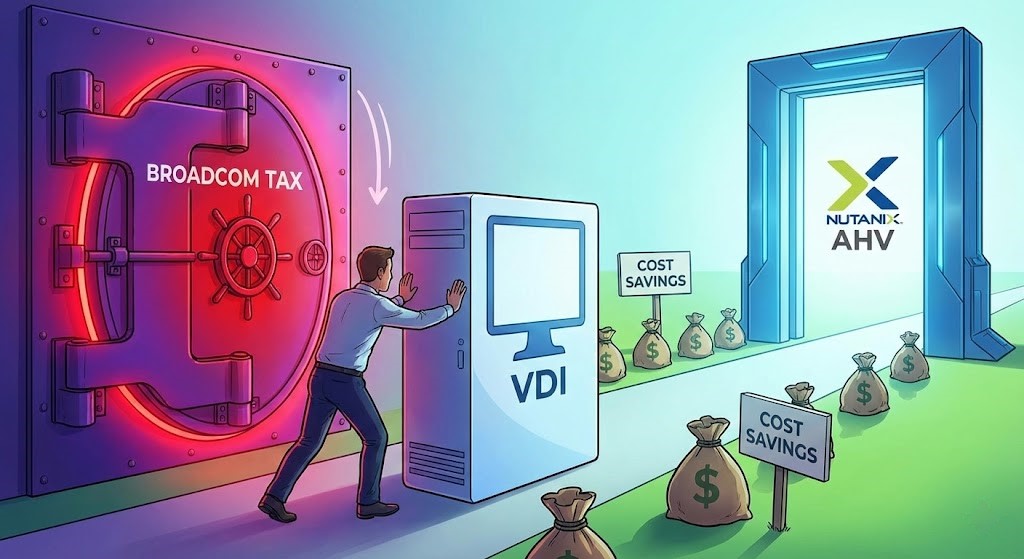
For the last decade, “Horizon” and “vSphere” were effectively synonyms. If you wanted the premier VDI experience, you paid the vSphere tax. With the Broadcom acquisition of VMware and the subsequent divestiture of Omnissa, the market has been holding its breath for a true “escape valve.”
This release is that valve. It is arguably the most significant architectural shift in the Horizon ecosystem since the invention of Instant Clones.
Here is the dissection of what this announcement actually means, how it works in the real world, and how to determine if it is time to migrate.
Dissecting the Release: What’s Actually New?
The “GA” label in version 2512 is critical because previous versions offered only “Limited Availability” with severe restrictions (e.g., no automated RDSH farms). The 2512 release closes the feature parity gap significantly.
1. The “Instant Clone” Equivalent (ClonePrep)
The biggest technical hurdle was replicating the speed of vSphere Instant Clones (which used proprietary vmFork technology) on a non-VMware hypervisor.
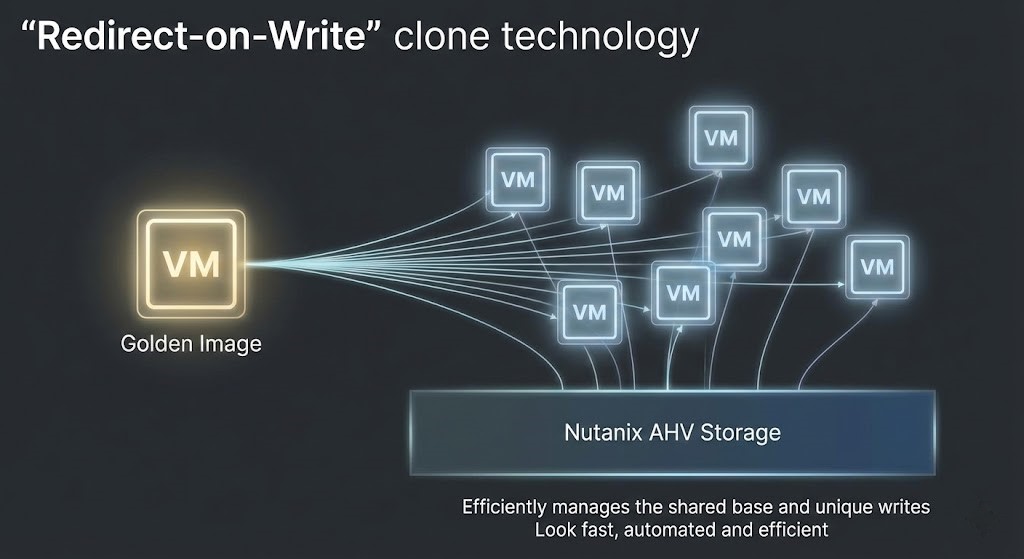
- How it works on AHV: Omnissa utilizes Nutanix’s native shadow cloning and snapshot capabilities combined with a new customization engine called ClonePrep.
- The Result: You now get “Redirect-on-Write” fast provisioning. You can deploy hundreds of desktops in minutes without the storage penalty of full clones, effectively matching the “Instant Clone” user experience without needing vCenter.
2. Automated RDSH Farms
In the Limited Availability release, you had to manually build RDSH servers. GA brings full automation to RDSH farms.
- Real World Impact: You can now autoscale your application servers based on load, identical to how you manage Windows 10/11 pools.
3. Native GPU Support
VDI is increasingly graphical (Teams, Zoom, Browsers). This release adds Managed NVIDIA vGPU support within Compute Profiles.
- Real World Impact: You can slice physical GPUs on Nutanix AHV nodes and assign them to Horizon desktops natively, ensuring CAD engineers or power users don’t lose performance during a migration.
4. Unified Management Components
It’s not just the desktops; the infrastructure stack is now supported on AHV:
- Unified Access Gateway (UAG): Supported.
- App Volumes: Supported (Critical for app layering).
- Dynamic Environment Manager (DEM): Supported.
Real-World Architectural Use Cases
1. The “Broadcom Escape” (Cost Reduction)
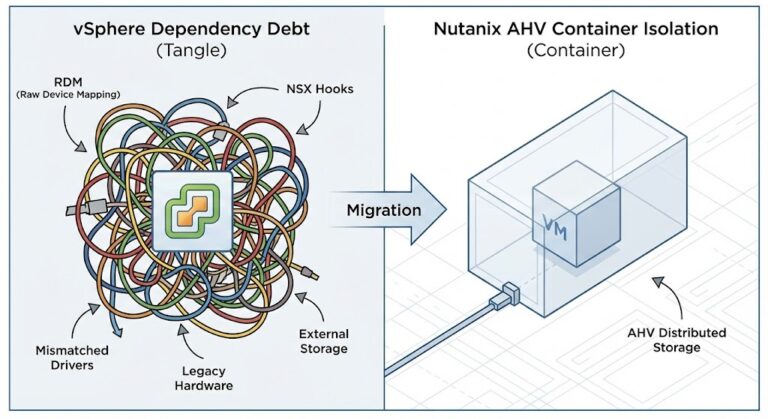
This is the primary driver. Organizations facing 2x-3x renewal price hikes on vSphere Foundation (VVF) or Cloud Foundation (VCF) licenses can now move their VDI workload—often the largest consumer of vSphere cores—to Nutanix AHV.
AHV is included with Nutanix Cloud Infrastructure (NCI). By moving Horizon to AHV, you eliminate the vSphere licensing cost entirely for that cluster, effectively funding the hardware migration effort with Year 1 software savings.
>_ Engineering Action: Calculate your exact vSphere VVF/VCF licensing exposure and benchmark the core savings of moving your VDI cluster to AHV using our VMware Core Calculator.
2. High-Performance/Low-Latency VDI
Nutanix’s architecture (data locality) keeps storage I/O close to the compute. This is ideal for call centers or financial trading floors where “boot storms” (thousands of users logging in simultaneously at 8:59 AM) crush traditional SANs. AHV handles this parallel I/O natively without the bottleneck of a centralized storage controller.
3. Disaster Recovery via NC2
Nutanix Cloud Clusters (NC2) allows you to run the AHV hypervisor on bare-metal AWS or Azure instances. You can run Horizon on AHV on-premises for daily work, and in a disaster, spin up AHV nodes in AWS (NC2), replicate the Horizon images, and power on. Because the hypervisor is identical at both ends, no VM format conversion is required.
The Architect’s Stack-Up
| Pros | Cons |
| Licensing Cost: Eliminates the specific requirement for vSphere licensing for VDI. | Migration Friction: There is no “vMotion to AHV” button for Horizon pools. You must rebuild Gold Images and recreate pools. |
| Simplicity: Prism Central manages the VMs, networking, and storage in one view, replacing vCenter + Storage Console + Network Console. | Ecosystem Lag: While core features are there, niche 3rd party backup or monitoring tools that deeply integrate with vSphere APIs may need validation on AHV. |
| Support: Nutanix Support is consistently rated highest in the industry (NPS 90+). | No “PVS” Equivalent: If you rely heavily on Citrix PVS (streaming OS to RAM), Horizon on AHV is strictly a “Copy-on-Write/Redirect” disk model. |
| Data Locality: Better raw I/O performance for heavy VDI workloads compared to standard 3-tier architectures. | New Skillset: Your VDI admins need to learn Prism/AHV. It’s easy, but it is different from vCenter. |
Competition & The Stack Up
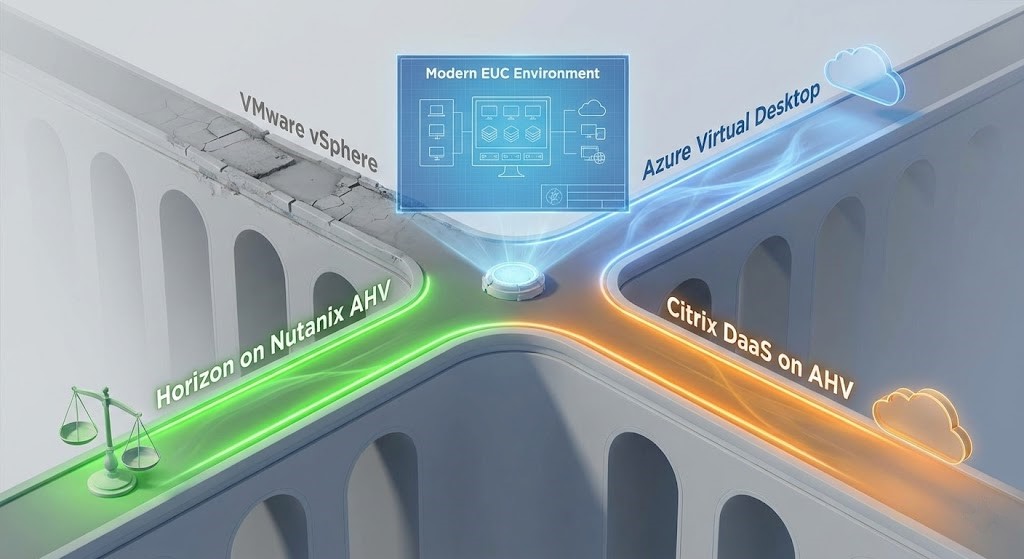
If you are re-evaluating your VDI control plane, Horizon on AHV doesn’t exist in a vacuum. Here is how it stacks up against the adjacent market options:
1. vs. Citrix DaaS on AHV
Citrix has supported AHV for years and is a mature, battle-hardened combination.
- The Citrix Advantage (Maturity): They have Machine Creation Services (MCS) dialed in perfectly for AHV. They also support Provisioning Services (PVS) for network disk streaming—which Horizon still does not have an exact equivalent for.
- The Horizon Advantage (Simplicity): If you are already a Horizon shop, swapping the hypervisor (vSphere to AHV) is vastly easier than swapping both the hypervisor and the control plane simultaneously. Horizon also inherently requires a less complex site architecture than Citrix.
2. vs. Azure Virtual Desktop (AVD)
- The AVD Advantage (OpEx & Agility): Pure consumption-based pricing with zero physical infrastructure to manage. It is the ultimate solution for highly fluctuating, seasonal workforces.
- The Horizon on AHV Advantage (Predictable TCO): AVD bills can spiral out of control if users leave VMs running. Horizon on AHV is a flat, predictable CapEx cost. If you have stable, predictable usage (e.g., 2,000 employees working 9-to-5), on-premises AHV will almost mathematically always beat AVD on a 3-year TCO.
3. vs. VMware vSphere (The Incumbent)
- The vSphere Advantage (Inertia): You likely already have it running. The Day-2 operations are deeply embedded in your team’s muscle memory. “It just works.”
- The Horizon on AHV Advantage (Sovereign Economics): You stop paying the “Broadcom Tax.” You also gain a hyperconverged infrastructure that scales linearly (add a node, get a predictable number of desktops) rather than the unpredictable “step-function” scaling of traditional SAN-based vSphere clusters.
Conclusion: Is it time to switch?
Yes, if you are up for renewal.
The technical barriers that previously prevented this migration (lack of Instant Clones, GPU support, and automation) have been removed in release 2512.
The decision is no longer technical; it is financial. If the cost of renewing your vSphere license for your VDI environment exceeds the cost of migration, Horizon on AHV is now a production-ready lifeboat.
Recommendation: Start with a pilot pool. Build a new Gold Image on AHV, deploy a “floating” pool of 50 desktops, and test the ClonePrep performance. You will likely find that the user experience is identical, but the infrastructure bill is significantly lighter.
>_ Engineering Action: Ready to start the pilot? Execute an automated hardware compatibility and snapshot readiness check on your current environment using the HCI Migration Advisor before moving your first Gold Image.
Additional Resources:
- Horizon on Nutanix AHV: Robust Features for Modern EUC
- Learning Path for End User Computing Solutions
Editorial Integrity & Security Protocol
This technical deep-dive adheres to the Rack2Cloud Deterministic Integrity Standard. All benchmarks and security audits are derived from zero-trust validation protocols within our isolated lab environments. No vendor influence.

R.M.
Senior Solutions Architect with 25+ years of experience in HCI, cloud strategy, and data resilience. As the lead behind Rack2Cloud, I focus on lab-verified guidance for complex enterprise transitions. View Credentials →
Get the Playbooks Vendors Won’t Publish
Field-tested blueprints for migration, HCI, sovereign infrastructure, and AI architecture. Real failure-mode analysis. No marketing filler. Delivered weekly.
Select your infrastructure paths. Receive field-tested blueprints direct to your inbox.
- > Virtualization & Migration Physics
- > Cloud Strategy & Egress Math
- > Data Protection & RTO Reality
- > AI Infrastructure & GPU Fabric
Zero spam. Includes The Dispatch weekly drop.
Need Architectural Guidance?
Unbiased infrastructure audit for your migration, cloud strategy, or HCI transition.
>_ Request Triage Session