

The Unpatched Gap: Architecting Survival for the “Double EOL” Reality
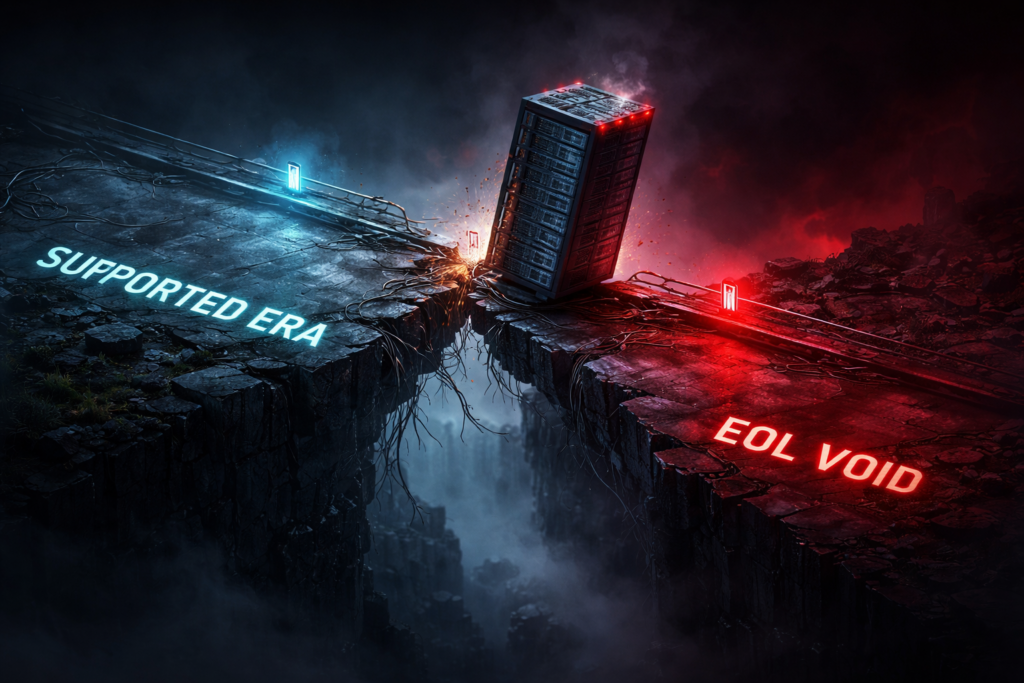
vSphere EOL security doesn’t end the day the patches stop — it begins there. Most organizations hit the October 2025 Double EOL cliff knowing the deadline was coming and chose to defer anyway. Windows 10 support ended. vSphere 7.x support ended. And the window between “no more patches” and “first weaponized zero-day” is not measured in months. It’s measured in weeks.
Last October, the industry hit a “Double EOL” cliff that many architects chose to ignore. Windows 10 support ended. VMware vSphere 7.x support ended.
If you are reading this and your clusters are still running 7.0u3 because “VCF 9 is too expensive” or your endpoints are still on Win10 because “Windows 11 hardware requirements are too high,” you are no longer an administrator. You are a gambler.
As of this morning, there are no more patches coming. The next zero-day vulnerability discovered in the vCenter 7.x TCP/IP stack will not be fixed for you. It will be weaponized.
This article isn’t about how to upgrade—it’s too late for a leisurely migration. This is a damage control guide for the Unpatched Gap.
War Story: The “Air-Gap” Trap
Incident Report: Midwest Manufacturing Client, Nov 2025.
A plant manager decided to keep his shop floor running on Windows 10 and vSphere 7.0 rather than pay for the upgrade. His logic? “It’s air-gapped. The manufacturing VLAN has no internet access. We are safe.”
The Reality: A third-party HVAC contractor plugged a laptop into a switch port to update a thermostat. The laptop had a dormant ransomware payload. Because the ESXi hosts were unpatched (missing the Oct ’25 critical cumulative update) and the Windows 10 endpoints had outdated Defender definitions, the malware moved laterally via SMB exploitation.
Result: The “air-gapped” cluster was encrypted in 4 minutes. Production halted for 9 days. The ransom paid was 10x the cost of the hardware refresh they deferred.
The Lesson: Air gaps are like leaky buckets. Eventually, someone brings water.
The “Ransom vs. Refresh” Calculation
You have two choices. Both are expensive, but only one buys you a future.
Option A: The “Ransom” (ESU + Custom Support)
You can pay Microsoft for Extended Security Updates (ESU). The price doubles every year. You can beg Broadcom for a custom support extension for vSphere 7.
The Windows 10 side of that ransom has an exact price curve, not just a doubling rule of thumb: Year 1 runs $61 per device, and missing the October 13, 2026 cutoff doesn’t reset to Year 2’s $122 — it stacks to a cumulative $183, with a full three-year ransom landing at $427 per device. The math argues the same conclusion this post already reaches: ESU is a bridge only if something is scheduled to happen before it closes.
- Pros: You don’t have to migrate today.
- Cons: You are paying premium OpEx for a dying asset. You are buying time, not capability.
Option B: The Refresh (Modern Infrastructure)
Move to a platform that natively supports the security standards of 2026 (TPM 2.0, VBS, Credential Guard). This usually means Nutanix AHV or Azure Stack HCI if you are fleeing the Broadcom tax.
The Decision Framework: Don’t guess. The hardware requirements for modern security (Windows 11 + VCF 9) are punishing. Your old Skylake/Cascade Lake servers likely cannot handle the density reduction.
Use the HCI Migration Advisor to model the scenario:
- Input your current vSphere 7 workload profile.
- Select “Target: Nutanix AHV” or “Target: VCF 9”.
- The Tool Output: It will tell you if your current hardware can support the migration or if the refresh cost is actually lower than the 3-year ESU ransom bill.
Field Note: We often find that the Year 1 ESU bill for 5,000 Windows 10 endpoints + vSphere 7 Custom Support is roughly equal to the down payment on a brand new, all-flash HCI cluster.
vSphere EOL Security: Operational Defense for the Zombie Stack
If you absolutely cannot migrate yet (e.g., legacy manufacturing, healthcare devices), you must treat your EOL environment like a biohazard zone.
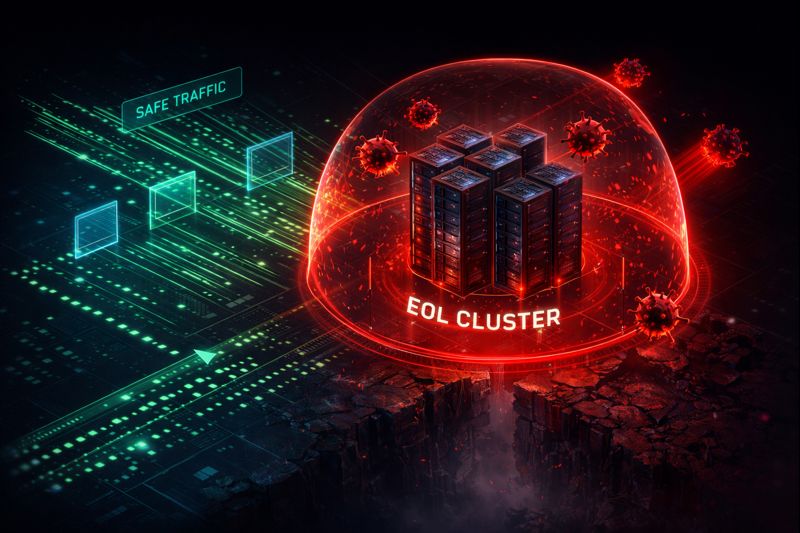
Figure 1: The Biohazard Protocol. How to wrap EOL workloads in a “Virtual Patch” utilizing NSX or Flow security policies.
1. The “Zero Outbound” Rule
If a machine is EOL, it loses its right to speak to the internet. Period. Configure your firewall to drop all outbound traffic from these subnets. If it can’t call Command & Control (C2), the ransomware can’t get the encryption keys.
2. Virtual Patching (The Network Band-Aid)
Since you can’t patch the kernel, you must patch the network. Use NSX Distributed Firewall or Nutanix Flow to inspect East-West traffic. You are looking for exploit signatures (like EternalBlue or similar RCEs) that target known unpatched vulnerabilities.
Resource: If you are moving from NSX-V (which died with vSphere 7) to a modern stack, you risk losing your security policies. Use our guide on automating the translation of security policies to ensure your firewall rules survive the migration.
3. The “Kill Switch” Protocol
Do not rely on automated backups alone. EOL systems are often targeted by “sleeper” ransomware that infects backups for months before detonating.
- Action: Implement an Immutable Vault (Rubrik/Cohesity) that is physically separated from the EOL control plane.
- Verify: Ensure your backup architecture fundamentals are sound—specifically the “3-2-1-1-0” rule (0 errors after recovery verification).
Architect’s Verdict
The calculus here isn’t complicated. Every day a vSphere 7 or Windows 10 endpoint runs unpatched, the attack surface grows and the remediation cost compounds. The ransom paid by the Midwest manufacturer was 10x the hardware refresh cost — and that ratio is consistent across every incident we’ve seen in this class.
The Unpatched Gap has three exits: migrate, isolate, or pay. ESU and custom support contracts are not exits — they’re deferred payments on the same bill, with interest. If you’re still in the gap, the Zero Outbound Rule and virtual patching buy time. They don’t buy safety.
Migrate or isolate. There is no third option.
Additional Resources:
Editorial Integrity & Security Protocol
This technical deep-dive adheres to the Rack2Cloud Deterministic Integrity Standard. All benchmarks and security audits are derived from zero-trust validation protocols within our isolated lab environments. No vendor influence.

R.M.
Senior Solutions Architect with 25+ years of experience in HCI, cloud strategy, and data resilience. As the lead behind Rack2Cloud, I focus on lab-verified guidance for complex enterprise transitions. View Credentials →
Get the Playbooks Vendors Won’t Publish
Choose the architecture problems you care about. Get field-tested playbooks and frameworks delivered to your inbox.
- > AI Infrastructure & Inference Economics
- > Cloud Strategy & Hidden Cost Models
- > Virtualization & Deterministic Migration
- > Kubernetes, IaC & Modern Infrastructure
- > Data Protection & Recovery Engineering
Zero spam. Includes The Dispatch weekly drop.
Need Architectural Guidance?
Independent review before major infrastructure decisions.
- > Validate assumptions
- > Identify hidden dependencies
- > Quantify migration risk
- > Challenge vendor narratives
Triage · Advisory · Fractional · Direct Hire