

Client’s GKE Cluster Ate Their Entire VPC: The Class E Rescue (Part 2)
The “Impossible” Fix: Class E Migration
In Part 1, we diagnosed the crime scene: A production GKE cluster flatlined because its /20 subnet (4,096 IPs) hit a hard ceiling at exactly 16 nodes.
The “Official” consultant solution? Rebuild the VPC with a /16. The “Actual” engineering solution? Class E Address Space.
If you are reading this, you likely don’t have the luxury of a maintenance window to tear down your entire networking stack. You need IPs, and you need them now. This is the field guide to the rescue operation.
The Math: Why Your Subnet Disappeared
Before we fix it, let’s explain exactly why a /20 vanishes so fast. It comes down to GKE’s default formula for VPC-native clusters, which prioritizes anti-fragmentation over efficiency.
The Formula:
(Max Pods per Node × 2) rounded up to the nearest subnet mask
By default, GKE assumes 110 pods per node.
- The math:
110 × 2 = 220 IPs. - The round-up: The nearest CIDR block to hold 220 IPs is a
/24(256 IPs).
So, the math for your /20 subnet becomes brutal:
- Total IPs: 4,096 (
/20) - Cost Per Node: 256 (
/24) - Result:
4096 / 256 = 16 Nodes.
It doesn’t matter if you run 1 pod or 100—that /24 slice is locked exclusively to that node the moment it boots.
The Fix: Why Class E? (And Why Not CGNAT?)
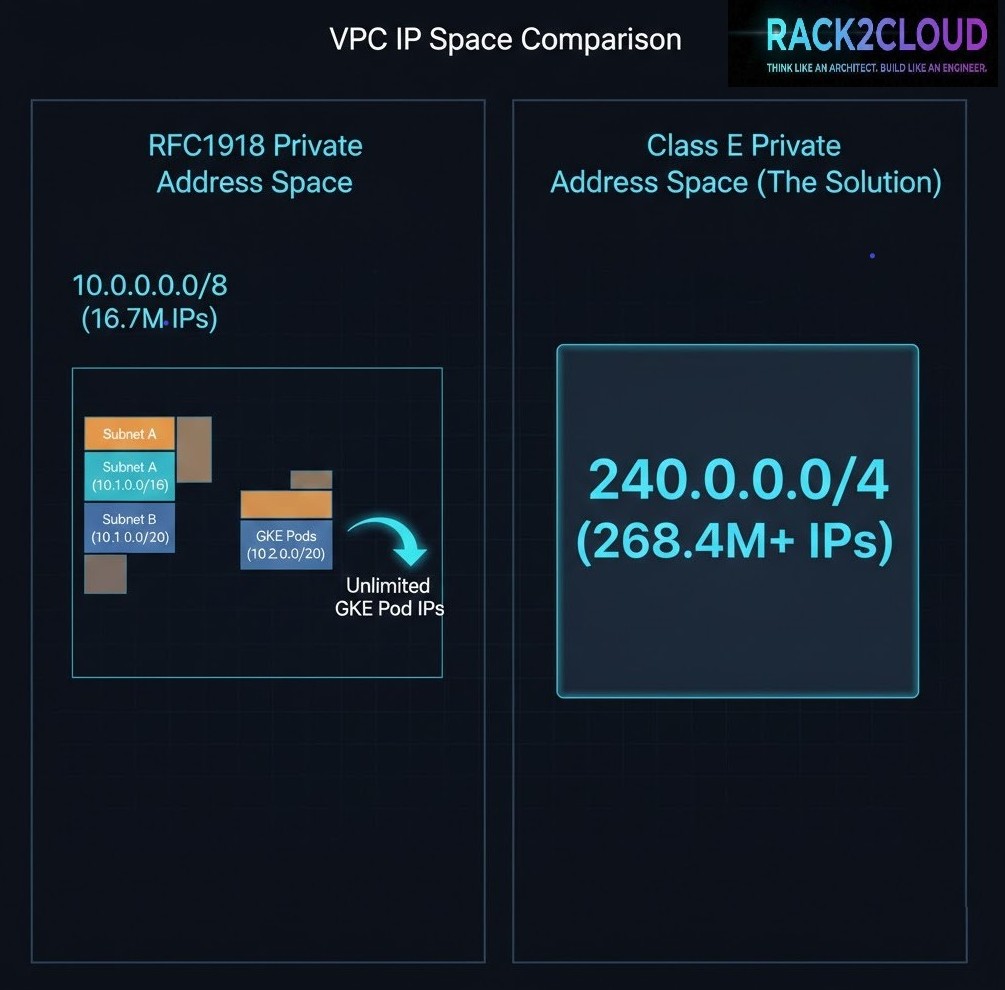
To rescue the cluster without a rebuild, we need to attach a massive amount of contiguous IP space to the existing subnet. We chose Class E (240.0.0.0/4).
- Why not CGNAT (100.64.0.0/10)? In complex enterprise environments, CGNAT ranges often conflict with carrier-grade peering or existing transit setups. We needed zero routing conflicts.
- Why not IPv6? IPv6 is the correct strategic answer. But flipping a legacy IPv4-only environment to dual-stack during an active outage is a high-risk gamble.
- The Class E Advantage: It offers ~268 million IPs. Most modern operating systems (Linux kernels 3.x+) and GCP’s software-defined network handle it natively.
Step 1: Verify Prerequisites
Stop. This is a rescue operation, not a standard architecture. Verify these constraints before running commands:
- GKE Standard Only: GKE Autopilot manages this automatically; this guide is for Standard clusters.
- VPC-Native: Your cluster must use Alias IPs.
- Hardware Warning: While GCP’s SDN handles Class E perfectly, physical on-prem firewalls (Palo Alto, Cisco, etc.) often drop these packets. If your pods need to talk to on-prem databases via VPN/Interconnect, verify your hardware firewall rules first.
- Pod Ranges Only: This fix solves Pod IP exhaustion. If you have exhausted your Service (ClusterIP) range, this guide will not help you (Service ranges are immutable).
Step 2: The Expansion (No Downtime)
We will attach a secondary CIDR range to your existing subnet. We’ll use a /20 (4,096 IPs) from Class E to match the original scope without massive over-provisioning.
The Command:
Bash
gcloud compute networks subnets update [SUBNET_NAME] \
    --region [REGION] \
    --add-secondary-ranges pods-rescue-range=240.0.0.0/20
Step 3: Create the Rescue Node Pool
Existing pools cannot dynamically change their Pod CIDR. We must create a new pool targeting our pods-rescue-range.
- Critical: You must use the
COS_CONTAINERDimage type. Older Docker-based images or legacy OS versions may not handle Class E routing correctly.
The Command:
Bash
gcloud container node-pools create rescue-pool-v1 \
    --cluster [CLUSTER_NAME] \
    --region [REGION] \
    --machine-type e2-standard-4 \
    --image-type=COS_CONTAINERD \
    --enable-autoscaling --min-nodes 2 --max-nodes 20 \
    --cluster-secondary-range-name pods-rescue-range \
    --node-locations [ZONE_A],[ZONE_B]
Step 4: The Migration (Cordon & Drain)
Once the rescue nodes are online (verify they are pulling 240.x.x.x IPs), shift workloads from the starved pool.
1. Cordon the old nodes:
Bash
kubectl get nodes -l cloud.google.com/gke-nodepool=default-pool -o name | xargs kubectl cordon
2. Drain workloads (safely):
Bash
kubectl drain [NODE_NAME] --ignore-daemonsets --delete-emptydir-data --timeout=10m0s
Step 5: Validation
Confirm the control plane sees the new ranges:
Bash
gcloud container clusters describe [CLUSTER] --format="value(clusterIpv4Cidr,podIpv4Cidr)"
Then, verify the pods are actually pulling from the new block:
Bash
kubectl get pods --all-namespaces -o wide | grep 240.0.
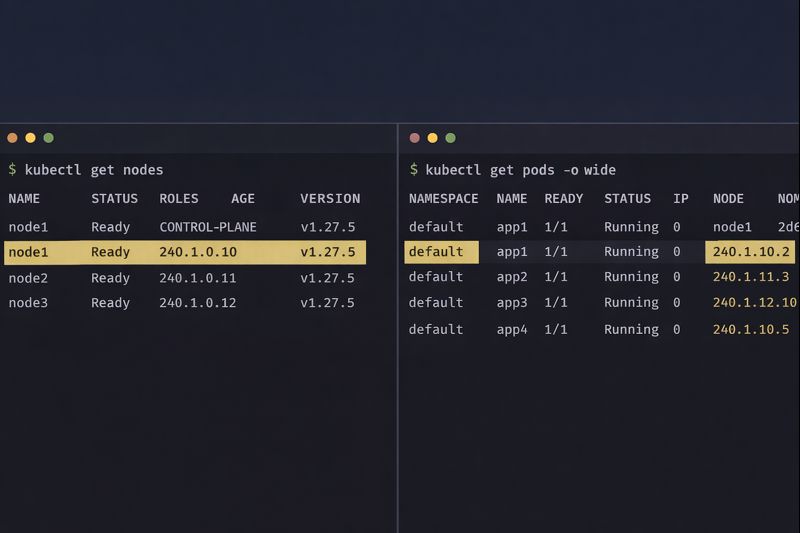
If you see 240.x.x.x addresses, congratulations. You have successfully engineered your way out of a corner.
The Architect’s Verdict
Risk Analysis: AMBER
Using Class E space is a valid, production-ready technique in 2026, but it is Technical Debt. It breaks the mental model of RFC1918 private networking.
- Documentation: You MUST document this. If a junior engineer sees
240.x.x.xIPs next year, they might assume the cluster is misconfigured or hacked. - Future-Proofing: This buys you time. Use that time to plan a proper VPC sizing strategy or evaluate if your workload actually requires the complexity of Kubernetes.
- Greenfield vs. Rescue: In a greenfield environment, you would plan your subnets perfectly. But we don’t always work in greenfield environments. Sometimes, the job is just to keep the lights on.
Additional Resources:
Editorial Integrity & Security Protocol
This technical deep-dive adheres to the Rack2Cloud Deterministic Integrity Standard. All benchmarks and security audits are derived from zero-trust validation protocols within our isolated lab environments. No vendor influence.

R.M.
Senior Solutions Architect with 25+ years of experience in HCI, cloud strategy, and data resilience. As the lead behind Rack2Cloud, I focus on lab-verified guidance for complex enterprise transitions. View Credentials →
Get the Playbooks Vendors Won’t Publish
Field-tested blueprints for migration, HCI, sovereign infrastructure, and AI architecture. Real failure-mode analysis. No marketing filler. Delivered weekly.
Select your infrastructure paths. Receive field-tested blueprints direct to your inbox.
- > Virtualization & Migration Physics
- > Cloud Strategy & Egress Math
- > Data Protection & RTO Reality
- > AI Infrastructure & GPU Fabric
Zero spam. Includes The Dispatch weekly drop.
Need Architectural Guidance?
Unbiased infrastructure audit for your migration, cloud strategy, or HCI transition.
>_ Request Triage Session