Immutable Backup: Why Object Lock Isn’t Enough
Object lock backup is the standard answer to ransomware resilience. Enable S3 Object Lock, set a retention policy, check the compliance box. Most organizations stop there — and most organizations are wrong. Object Lock prevents deletion. It does not prevent compromise. True immutability isn’t a storage feature. It’s a system property, and it has to be enforced at every layer of the stack or it holds at none of them.
This post walks through the 5 layers of true immutability, the failure modes attackers actually exploit, and the question every architect should be asking: not “do we have Object Lock enabled?” but “can we prove a clean recovery under adversarial conditions?”
The Illusion of Immutability
Most backup teams equate immutability with two things: S3 Object Lock and WORM storage. Both are legitimate controls. Neither is sufficient on its own. The problem isn’t the technology — it’s the scope. Object Lock enforces immutability at the storage layer. Attackers don’t have to touch the storage layer. They can compromise the backup software before the backup runs, disable retention enforcement at the control plane, or corrupt the catalog that tells the recovery system where the clean copies are. The storage is untouched. The recovery is impossible.
This is the immutability illusion: the data is protected, but the system isn’t. And in a ransomware scenario, the system is what you’re recovering.
The 5 Layers of True Immutability
Immutability fails where enforcement ends. A resilient backup architecture enforces it across five distinct layers — each covering what the layer below cannot protect.
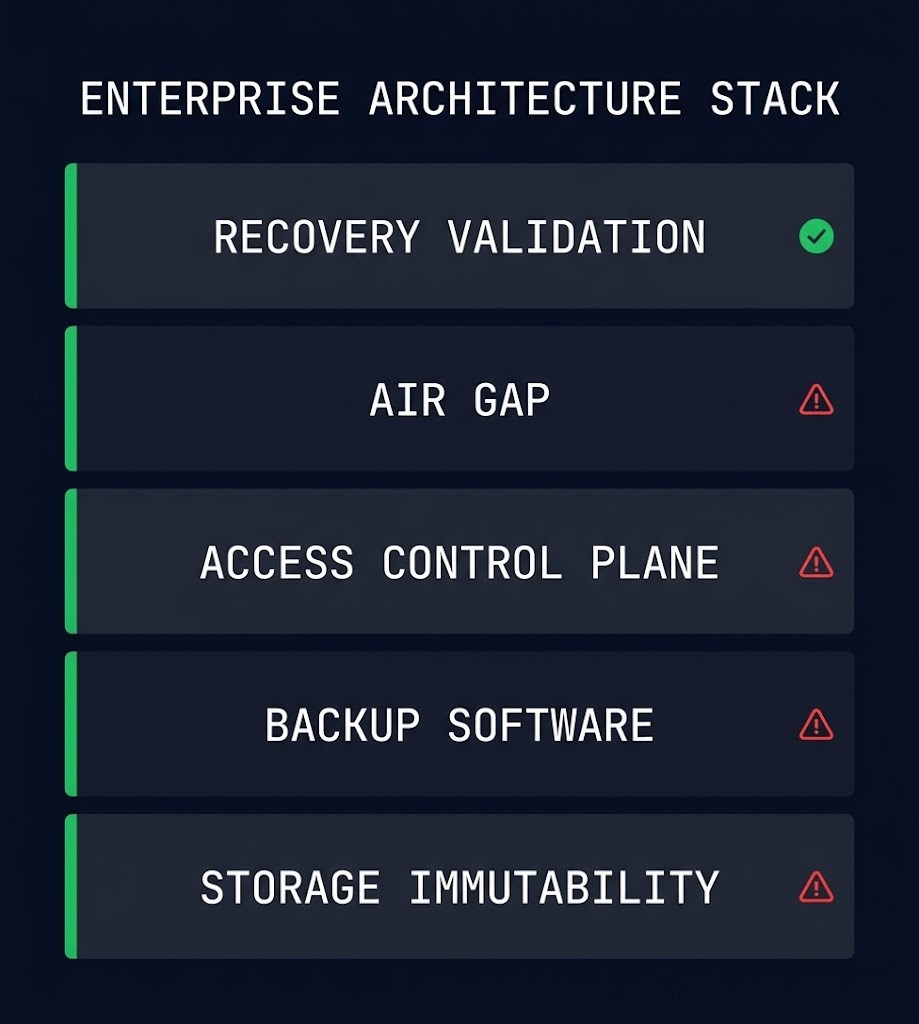
Where Immutability Actually Breaks
Attackers don’t delete your backups. They make them unusable. The distinction matters because most immutability strategies are designed to prevent deletion — not to survive a sophisticated adversary who has had persistent access for weeks before the encryption event begins.
Here are the failure modes that actually appear in post-incident reviews:
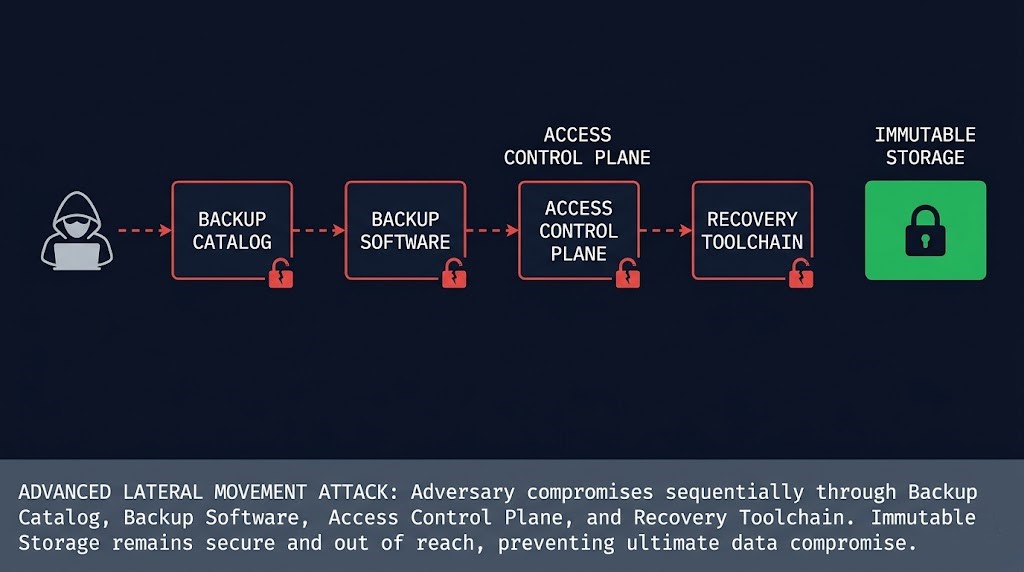
Object Lock Is the Floor, Not the Ceiling
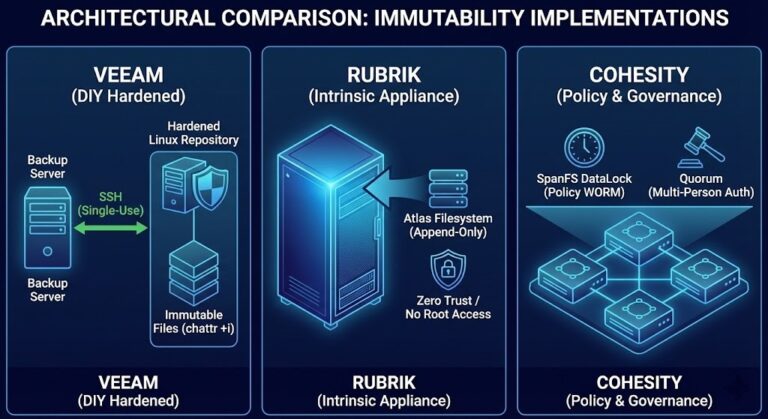
Object Lock is a necessary control. Enabling it is the right call. But treating it as the definition of an immutable backup strategy is how organizations end up with protected data they cannot recover. The storage layer is where immutability starts — not where it ends.
A complete immutability strategy answers five questions, one for each layer. Can the stored data be deleted or modified? Can the backup software’s own retention be disabled? Can an attacker reach the access control plane that governs both? Is the backup target genuinely isolated from the production credential space? And critically — has recovery been tested against a realistic adversarial scenario, not just a clean-environment restore drill?
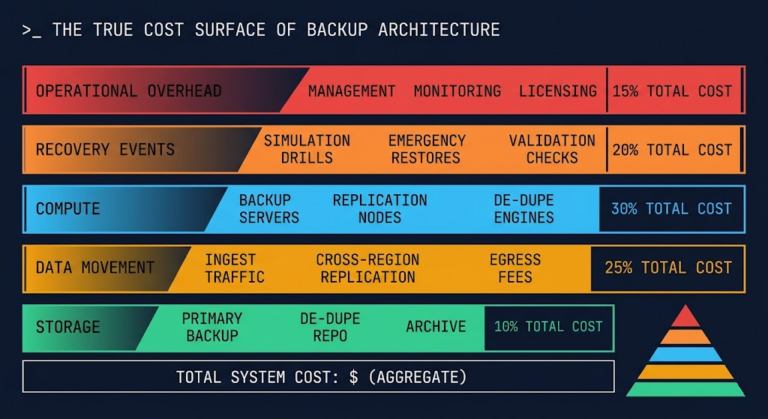
If any of those five questions has a weak answer, the strategy has a gap. See the full architecture in the Data Protection Architecture guide and the detailed immutability implementation patterns in Immutable Backup Architecture. For the ransomware scenario context that makes these controls necessary, the Ransomware Resilience Architecture post covers the threat model in depth. And if you’re modeling the cost side of recovery operations, How to Calculate True Backup Costs covers the recovery cost variables that most backup assessments miss. Database-specific recovery validity — including what application-consistent backups actually prove — is covered in App-Consistent Database Backup.
Architect’s Verdict
Object Lock is the floor. Immutability is enforced at the system level — or not at all.
The teams that discover this during a ransomware recovery are the teams that had Object Lock enabled, retention policies configured, and compliance reports showing green — and still couldn’t restore a clean environment. The storage was immutable. The system wasn’t. Build the 5-layer model and test recovery under adversarial assumptions before you need it. The only proof of immutability that matters is a successful restore.
Additional Resources
Editorial Integrity & Security Protocol
This technical deep-dive adheres to the Rack2Cloud Deterministic Integrity Standard. All benchmarks and security audits are derived from zero-trust validation protocols within our isolated lab environments. No vendor influence.

R.M.
Senior Solutions Architect with 25+ years of experience in HCI, cloud strategy, and data resilience. As the lead behind Rack2Cloud, I focus on lab-verified guidance for complex enterprise transitions. View Credentials →
Get the Playbooks Vendors Won’t Publish
Field-tested blueprints for migration, HCI, sovereign infrastructure, and AI architecture. Real failure-mode analysis. No marketing filler. Delivered weekly.
Select your infrastructure paths. Receive field-tested blueprints direct to your inbox.
- > Virtualization & Migration Physics
- > Cloud Strategy & Egress Math
- > Data Protection & RTO Reality
- > AI Infrastructure & GPU Fabric
Zero spam. Includes The Dispatch weekly drop.
Need Architectural Guidance?
Unbiased infrastructure audit for your migration, cloud strategy, or HCI transition.
>_ Request Triage Session