

Precision Licensing: Calculating VVF and VCF Cores in the Broadcom Era

VMware core licensing under Broadcom’s per-core subscription model is no longer a renewal exercise — it’s an architectural decision that determines whether VVF or VCF is the financially defensible choice for your specific storage-to-compute ratio. When Broadcom pivoted VMware to a per-core subscription model, they didn’t just change the SKU—they changed the fundamental math of the data center. As someone who has managed migrations through the ESX 3.5 days up to the present, I can tell you that “guestimating” your core count is a dangerous game.
The complexity multiplies when you factor in the vSAN TiB (Tebibyte) add-on. Under the new rules, VVF and VCF come with a specific vSAN entitlement, but exceeding that capacity triggers additional licensing costs that can spiral if you aren’t monitoring your storage-to-core ratio.
The Decision Framework: Measuring for Renewal
Before you run the script, you must decide which lens you are looking through. VMware core licensing math looks completely different depending on whether VVF or VCF is the target. Are you optimizing for a standard virtualization stack (VVF) or a full SDDC automation suite (VCF)?
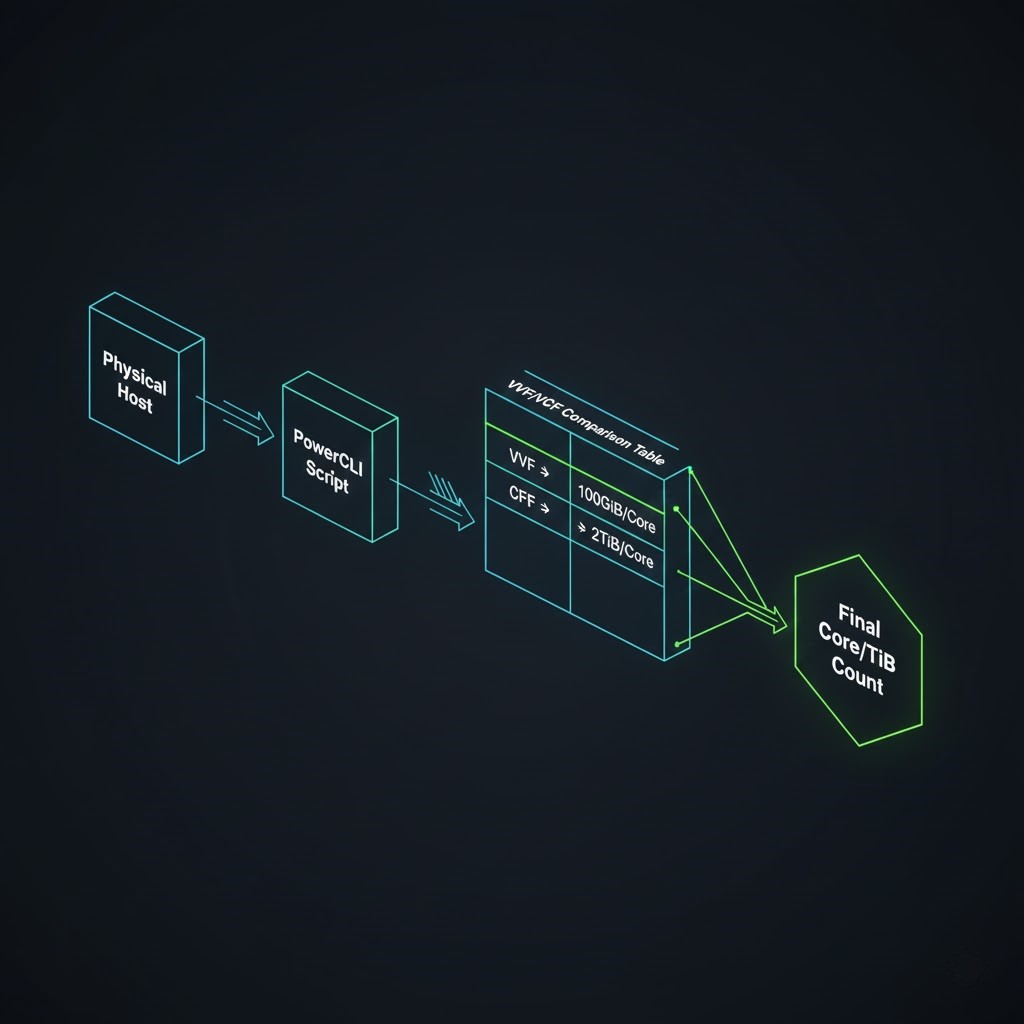
| Requirement | VMware vSphere Foundation (VVF) | VMware Cloud Foundation (VCF) |
| vSAN Entitlement | 100 GiB per Licensed Core | 2 TiB per Licensed Core |
| Expansion Logic | High storage/Low compute = High Add-on costs | High storage/High compute = Included |
| Audit Requirement | Total Cores + TiB Overages | Total Cores + TiB Overag |
Decision Rule: Run the script twice. Once for VVF and once for VCF. If your vSAN usage is massive, you may find that the VCF “Core + 2TiB” entitlement actually makes VCF cheaper than paying for VVF plus a mountain of TiB add-on licenses.
The per-core model is one forcing function. For the full picture of what Broadcom’s restructuring means for your infrastructure roadmap, the Broadcom Exit Strategy covers platform alternatives, migration timelines, and the architectural decision framework.
For the legal pressure accelerating exit timelines, the Broadcom legal playbook covers why the VMware lawsuits are shortening enterprise decision windows.
Model Your Hardware Density
Before you pull the PowerCLI data, use our internal estimator to model your hardware density. Stop guessing at your Broadcom renewal and use the deterministic VMware VVF VCF Calculator below to instantly benchmark your socket-to-core ratios, TiB conversion limits, and total license footprint.
Model your socket-to-core ratios, TiB conversion limits, and total VVF vs VCF license footprint before you run the PowerCLI audit. The calculator surfaces your vSAN add-on exposure instantly — run it once for VVF and once for VCF to find the crossover point for your specific cluster density.
→ Launch the VMware Core Licensing AuditorStep-by-Step: Programmatic Core Calculation
When you are designing for Day 2 operations, you need repeatable processes. Here is how to prep your environment for a precise core and storage audit.
1. Establish the PowerShell 7 Environment
Windows Server 2022 and W11 still ship with PowerShell 5.1 by default. Broadcom’s toolset demands PowerShell 7.
- Download the
Win64.exefrom the PowerShell GitHub Assets. - Verify your installation with
$PSVersionTable. If thePSVersiondoesn’t start with 7, theImport-Modulecommand will likely throw legacy errors.
2. Install the PowerCLI Framework
You need the VMware-specific modules to interface with your vCenter API. Open your PowerShell 7 terminal (often the “Black” icon rather than the “Blue” one) and run:
PowerShell
Install-Module VMware.PowerCLI -Scope CurrentUser
# Set execution policy to allow the Broadcom script to run
Set-ExecutionPolicy Unrestricted
# Bypass SSL warnings for internal vCenter certificates
Set-PowerCLIConfiguration -InvalidCertificateAction Ignore -Confirm:$false
3. Executing the Broadcom Audit Script
Download the FoundationCoreAndTiBUsage.psm1 module. This script is the “truth” for Broadcom renewals. Navigate to your download directory and import it:
PowerShell
Import-Module .\FoundationCoreAndTiBUsage.psm1
Connect-VIServer -Server <Your_vCenter_FQDN>
4. Running the Comparisons
This is where the “war stories” come in. I’ve seen architects run a general report and panic at the number. The trick is to isolate your clusters. If you are only renewing a specific production block, don’t let your dev/test lab skew your vSAN TiB requirements.
For a VVF Calculation: Get-FoundationCoreAndTiBUsage -DeploymentType VVF Watch the “vSAN License TiB” column closely. This assumes 100GiB per core.
For a VCF Calculation: Get-FoundationCoreAndTiBUsage -DeploymentType VCF Notice the TiB count drop? That’s the 2TiB per core entitlement working in your favor.
Targeted Cluster Analysis (Recommended): Get-FoundationCoreAndTiBUsage -ClusterName "Production_Gold" –DeploymentType VCF
Mandatory Cost Analysis: The vSAN “Tax”
The most significant cost variable in 2025 is the Storage-to-Core ratio.
- The VVF Trap: If you have 32 cores in a host but 50TB of raw vSAN storage, VVF only covers 3.2TB. You will be billed for the remaining ~46TB as “Add-on TiB.” This can quickly exceed the cost of the core licenses themselves.
- The VCF Pivot: In high-density storage scenarios, VCF is almost always the more economical choice because the 2TiB-per-core entitlement usually covers the entire raw storage capacity without needing add-ons. If the vSAN math is pushing you toward a platform decision rather than a renewal, Broadcom Year Two Strategy covers the financial and operational case for staying, migrating, or hybrid-bridging.
- Licensing Rounding: Remember, the script accounts for the 16-core per CPU minimum. Even if the script sees a 12-core chip, it will bill you for 16.
For environments where the vSAN math is tipping toward a platform exit, the Nutanix vs VMware post-Broadcom decision framework covers the licensing and operational trade-offs side by side. The Proxmox vs Nutanix vs VMware post-Broadcom constraints post covers the open-source alternative that most renewal conversations skip entirely.
Day-2 Architectural Playbooks
“If the core calculator surfaces a renewal number that makes migration more compelling than renewal, the HCI Migration Advisor runs automated readiness checks for vSphere to AHV — detecting ISOs, snapshots, and hardware compatibility before you commit. The math is only half the battle. Once you understand the financial impact of the core conversions, you need a strategy for the infrastructure reality. Continue building your strategy with these resources:
- The “Day 2” Broadcom Reality Check: Decoupling the VCF Stack
- The “Day 2” Reality of Migrating VMware to Nutanix
Architect’s Verdict
VMware core licensing under Broadcom is not a procurement task. It is an architectural forcing function. The per-core model combined with the vSAN TiB entitlement difference between VVF and VCF means that your storage-to-compute ratio now determines which SKU is financially defensible — not which one has the features you need. Run the script before you negotiate. Run it twice. The crossover point between VVF and VCF is different for every cluster density, and it is the only number in the renewal conversation that is objectively correct.
The 16-core minimum per CPU is not a rounding detail — it is a cost floor that compounds across every host in the environment. Over-provisioned VMs from the pre-Broadcom era inflate that floor further. Right-sizing before renewal is not operational hygiene. It is the difference between a defensible renewal number and one that funds the vendor’s next acquisition.
The core calculator surfaces the number. The architectural decision — renew, migrate, or bridge — is what the number informs. Know the math before you sit down with your Broadcom rep. They already do.
Additional Resources
Editorial Integrity & Security Protocol
This technical deep-dive adheres to the Rack2Cloud Deterministic Integrity Standard. All benchmarks and security audits are derived from zero-trust validation protocols within our isolated lab environments. No vendor influence.

R.M.
Senior Solutions Architect with 25+ years of experience in HCI, cloud strategy, and data resilience. As the lead behind Rack2Cloud, I focus on lab-verified guidance for complex enterprise transitions. View Credentials →
Get the Playbooks Vendors Won’t Publish
Choose the architecture problems you care about. Get field-tested playbooks and frameworks delivered to your inbox.
- > AI Infrastructure & Inference Economics
- > Cloud Strategy & Hidden Cost Models
- > Virtualization & Deterministic Migration
- > Kubernetes, IaC & Modern Infrastructure
- > Data Protection & Recovery Engineering
Zero spam. Includes The Dispatch weekly drop.
Need Architectural Guidance?
Independent review before major infrastructure decisions.
- > Validate assumptions
- > Identify hidden dependencies
- > Quantify migration risk
- > Challenge vendor narratives
Triage · Advisory · Fractional · Direct Hire