

What Breaks First After You Leave VMware
On Day 32, the storage team escalates. Veeam SureBackup verifications are silently failing on a subset of workloads that migrated cleanly out of VMware four weeks earlier. The jobs report success. The backups complete. But the verification phase — the part that actually proves the data is recoverable — quietly stopped working somewhere between cutover and now.
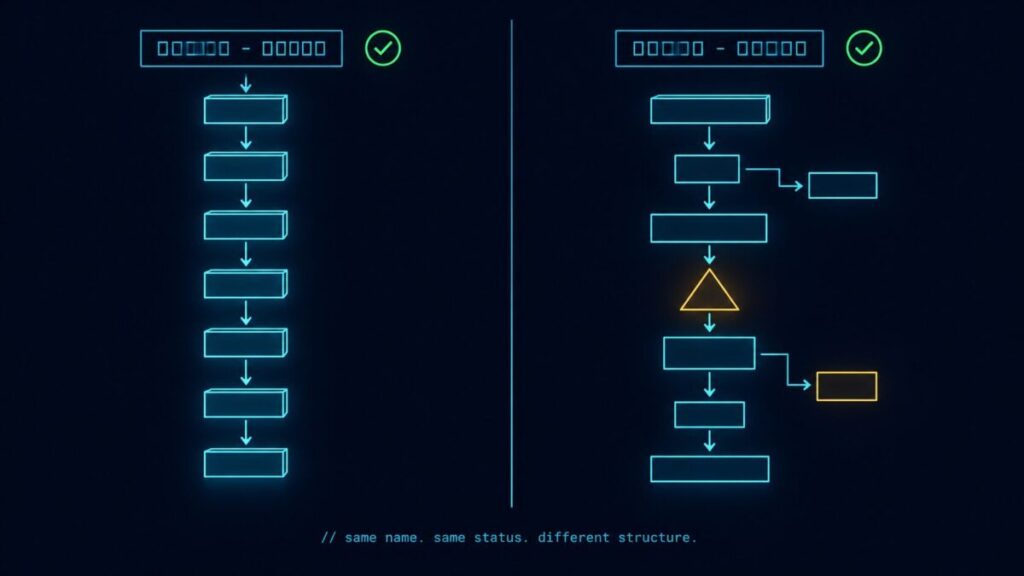
The verification didn’t fail because of a backup problem. It failed because the operating model around the backup quietly stopped matching reality the moment the hypervisor changed. The proxy assumptions, the API integrations, the snapshot semantics, the application-aware processing hooks — all of it was built against a stack that no longer exists in your datacenter. The backup software didn’t notice. Neither did your monitoring. Neither did your team.
This is the post-VMware migration nobody warns you about. Not the cutover. The aftermath.
The Post-VMware Migration Success Trap
Every post-VMware migration project has a success metric, and almost every one of them gets it wrong. The vendor’s metric is cutover. The integrator’s metric is workload parity. The PMO’s metric is project closure. None of those are your metric.
Your metric is Day 90. The point at which the new platform has been through one full backup cycle, one DR test, one patching window, one quarter-end audit, and one on-call rotation. Until then, you don’t have steady state. You have a workload that happens to be running on different hardware while every operational assumption around it slowly drifts out of alignment. This is exactly the operational reality the Post-Broadcom Series was built to address — the work that doesn’t end when the migration project closes.
The trap is that the dashboards go green at cutover. Workloads boot. Users log in. Tickets close. The migration looks finished. Meanwhile, six different operational domains have entered a quiet decay state, and none of them will surface until something actually depends on them — a restore, a failover, a script, an audit, a 3 AM page. By then the team has already declared victory, the consultants have left, and the budget for “migration work” has been retired.
What Breaks Quietly First
The failures that show up after a post-VMware migration don’t announce themselves. They degrade. Verifications fail without alerts. Dashboards report stale data. Scripts return success on the wrong API. Policies stop matching the workloads they were written for. DR assumptions decay against a topology that no longer exists. Six operational domains carry most of this drift.
1. Backup & Recovery Integrations
Backup vendors integrate with hypervisors through APIs that are deeply specific to the platform: VMware’s CBT, VADP, application-aware processing hooks (especially for database workloads, where crash-consistent and application-consistent are not the same backup), and proxy placement model. None of those map cleanly to Nutanix AHV, Proxmox, Hyper-V, or a public cloud equivalent. The vendor will tell you their software supports the new platform — and it does — but supports is not the same as parity. SureBackup verification logic, instant recovery from snapshots, file-level recovery for guest-aware applications, and CBT equivalents all behave differently. The job runs. The verification phase quietly degrades. You won’t know until you need to restore. The vendor differences here are larger than the marketing suggests — see Veeam vs Commvault: How Enterprise Backup Platforms Fail Differently for how integration-layer assumptions diverge under platform change.
2. Monitoring & Runbook Drift
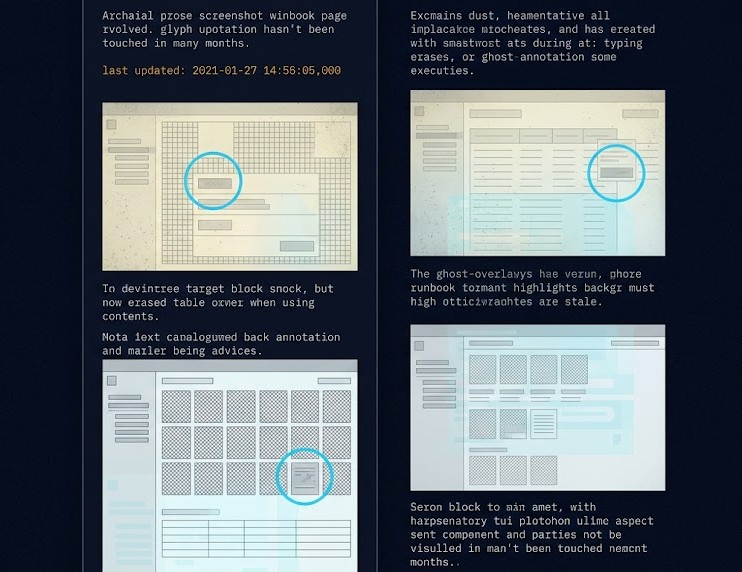
vROps, Aria Operations, and every dashboard built against vCenter’s data model die at cutover. Your team rebuilds the obvious ones — capacity, host health, datastore utilization. The non-obvious ones rot. SNMP traps point at MIBs that no longer exist. Splunk queries reference event IDs that the new platform doesn’t emit. Runbook screenshots become museum pieces — they show a UI nobody uses anymore. The alerting still fires, but it fires against thresholds calibrated for a stack that’s been gone for two months. Your monitoring is now confidently wrong. This is the failure mode covered in Your Monitoring Didn’t Miss the Incident. It Was Never Designed to See It. — the gap between alerting that fires and alerting that means something.
3. Automation & Control Plane Assumptions
PowerCLI scripts. vRA blueprints. Ansible playbooks targeting the vCenter SOAP API. Terraform modules using the vSphere provider. Every line of automation written against VMware’s control plane assumes a control plane that no longer exists. This is the control plane shift playing out at the integration layer — every infrastructure decision now looks the same once the underlying control plane changes. Most teams catch the obvious breaks during cutover. The quiet ones surface later — a monthly patch automation that fails silently because the API endpoint returns a different error code, a self-service portal that successfully provisions VMs but doesn’t tag them, a CMDB sync that drifts a little further out of alignment every week. None of these throw red. They just stop being true.
The pattern is general. Every layer of a migrated estate has a version of “the tool reports success against a stack that no longer matches the assumptions the tool was built against” — and the migration dashboard is the most visible instance of it. The Dashboard Said the Migration Succeeded is the field-note version of this failure mode: the cutover ran green, every checklist item passed, and the operating model around the workload had already begun drifting away from what the dashboard was reporting.
4. Storage & Snapshot Semantics
VAAI primitives, VVols, datastore-level snapshots, and storage policy-based management aren’t features — they’re contracts the rest of your stack relied on. The new platform has snapshots. It has efficient cloning. It has storage policies. None of them have the same semantics. A snapshot in AHV is not a snapshot in vSphere. This is the storage execution physics gap covered in Beyond the VMDK: Translating Execution Physics from ESXi to AHV — semantics that look identical until they hit production load. The application-consistent quiesce path your DBAs depend on may or may not be honored the same way. The performance characteristics under load differ. The retention policies you wrote for VMware behave differently against the new substrate. The backup integrates. The DR replicates. The semantics are subtly off, and subtly off is exactly what doesn’t surface until restore day.
5. Network Policy & Segmentation
NSX-T microsegmentation policies don’t translate to Flow, Calico, or any other platform’s policy engine on a 1:1 basis. The mapping is conceptually similar and operationally different. East-west rules that worked in NSX may have gaps in the new platform’s enforcement model. Group memberships dependent on vCenter tags need to be rebuilt against the new platform’s identity model. This is its own multi-week project, and it’s been covered in depth in Policy Translation: Mapping VMware DRS, SRM, and NSX to Nutanix Flow. The point here is that policy translation is rarely on the cutover checklist — it gets handled later, which means there’s a window where segmentation is partially enforced and nobody is tracking it.
6. DR & Replication Topology
Site Recovery Manager runbooks. Array-based replication contracts. RPO/RTO targets written against a specific replication topology. These are the metrics that should design your infrastructure, not the other way around — covered in RTO, RPO, and RTA: Why Recovery Metrics Should Design Your Infrastructure. Every one of these is invalidated by a hypervisor change, and every one of them gets rebuilt under time pressure during the migration project. The result is a DR posture that looks similar to what you had but hasn’t been tested end-to-end against the new platform under realistic failure conditions. The first DR test post-migration is rarely the cutover-week tabletop. It’s the audit-driven test six months later, when the gap between intended RPO and actual RPO turns into a finding.
The 30-60-90 Day Reality
Failure surfaces in waves. The first 30 days look fine. The next 30 expose the integration gaps. The 30 after that expose the resilience gaps. Each phase has its own dominant failure mode.
Visibility Drift
Dashboards lie quietly. Alerts fire on thresholds that no longer match the workload. Runbooks reference UIs nobody uses.
- Stale monitoring queries
- Broken SNMP/MIB references
- Runbook screenshot decay
Integration Breakage
Automation fails on edge cases. Backup verifications degrade. Patch cycles expose API mismatches the cutover never tested.
- SureBackup verification gaps
- PowerCLI script silent failures
- CMDB sync drift
Resilience Failure
DR tests reveal RPO gaps. Audit cycles expose policy translation holes. The first real restore proves the backup wasn’t actually a backup.
- DR runbook failures
- Restore semantics mismatches
- Audit findings on segmentation
The assumption-transfer problem seeds Phase 1 before cutover closes. Teams migrating to Proxmox carry specific operating model assumptions — about storage behavior, snapshot semantics, and cluster management — that pass pre-flight audit and fail under production load. The Proxmox Migration Assumptions That Break at Cutover documents where those assumptions surface and which phase they typically hit.
There is also a Phase 0 that most post-migration retrospectives miss entirely: the coexistence window that precedes the cutover. Most VMware exits don’t execute as clean cutovers — they run weeks or months in a hybrid state where both platforms are live simultaneously. The Fragmented Control Plane that emerges during that window seeds the visibility drift, integration breakage, and resilience failure that surface in Phases 1 through 3. Teams that govern the coexistence window well arrive at Day 30 with fewer gaps to close. Teams that treat it as a transition artifact arrive at Day 90 with compounded drift. The dependency surface that seeds Phase 0 is the deeper problem — the licensing exposures, integration authorities, and platform behavioral assumptions that VMware accumulated over years and that cannot be reconstructed from configuration state once the migration is underway. VMware Licensing Pressure Created a Dependency Audit Problem is where that problem is named and scoped before the coexistence window opens. The VMware Exit Has Entered the Coexistence Era maps the architecture of that window.
That coexistence window closes eventually — for this post’s scope, the drift it produces is temporary, resolving as the migration completes and the estate settles onto its new platform. Virtualization Sprawl: When Every Team Owns A Different Infrastructure Reality describes what happens when it doesn’t resolve — when the second platform (or third, or fourth) isn’t a transition state but a permanent fixture, and each platform’s team has, entirely reasonably, settled on its own patch cadence, on-call model, and automation standard with nobody ever checking whether they agree. The six operational domains this post maps drift within one migrated estate over 90 days. Sprawl is what happens when several estates never stop being separate.
The shape matters. Visibility drift in Phase 1 is what masks the integration breakage in Phase 2, which is what causes the resilience failure in Phase 3 to be discovered the wrong way — by an outage, an audit, or a ransomware event — instead of by a controlled test. Each phase compounds the next. Skipping the work in Phase 1 because “everything looks fine” is exactly how teams arrive at Phase 3 unprepared.
The identity layer is a fourth thread running through all three phases — covered in The VM That Survived the Migration But Lost Its Identity, where the gap between a successful cutover and an operationally intact workload is exactly what Phase 1 visibility drift masks.
The Hidden Cost Layer
The costs that surface after a post-VMware migration don’t appear in the migration project budget. They appear on next quarter’s bills, in next quarter’s headcount asks, and in next quarter’s contractor invoices. None of them are forecast. All of them are predictable.
Re-tooling licensing is the first surprise. New monitoring agents, new backup proxies, new automation runners — each platform shift creates a small fleet of license SKUs that weren’t on the migration spreadsheet. Consultant retainers extend past go-live because the integration work that was “out of scope” turns out to be in scope after all. Guest OS licensing math changes — Windows Datacenter core counts, Oracle, SQL Server core entitlements (the true cost of these shifts often shows up months after migration, on cloud bills nobody re-baselined) — and not always in the customer’s favor. None of these are your biggest risk individually, and that case is made in detail in The Architecture of Migration: Why Licensing Isn’t Your Biggest Risk. But cumulatively, they erode the savings story the migration was sold on.
The largest hidden cost is the one nobody invoices: skill decay. Your team has fifteen years of VMware muscle memory. Day 60 muscle memory still reaches for vCenter when something breaks. The new platform’s troubleshooting model is different — different telemetry, different log paths, different escalation chains. The productivity tax during this period is real and unmodeled, and it usually shows up as a slower incident response time on metrics nobody is watching closely until something major fails. The full operational reorientation that AHV requires — and why it takes months, not weeks — is mapped in Nutanix AHV Operations: What Changes After VMware Migration.
What to Test Before You Call It Done
Day 90 isn’t a date. It’s a state. The state is reached when these eight verifications have all passed end-to-end against the new platform — not against the migration plan, not against the vendor’s reference architecture, but against your actual workloads under realistic conditions.
Run a full SureBackup or equivalent verification cycle against migrated workloads. The job completing is not the bar. The verification phase passing is the bar.
Restore at least one application-aware workload to a clean target. File-level recovery, database point-in-time recovery, and full VM restore must all pass.
Every operational dashboard your on-call team relied on pre-migration has a post-migration equivalent producing accurate data. Stale dashboards must be retired, not left running.
Every scheduled automation job — patching, provisioning, decommissioning, tagging — has been executed end-to-end against the new platform with verified outcomes, not just exit code zero.
A real failover test against a representative workload set. RPO and RTO measured against actuals, not against the runbook’s intended targets.
Guest OS, database, and application licensing math re-validated against the new platform’s vCPU and core entitlement model. Audit-ready documentation in place.
Every operational runbook updated against the new platform’s UI, CLI, and API. Screenshots refreshed. Old runbooks archived, not left in the wiki for someone to follow at 3 AM.
Sev1 paging routes to the right team. Vendor support contracts are active and tested. Escalation runbooks reference the new platform’s support channels, not VMware’s.
This list is what the VMware Migration Readiness Assessment was built to systematize. The assessment runs against your existing VMware estate before you migrate, but the verification logic mirrors the eight items above — because what you should check before is exactly what you’ll wish you had checked after.
The Architect’s Verdict
A post-VMware migration isn’t done at cutover. It’s done at Day 90, after one full operational cycle has run end-to-end on the new platform and every assumption that lived inside the old stack has been re-tested against the new one. The vendor’s success metric and yours are not the same metric. Plan accordingly.
- Treat Day 90 as the real cutover milestone
- Budget for re-tooling and runbook rewrites in the migration plan
- Run a real DR test before the migration project closes
- Verify backup integrity through a full restore, not job success codes
- Declare migration success at vMotion completion
- Let the consultants leave before the first audit cycle
- Trust dashboards that haven’t been re-validated against the new stack
- Confuse “supports the new platform” with “operates the new platform”
Additional Resources
View 8 more resources
Editorial Integrity & Security Protocol
This technical deep-dive adheres to the Rack2Cloud Deterministic Integrity Standard. All benchmarks and security audits are derived from zero-trust validation protocols within our isolated lab environments. No vendor influence.

R.M.
Senior Solutions Architect with 25+ years of experience in HCI, cloud strategy, and data resilience. As the lead behind Rack2Cloud, I focus on lab-verified guidance for complex enterprise transitions. View Credentials →
Get the Playbooks Vendors Won’t Publish
Choose the architecture problems you care about. Get field-tested playbooks and frameworks delivered to your inbox.
- > AI Infrastructure & Inference Economics
- > Cloud Strategy & Hidden Cost Models
- > Virtualization & Deterministic Migration
- > Kubernetes, IaC & Modern Infrastructure
- > Data Protection & Recovery Engineering
Zero spam. Includes The Dispatch weekly drop.
Need Architectural Guidance?
Independent review before major infrastructure decisions.
- > Validate assumptions
- > Identify hidden dependencies
- > Quantify migration risk
- > Challenge vendor narratives
Triage · Advisory · Fractional · Direct Hire