The “Day 2” Reality of Migrating VMware to Nutanix: What the Migration Tools Don’t Tell You
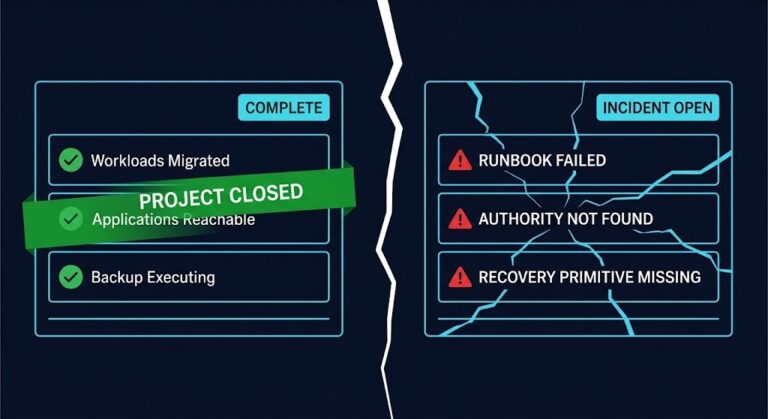
When you migrate VMware to Nutanix, the migration tool moves the bits — but the operational model, backup chain, network abstraction, and licensing math are yours to rebuild from Day 1. Everyone loves the “green lights” on a migration dashboard. I’ve sat in plenty of steering committee meetings where the project lead flashes a slide showing 500 VMs successfully moved from ESXi to AHV using Nutanix Move. There is applause, the project is marked “Complete,” and the consultants leave.
But for the Solution Engineers and Cloud Architects left holding the pager, the real work is just starting. The migration tool moves the bits, but it doesn’t migrate the operational model.
If you are treating a VMware-to-Nutanix migration as a simple lift-and-shift, you are walking into a trap. This isn’t just a hypervisor swap; it’s a platform shift. Here is the unvarnished reality of Day 2 operations that the sales decks usually skip.

When You Migrate VMware to Nutanix: The Network Layer Shift
The most common “Day 2” ticket I see involves network reachability or performance degradation on high-throughput database VMs. In the VMware world, we spent a decade getting comfortable with the vSphere Distributed Switch (vDS). We built complex port mirroring, NetFlow configurations, and private VLANs inside vCenter.
Map your NSX-T Security Tags, IP Sets, and DFW rules to Nutanix Flow Categories and Security Policies without manual re-keying. The Translator handles the Rosetta Stone logic — so your security posture migrates with the workload, not after a security incident forces the rebuild.
→ Launch the NSX-T to Flow TranslatorWhen you migrate to AHV, those vDS constructs don’t translate 1:1. You are moving to an Open vSwitch (OVS) architecture managed by Prism.
The Decision Framework
- If you rely heavily on NSX-T Micro-segmentation: You cannot just “migrate” to AHV without adopting Nutanix Flow. Traditionally, this requires a painful manual policy rebuild. To solve this, we developed the Rack2Cloud NSX-to-Flow Translator, a custom tool that automates the translation of your legacy NSX security groups into modern Flow categories.
- If you use standard VLANs: The transition is smooth, but you must verify that your upstream TOR (Top of Rack) switches are configured for LACP active if you plan on using LACP on the AHV bond. AHV is stricter about LACP negotiation than ESXi.
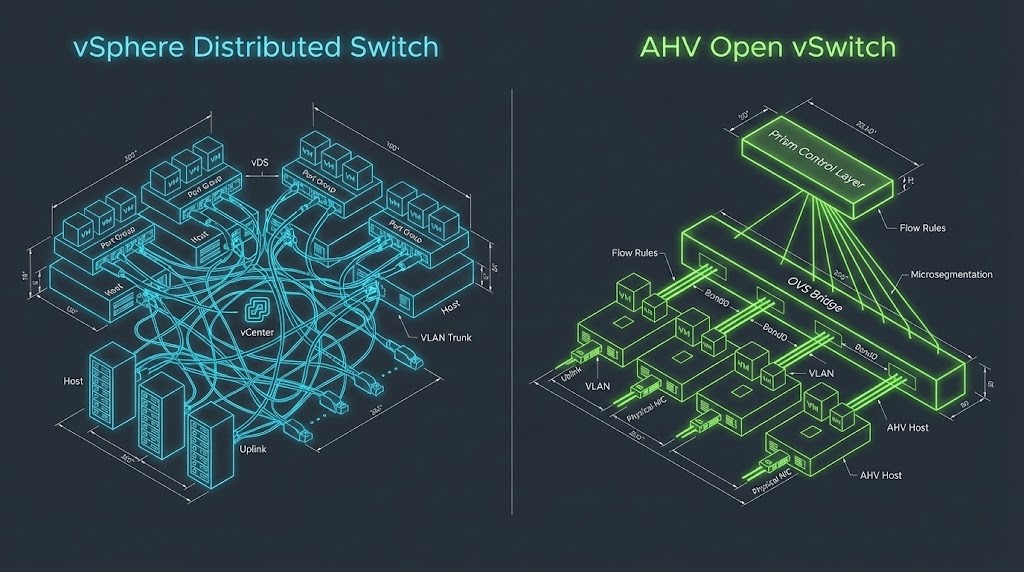
The full philosophy shift — from network-centric NSX-T security to workload-centric Flow categories — is covered in NSX-T to Nutanix Flow.
Comparison: vSphere Networking vs. Nutanix AHV
The policy translation challenge extends beyond the firewall layer — mapping VMware DRS, SRM, and NSX to Nutanix equivalents is where most migration runbooks have gaps.
| Feature | VMware vSphere (vDS) | Nutanix AHV (OVS) | Day 2 Impact |
| Switch Management | Centralized via vCenter | Centralized via Prism Element/Central | Prism is simpler, but less granular for deep packet inspection without Flow. |
| Load Balancing | Route based on IP hash / Physical NIC Load | Balance-SLB / Balance-TCP (LACP) | Balance-SLB is default; requires no switch config. LACP requires switch-side config. |
| Micro-segmentation | NSX (Overlay) | Flow (VLAN-based or Overlay) | High Risk. Policies do not migrate. Security posture must be rebuilt. |
| Jumbo Frames | Configured on vSwitch & VMKernel | Configured on vSwitch (Bridge) | Must be explicitly set on the bridge interface via CLI (acli) in some older versions. |
The “Hidden” Cost of Migration: Licensing & OpEx
We need to talk about money. The primary driver for these migrations right now is Broadcom’s acquisition of VMware and the resulting shift to bundled subscription pricing (VVF/VCF). While moving to Nutanix AHV eliminates the vSphere tax, it introduces its own complexity in the Nutanix Cloud Infrastructure (NCI) licensing model.
For the full platform comparison including where Proxmox fits as a third option in the post-Broadcom decision, Proxmox vs Nutanix vs VMware covers the constraints no vendor deck explains. The Nutanix vs VMware post-Broadcom decision framework covers the specific licensing and operational trade-offs in detail.
Right-size your NCI core requirements against your existing vSphere footprint before you migrate. The HCI Migration Advisor runs automated readiness checks — detecting over-provisioned vCPUs, snapshot conflicts, ISO mounts, and hardware compatibility issues that inflate your Nutanix core count if left unresolved.
→ Run the Migration Readiness CheckCapEx vs. OpEx Analysis:
- The VMware Exit (OpEx Savings): By moving to AHV, you immediately shed the per-core subscription cost of vSphere. For a cluster with 6 nodes (Dual 24-core CPUs), this can save $30k-$50k/year depending on your previous contract.
- The Nutanix Entry (The NCI Reality): Nutanix has also moved to a core-based subscription model. You aren’t buying a perpetual license anymore.
- The Trap: If you migrate inefficient VMs (over-provisioned vCPUs from the VMware days), you are bloating your Nutanix core count requirements.
- The Fix: Right-size and Calculate BEFORE you migrate. Don’t guess. We built the VMware to Nutanix Migration Estimator specifically to model these NCI core requirements against your existing vSphere footprint. It highlights exactly where you can reduce the “hypervisor tax” before you deploy.
Architect’s Note: Do not forget the Windows Server Datacenter licensing. When you move VMs from host A to host B, ensure you aren’t breaking Microsoft’s 90-day reassignment rule unless you have License Mobility or active Software Assurance.
For the broader financial and platform decision — including whether renewal, migration, or a hybrid bridge is the right call for your specific environment — Broadcom Year Two Strategy covers the full framework.
Before signing the Nutanix contract, the VMware Migration Readiness Assessment surfaces the over-provisioning and snapshot conflicts that inflate your NCI core count before you’re committed to the number.
Operations: The “VADP” Cliff
This is where the operational team usually gets burned. In vSphere, almost every backup tool (Veeam, Rubrik, Cohesity) utilizes VADP (vSphere Storage APIs for Data Protection).2 It’s the industry standard for snapshot-based backups.
When a VM lands on AHV, VADP is gone. The backup fidelity implications go deeper than proxy replacement — crash-consistent is not a database backup, and that distinction matters the moment AHV takes its first snapshot of a migrated workload.
The Operational Reality:
- Agent vs. Agentless: Most modern backup vendors support AHV agentless backups, but they use a different proxy appliance.
- The “Gap”: You cannot simply repoint the backup job. You must deploy a new AHV-compatible proxy, register the Nutanix cluster, and create new protection groups.
- The Risk: If you migrate 100 VMs on Friday night, and don’t configure the new AHV backup policies, those VMs are running unprotected all weekend.
For the broader backup architecture design that survives the VADP transition, the Backup Architecture Strategy Guide covers the platform-independent recovery model that works on both sides of the migration. The restore path design is where the AHV backup gap becomes operationally visible — most teams discover it during the first recovery drill, not during migration.
Architect’s Verdict
When you migrate VMware to Nutanix, the migration tool completes successfully and the real work begins. The VADP cliff, the OVS abstraction shift, the NCI core count trap, and the policy translation gap are not edge cases — they are the standard Day 2 surface area that every AHV migration exposes. The difference between a migration that lands cleanly and one that produces six months of operational debt is whether these were modeled before cutover or discovered after it.
Right-size before you migrate. Translate the security policy before the workload lands on AHV. Deploy the AHV-compatible backup proxy before the weekend cutover, not after. Model the NCI core requirements against your actual vSphere footprint — not the number on the Nutanix quote. Each of these is a planning task when done proactively and an incident when done reactively.
The green lights on the migration dashboard measure data movement. They do not measure operational readiness. Those are two different problems, and only one of them has a tool that solves it automatically.
Additional Resources
Editorial Integrity & Security Protocol
This technical deep-dive adheres to the Rack2Cloud Deterministic Integrity Standard. All benchmarks and security audits are derived from zero-trust validation protocols within our isolated lab environments. No vendor influence.

R.M.
Senior Solutions Architect with 25+ years of experience in HCI, cloud strategy, and data resilience. As the lead behind Rack2Cloud, I focus on lab-verified guidance for complex enterprise transitions. View Credentials →
Get the Playbooks Vendors Won’t Publish
Field-tested blueprints for migration, HCI, sovereign infrastructure, and AI architecture. Real failure-mode analysis. No marketing filler. Delivered weekly.
Select your infrastructure paths. Receive field-tested blueprints direct to your inbox.
- > Virtualization & Migration Physics
- > Cloud Strategy & Egress Math
- > Data Protection & RTO Reality
- > AI Infrastructure & GPU Fabric
Zero spam. Includes The Dispatch weekly drop.
Architecture Audit Services
Fixed-scope audits for Zero-Trust Azure, VMware migration readiness, and recovery posture — no discovery call required to start.
>_ View Audit Services>_Related Posts
ZFS vs Ceph vs NVMe-oF: Choosing the Right Storage Backend for Modern Virtualization
I still have nightmares about a storage migration I ran back in 2014. >_ Architect’s Brief 60-second read before you commit to the full post · Full post: 7 min Generating brief… We were moving off a monolithic SAN and onto an early “software-defined” storage platform. The sales engineers promised infinite scalability and self-healing magic….
Your VMware Exit Was Successful. The First Incident Will Tell You If That’s True.
VMware exit survivability is the question your migration project never formally scheduled — and the first production incident on the new platform will answer it whether you are ready or not. The cutover completed. The workloads are running. The project closed green. None of that tells you whether the operating model, runbooks, authority structures, and…
Your VMware Exit Plan Assumed a Tool You Didn’t Control
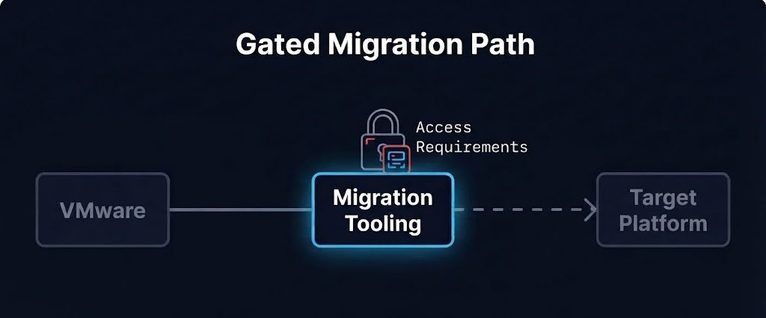
A VMware exit plan usually treats the migration tooling as a given — something you download, install, and use, not something you have to keep asking permission for. In late August, the public self-service path to the Virtual Disk Development Kit (VDDK) stopped working. No deprecation notice. No public transition announcement. A download path that…
Your Migration Succeeded. The Identity Chain Didn’t.
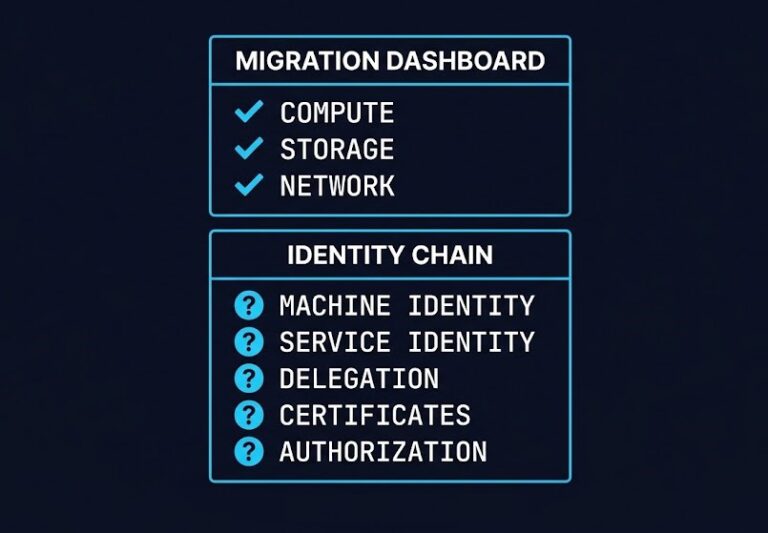
Identity chain continuity is the thing every migration runbook assumes and almost none of them prove. A migration dashboard can go fully green — compute online, storage attached, network reachable — while the identity chain underneath it is already broken, and nothing in that dashboard will tell you. >_ Architect’s Brief 60-second read before you…
Your Kubernetes Cluster Isn’t Out of CPU — The Scheduler Is Stuck
Compute Tier 1 Authority Cascades to ➔ >_ Architect’s Brief 60-second read before you commit to the full post · Full post: 9 min Generating brief… [Storage] [Network] 🚨 Failure Signature Detected Grafana shows cluster CPU utilization is under 50%, but pods are stuck in Pending. Events show: 0/10 nodes are available: 10 Insufficient cpu….
Your Cloud Provider Is Not Your HA Strategy
A Tactical Playbook for Architecting, Testing, and Automating Real Multi-Cloud & Multi-Region Resilience We’ve previously explored why cloud SLAs fail as guarantees in our deep dive, Cloud SLA Failure & Resilience Strategy. This article focuses on how to survive those failures in practice — architecturally, operationally, and financially. >_ Architect’s Brief 60-second read before you…