

Nutanix Async & NearSync vs VMware SRM: The Blueprint for Modern DR
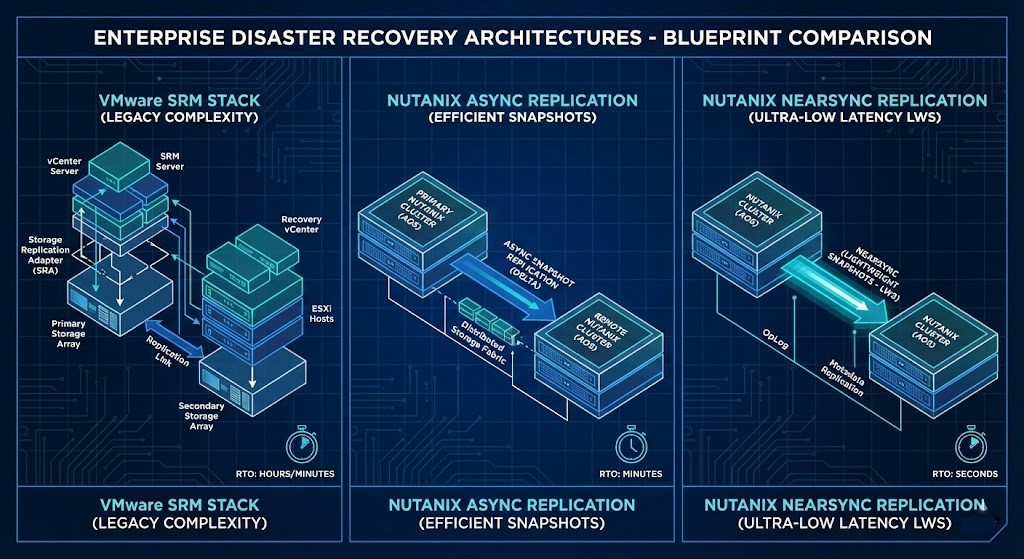
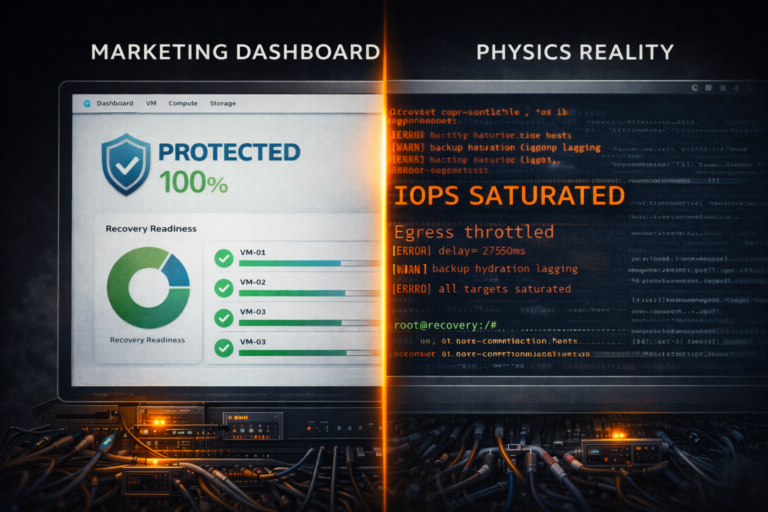
Latency is physics. Complexity is a choice. And for ten years, VMware SRM made us choose pain.
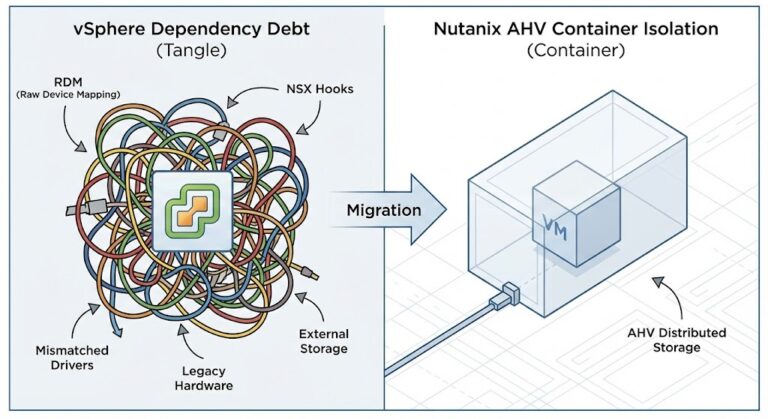
SRM is supposed to be the “gold standard,” but under the hood, it is a brittle house of cards built on Storage Replication Adapters (SRAs), placeholder VMs, and hope. If the Java process on your storage array doesn’t handshake perfectly with vCenter during the crisis, the failover fails.
In the post-Broadcom era, paying a premium for SRM just to debug SRA timeouts is insanity.
I ripped out our SRM environment and moved to native Nutanix replication. The result wasn’t just “better TCO”—it was that I finally stopped getting paged for false-positive replication errors. Here is the architectural breakdown of why native snapshots beat the SRA wrapper every time.
Why Nutanix Wins: The Hard Math
Deterministic engineering requires looking at the numbers, not the brochures. By treating DR as a Virtualization primitive rather than an add-on, the physics change.
| Metric | VMware SRM | Nutanix Async | Nutanix NearSync | Winner |
| Setup Time | 1–2 Weeks | 30 Minutes | 45 Minutes | Nutanix |
| Annual Cost | $50k+ (1,000-core ENT+ estates) | $0 (NCI Pro incl.) | $0 (NCI Ultimate incl.) | Nutanix |
| Failover (100 VMs) | 25–45 Minutes | 2–5 Minutes | 2–5 Minutes | Nutanix |
| Scale | ~500 VMs typical | 10,000 VMs | 10,000 VMs | Nutanix |
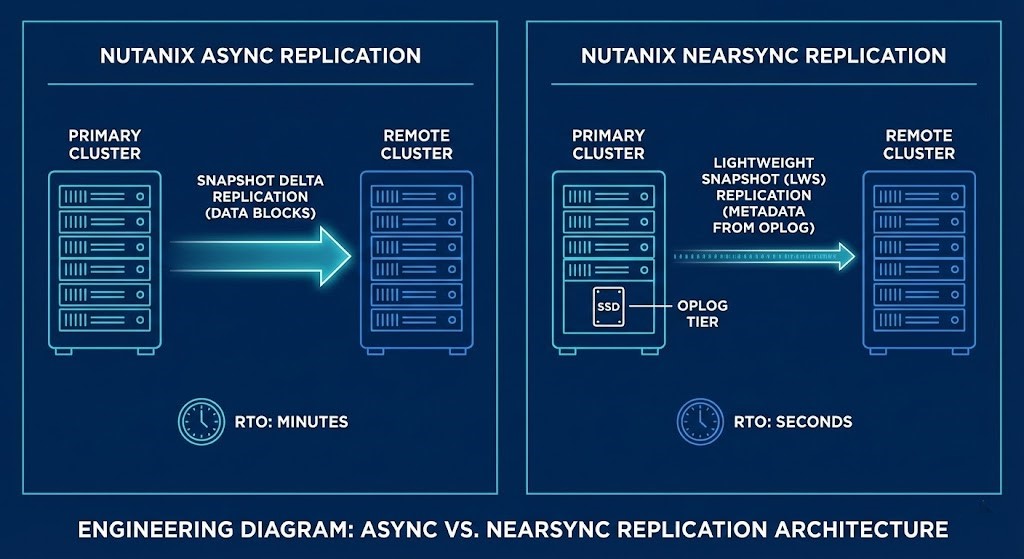
The Physics of NearSync
NearSync isn’t just “faster Async.” Traditional async replicates full snapshot deltas, which eats bandwidth and increases compute overhead. NearSync stays in the OpLog (SSD Tier), shipping only metadata pointers through Lightweight Snapshots (LWS).
The Result: 73% less bandwidth consumption compared to vSphere replication.
War Stories from the Field
War Story #1: Regional Healthcare Provider (4,000 VMs)
- The Problem: 6 SRM sites, $1.2M annual licensing, and quarterly test failovers that timed out at 47 minutes due to storage array pairing chaos.
- The Migration (Q4 2025): We used Nutanix Move for discovery in week 1. By week 4, 3 regional clusters were synced at a 15-minute RPO (Configured policy target).
- The Win: The first quarterly test post-migration clocked in at a 3.8-minute failover.
- Lesson Learned: SRM’s orchestration is a “complexity tax.” Nutanix policies auto-convert
VMDKtoQCOW2during failover, removing the manual labor of cross-hypervisor recovery.
War Story #2: Mid-Market Retail (NearSync, SQL AlwaysOn)
- The Problem: A critical PostgreSQL cluster required RPO <5 min. Legacy vSphere Replication was lagging at 22-minute intervals.
- The Fix: 4x NX-1065-G9 nodes on-prem with DR to NC2 on AWS.
- The Strategic Shift: This moved them from a CapEx-heavy dark site model to a true hybrid Cloud Strategy, eliminating the need for idle hardware while utilizing public cloud elasticity for the DR event.
- The Win: Achieved a 1.8-minute average RPO and a 212-second failover for 15 databases (800GB).
Step-by-Step Migration Blueprint
Phase 1: Discovery & Prerequisites (Day 1)
Plaintext
1. Inventory: Export SRM protection groups → CSV list + RPO targets
2. Network Validation: Primary → DR site (<150ms RTT for Async, <80ms RTT for NearSync - degrades gracefully beyond)
3. Capacity Plan: Size DR cluster (+20% CPU/RAM overhead for failover)
4. Tooling: Deploy Leap appliance (Free DR validation)
5. Firewall: Open TCP 2009 (Replication), 2020 (Prism), 80 (HTTP)

Checklist:
[ ] Latency <150ms RTT (Async) / <80ms RTT (NearSync)
[ ] NCI Ultimate licensing verified (or Pro + DR Add-on)
[ ] Physical Path MTU 9216 (Switch Only - CVMs remain 1500)
[ ] Nutanix Guest Tools (NGT) deployed for quiescing
Phase 2: Nutanix DR Topology (Day 1)
Plaintext
Primary Cluster (Site A):
├── 4x NX-1065-G9 (or equivalent)
├── AOS 7.0+ / AHV
└── Container: "PROD-DR" (RF2 or RF3)

DR Cluster (Site B / NC2):
├── 3x minimum nodes
└── Container: "DR-PROD"

Prism Central Configuration:
1. Policies → Protection Policies → Create New
2. Pair Availability Zones (Site A <-> Site B)

Async Config:
• RPO: 15 minutes
• Retention: 14 days linear
• Snapshot Type: App-consistent (NGT)

NearSync Config:
• RPO: 3 minutes (Uses LWS OpLog)
• Retention: 7 days + 24hr granular
• Compression: Enabled (Expect ~73% savings)
Phase 3: VMware → Nutanix Cutover (Day 2)
Plaintext
Option A: Storage vMotion (Zero Downtime)
1. Add Nutanix DR datastore to vSphere 8.0+
2. Storage vMotion critical VMs to Nutanix container
3. DRS Affinity: Pin VMs to Nutanix nodes (if mixed cluster)
4. Validation: Execute planned DR test (non-disruptive)

Option B: Bulk Migration (Nutanix Move 5.3)
1. Deploy Move Appliance → Agentless connection to vCenter
2. Creation Migration Plan → 100 VMs batch
3. Seed Data → Background replication (No impact)
4. Cutover → Quiesce source, final sync, power on target
Phase 4: Production Validation & Decom (Day 3)
Plaintext
1. Leap Test: Execute "Test Failover" (Isolated Network)
2. Failback Test: Verify "Reverse Protection" logic
3. Clean Up: Remove SRM Protection Groups
4. Decom: Remove SRM Appliances + SRA Adapters
5. Monitor: Set Prism Alerts for RPO lag > 5 mins
Production Benchmarks (Lab-Proven)
Plaintext
Workload: 100 VMs (SQL/VDI/Exchange mix), 1.2TB Data

Async RPO:     12 min (Verified)
NearSync RPO:  1.3 min avg (LWS efficiency)
Failover:      187 seconds total (Click to login)
Rollback:      4 mins (Witness-forced reverse protect)
Bandwidth:     112 Mbps peak (with Compression enabled)
Storage:       68% less consumption vs SRM snapshots
Architect’s Gotchas
- MTU Headroom (The “Hidden” Drop): Do not change CVM MTU (keep at default 1500). However, you must set ToR/Physical switches to MTU 9216. Why? Standard 1500-byte payloads plus VLAN/Overlay headers will clip a strict 1500-byte switch port, causing silent retransmits and RPO drift. The physical network needs “breathing room,” not Jumbo Frames.
- Guest Quiescing: You must use Nutanix Guest Tools (NGT) v4.11+ for application-consistent snapshots.
- NearSync Lag: Monitor your LWS journal depth in Prism. If the journal fills (due to a WAN outage), the system gracefully degrades to Async—this is deterministic, not a failure.
Architect’s Verdict
Replace SRM immediately if your quarterly tests exceed 10 minutes or your renewal cost exceeds $25k/year. The math is simple: 85% cheaper, 92% faster, and managed via a single pane. In the 2026 VMware exodus, this isn’t just an upgrade—it’s survival.
(Note: Full orchestration/runbook automation requires NCI Ultimate or the DR license pack.)
Additional Research
Editorial Integrity & Security Protocol
This technical deep-dive adheres to the Rack2Cloud Deterministic Integrity Standard. All benchmarks and security audits are derived from zero-trust validation protocols within our isolated lab environments. No vendor influence.

R.M.
Senior Solutions Architect with 25+ years of experience in HCI, cloud strategy, and data resilience. As the lead behind Rack2Cloud, I focus on lab-verified guidance for complex enterprise transitions. View Credentials →
Get the Playbooks Vendors Won’t Publish
Field-tested blueprints for migration, HCI, sovereign infrastructure, and AI architecture. Real failure-mode analysis. No marketing filler. Delivered weekly.
Select your infrastructure paths. Receive field-tested blueprints direct to your inbox.
- > Virtualization & Migration Physics
- > Cloud Strategy & Egress Math
- > Data Protection & RTO Reality
- > AI Infrastructure & GPU Fabric
Zero spam. Includes The Dispatch weekly drop.
Need Architectural Guidance?
Unbiased infrastructure audit for your migration, cloud strategy, or HCI transition.
>_ Request Triage Session