

The Windows 10 ESU Price Doubles In Six Weeks. That’s The Procurement Decision.
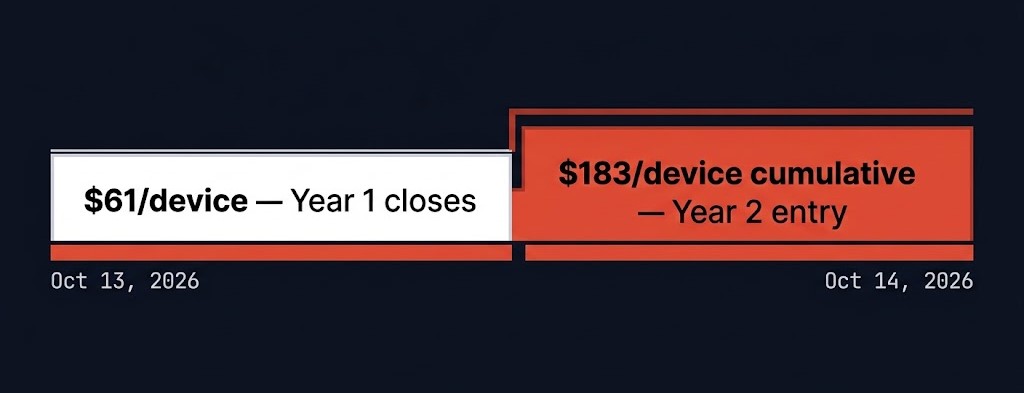
Windows 10 ESU has been purchasable since September 2025 — that part isn’t news. What changes on October 13, 2026 is the price: Year 1 coverage closes, and any organization that hasn’t enrolled yet moves into a cumulative Year 2 structure that requires paying for both Year 1 and Year 2 coverage, raising the minimum entry cost from $61 to $183 per device. For organizations that wait, the entry cost triples.
That’s the actual procurement decision this Field Notes is about — not whether ESU exists, but what it costs to keep treating Windows 10 support as a question you can answer later.
What October 13 Changes For Windows 10 ESU
Commercial Windows 10 ESU has run since Microsoft opened Volume Licensing and CSP enrollment in September 2025. Year 1 coverage — October 15, 2025 through October 13, 2026 — costs $61 per device, or roughly $45 with Intune/Autopatch management. None of that is new information as of this week.
What’s new is the calendar. Year 1 pricing closes October 13, 2026. Microsoft doesn’t sell partial years, and it doesn’t let an organization skip a year — coverage is cumulative. An organization that enrolls after October 13 doesn’t pay the Year 2 rate of $122 per device instead of $61. It pays both: $61 for the Year 1 coverage it never bought, plus $122 for Year 2, for a minimum of $183 per device before a single patch ships. Year 3, if it comes to that, adds another $244 on top — $427 per device across the full three-year window, cumulative and non-negotiable.
The cumulative structure isn’t an accounting artifact. It’s a governance mechanism. Microsoft priced Windows 10 ESU to become progressively harder to justify as a permanent operating model — the escalation is deliberate, not incidental, and it’s designed to make postponing the decision more expensive than making one.
October 13 isn’t only ESU’s Year 1 boundary, either. It’s also the date Office, Visio, and Project LTSC 2021 reach full end of support with no Extended Security Updates offered, and the day Windows Server 2022 exits mainstream support — three more Microsoft lifecycle events landing inside the same six-week window as this one. Lifecycle Convergence covers what happens when governance bandwidth, not any single deadline’s severity, becomes the actual constraint.
Windows 10 ESU exists to buy time. What changes on October 13 is how much that time costs, and how fast the meter resets if you wait past the deadline.
The Real Question Isn’t Whether You Need ESU
Most organizations running unmigrated Windows 10 fleets already know they need ESU in some form — the fleet exists, the patches stopped, the security posture has to come from somewhere. That’s not the decision this post is about.
The decision is what ESU is actually buying, and whether anyone has named the date it stops buying it.
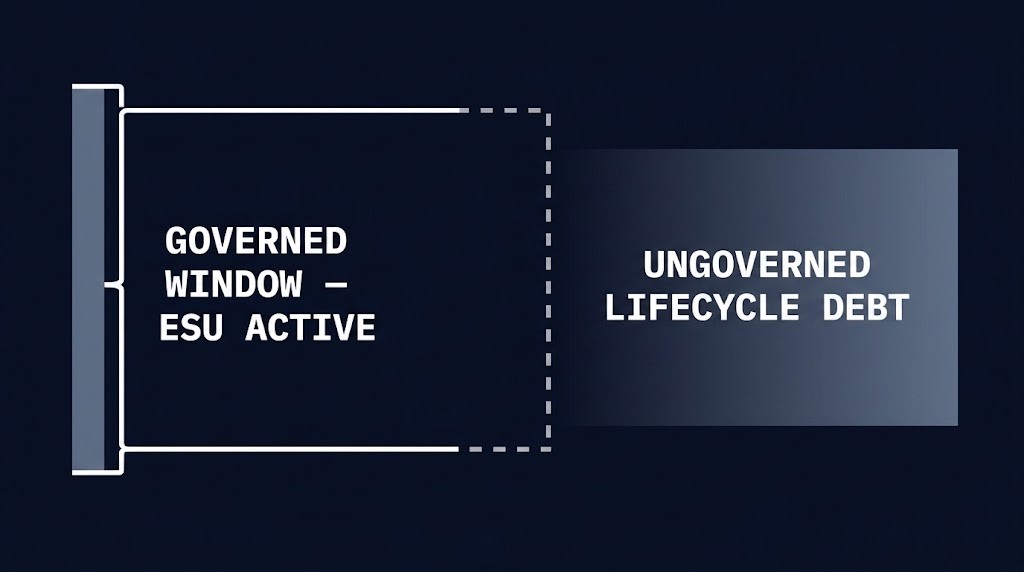
This is the same failure shape covered in Compatibility Is Not The Same Thing As Support, which names the underlying mechanism as a Lifecycle Governance Horizon — a forward window within which platform decisions remain actively governed, and beyond which lifecycle debt accumulates without anyone deciding to accumulate it. ESU is a governed window by design: Microsoft gives it a start date, an end date, and an escalating cost curve specifically so the deferral doesn’t become permanent by default. The failure mode isn’t buying ESU. It’s buying ESU without treating the window as governed — no owner, no exit date, no funded plan behind it, just a renewed line item that shows up again next fiscal year at double the cost. In framework terms, this is a Lifecycle Governance Horizon problem: functionality continues, governance expires, and the cost of delay rises on a schedule everyone can see.
Windows 10 ESU changes an organization’s security posture. It does not change Windows 10’s lifecycle status.
Those are two different facts, and conflating them is where the governance gap opens.
Pay, Migrate, Or Replace
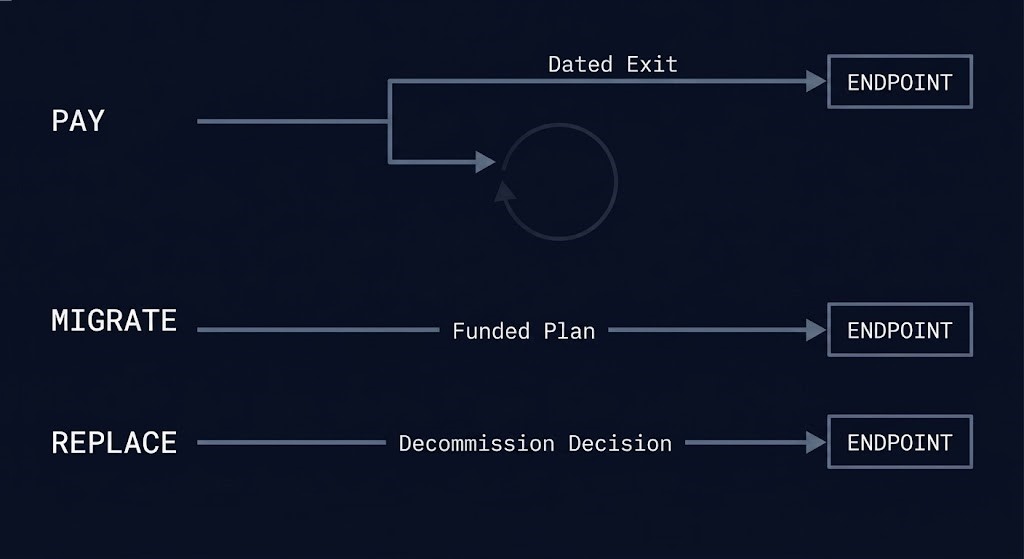
Every Windows 10 device still in production falls into one of three paths. The trap isn’t picking the wrong one — it’s picking “Pay” by default, without the condition that makes it defensible.
| Path | When It’s Right | Required Condition | The Trap |
|---|---|---|---|
| Pay (ESU) | A genuinely temporary bridge is needed | A dated exit — the specific date ESU coverage ends and what happens on it | Subsidizing indecision — renewing ESU because renewing is easier than deciding |
| Migrate | The destination platform is viable now | A funded, scheduled migration plan | Treating ESU as the plan instead of the bridge to one |
| Replace | The workload no longer earns its place on any platform | An actual replacement or decommission decision | Sunk-cost inertia — keeping a dying application alive because retiring it feels harder than patching around it |
The column that makes this table work is the middle one, not the first. “Pay” isn’t wrong. Pay-without-a-required-condition is wrong, and it’s the default state most organizations land in without choosing to.
Organizations rarely wake up and choose indefinite ESU. They arrive there one renewal cycle at a time.
Building The Decision Model
The $61-per-device number is one input, not the output. A real decision model needs at least these:
THE DECISION MODEL — SIX INPUTS
- Exit date — the specific date ESU coverage stops, named in advance
- Migration funding — whether the destination platform work is actually budgeted, not aspirational
- Workload criticality — what breaks, and how badly, if this device group is delayed further
- Device count — the multiplier that determines whether ESU is a rounding error or a capital-planning problem
- ESU price trajectory — $61 → $122 → $244, cumulative, non-negotiable, and known in advance
- Hardware refresh timing — whether a scheduled refresh cycle already resolves this for free
Run those six against any device group and one test does most of the work: if you cannot name the date ESU ends, you haven’t bought a bridge. You’ve bought delay, and delay doesn’t come with a price curve you controlled — Microsoft’s does.
Already operating beyond the Windows 10 support boundary entirely? The Unpatched Gap covers the containment problem — Zero Outbound rules, virtual patching, isolating what you can’t yet migrate. This post is upstream of that: the procurement decision that determines whether you end up needing containment in the first place.
Architect’s Verdict
ESU changes an organization’s security posture. It does not change Windows 10’s lifecycle status — Microsoft’s own terms are explicit that ESU delivers critical and important security updates only, not feature work, non-security fixes, or a return to general support. An unmigrated fleet on ESU is exactly as end-of-life on October 14 as it was on October 12. It’s just patched.
The real failure isn’t buying ESU. The real failure is allowing ESU to become the migration strategy. Security coverage can be purchased annually. Lifecycle resolution cannot. October 13 doesn’t create that failure — it just puts a price on ignoring it, and the price triples the next time the question comes up.
Paying for ESU without a migration date attached isn’t a decision. It’s a subscription to the same problem, one year at a time.
Additional Resources
Editorial Integrity & Security Protocol
This technical deep-dive adheres to the Rack2Cloud Deterministic Integrity Standard. All benchmarks and security audits are derived from zero-trust validation protocols within our isolated lab environments. No vendor influence.

R.M.
Senior Solutions Architect with 25+ years of experience in HCI, cloud strategy, and data resilience. As the lead behind Rack2Cloud, I focus on lab-verified guidance for complex enterprise transitions. View Credentials →
Get the Playbooks Vendors Won’t Publish
Choose the architecture problems you care about. Get field-tested playbooks and frameworks delivered to your inbox.
- > AI Infrastructure & Inference Economics
- > Cloud Strategy & Hidden Cost Models
- > Virtualization & Deterministic Migration
- > Kubernetes, IaC & Modern Infrastructure
- > Data Protection & Recovery Engineering
Zero spam. Includes The Dispatch weekly drop.
Need Architectural Guidance?
Independent review before major infrastructure decisions.
- > Validate assumptions
- > Identify hidden dependencies
- > Quantify migration risk
- > Challenge vendor narratives
Triage · Advisory · Fractional · Direct Hire